

編輯:Android 開發實例
上一篇(Android 百度地圖之定位 SDK(v3.1)使用示例(一))已經把網絡定位的完整流程跑通,這一篇接著談談在室外如何讓 SDK 走 GPS 這條路,以及如何把「一次定位」升級成「定時定位」。
百度定位 SDK 的一大好處是:切換定位策略不需要改動業務邏輯,只要調整 LocationClientOption 的屬性,再交給 mLocationClient.setLocOption(option) 生效即可。我在下班路上實測過,開啟 GPS 之後返回的座標相當可靠。
LocationClientOption option = new LocationClientOption();

// 需要地址資訊;傳入任何其他非 null 的字串,都代表不要地址
option.setAddrType("all");

// 是否回傳 POI 的電話、地址等附加資訊,預設 false(不回傳)
option.setPoiExtraInfo(true);

// 產品線名稱,強烈建議自訂,方便後續提供更精準的定位服務
option.setProdName("通過GPS定位我當前的位置");

// 開啟 GPS。前提是用戶已在系統裡打開 GPS 硬體開關,預設是不開啟的
option.setOpenGps(true);

// 定位間隔,單位 ms;設定值 >= 1000 時 SDK 進入定時定位模式
// option.setScanSpan(1000);

// 周邊查詢範圍(半徑,單位:公尺),預設 500
option.setPoiDistance(500);

// 停用定位快取
option.disableCache(true);

// 座標系型別,百度手機地圖對外介面預設為 bd09ll
option.setCoorType("bd09ll");

// 最多回傳的 POI 筆數,預設 3。POI 查詢較耗流量,適度收斂可省流量
option.setPoiNumber(3);

// GPS 優先:GPS 可用且取得結果時不再發起網絡請求,直接回傳座標;
// GPS 不可用時才退回網絡定位。適合追求座標精度的場景
option.setPriority(LocationClientOption.GpsFirst);

mLocationClient.setLocOption(option);
// 1. 產品線名稱換成能表達意圖的字串
option.setProdName("通過GPS定位我當前的位置");

// 2. 打開 GPS 開關
option.setOpenGps(true);

// 3. 定位策略改為 GPS 優先
option.setPriority(LocationClientOption.GpsFirst);
其餘屬性(地址型別、POI 附加資訊、座標系、快取策略等)保持原樣即可,SDK 會自動判斷該用哪一路定位依據。
官方文件的說明可以整理成三條:
requestLocation() 之後,SDK 會按設定的週期持續定位。若判定位置未發生變化,就不發網絡請求,直接回傳上一次的結果;一旦發現位置改變,才發起網絡請求取得新座標。也就是說,一次呼叫即可持續收到定位結果。requestLocation(),SDK 就定位一次,請求與結果一一對應。locationClient.stop() 之後不再定位。若在定時定位模式下多次呼叫 requestLocation(),額外的請求也會觸發定位,但整體頻率不會超過每秒一次。我實際跑過:其他屬性不動,只把 setScanSpan 打開並設為 1000,App 就會每隔一秒重新定位一次,日誌按週期刷新。
// 定位間隔,單位:ms
// 設定值 >= 1000(ms)時,定位 SDK 內部使用定時定位模式
option.setScanSpan(1000);
package com.android.baidu.map;

import android.app.Activity;
import android.os.Bundle;
import android.util.Log;
import android.view.View;
import android.widget.TextView;

import com.baidu.location.BDLocation;
import com.baidu.location.BDLocationListener;
import com.baidu.location.LocationClient;
import com.baidu.location.LocationClientOption;

/**
 * 通過 GPS 定位取得當前位置
 */
public class BaiduMapLoaction2Activity extends Activity {

    private static final String TAG = "BaiduMapLoactionActivity";

    private LocationClient mLocationClient;
    private MyBDLocationListener mBDLocationListener;
    private TextView mContent;

    @Override
    public void onCreate(Bundle savedInstanceState) {
        super.onCreate(savedInstanceState);
        setContentView(R.layout.main);

        mLocationClient = new LocationClient(this.getApplicationContext());

        mBDLocationListener = new MyBDLocationListener();
        mLocationClient.registerLocationListener(mBDLocationListener);

        LocationClientOption option = new LocationClientOption();
        option.setAddrType("all");              // 需要地址資訊
        option.setPoiExtraInfo(true);           // 回傳 POI 電話、地址等附加資訊
        option.setProdName("通過GPS定位我當前的位置");
        option.setOpenGps(true);                // 開啟 GPS
        // option.setScanSpan(1000);            // 定時定位間隔,單位 ms
        option.setPoiDistance(500);             // 周邊查詢半徑(公尺)
        option.disableCache(true);              // 停用快取
        option.setCoorType("bd09ll");           // 座標系型別
        option.setPoiNumber(3);                 // 最多回傳 3 筆 POI
        option.setPriority(LocationClientOption.GpsFirst); // GPS 優先

        mLocationClient.setLocOption(option);

        mContent = (TextView) this.findViewById(R.id.tv_content);

        // 發起定位請求
        findViewById(R.id.btn_request).setOnClickListener(new View.OnClickListener() {
            @Override
            public void onClick(View v) {
                mLocationClient.start();
            }
        });

        // 重新定位
        findViewById(R.id.btn_location).setOnClickListener(new View.OnClickListener() {
            @Override
            public void onClick(View v) {
                if (mLocationClient != null && mLocationClient.isStarted()) {
                    mLocationClient.requestLocation();
                }
            }
        });

        // 發起周邊查詢請求
        findViewById(R.id.btn_address).setOnClickListener(new View.OnClickListener() {
            @Override
            public void onClick(View v) {
                if (mLocationClient != null && mLocationClient.isStarted()) {
                    mLocationClient.requestPoi();
                }
            }
        });
    }

    final class MyBDLocationListener implements BDLocationListener {

        @Override
        public void onReceiveLocation(BDLocation location) {
            Log.e(TAG, "---------onReceiveLocation()---------");

            if (location == null) {
                Log.e(TAG, "---------onReceiveLocation------location is NULL----");
                return;
            }

            int type = location.getLocType();
            Log.i(TAG, "當前定位採用的型別是:type = " + type);

            String coorType = location.getCoorType();
            Log.i(TAG, "座標系型別:coorType = " + coorType);

            // 定位精度半徑(公尺)
            if (location.hasRadius()) {
                float accuracy = location.getRadius();
                Log.i(TAG, "accuracy = " + accuracy);
            }

            // 反地理編碼:僅網絡定位時才能取得
            if (location.hasAddr()) {
                String address = location.getAddrStr();
                Log.i(TAG, "address = " + address);
            }

            String province = location.getProvince();
            String city = location.getCity();
            String district = location.getDistrict();
            Log.i(TAG, "province = " + province);
            Log.i(TAG, "city = " + city);
            Log.i(TAG, "district = " + district);

            double latitude = location.getLatitude();
            double longitude = location.getLongitude();
            Log.i(TAG, "latitude = " + latitude);
            Log.i(TAG, "longitude = " + longitude);

            StringBuffer sb = new StringBuffer(256);
            sb.append("time : ").append(location.getTime());
            sb.append("\nerror code : ").append(location.getLocType());
            sb.append("\nlatitude : ").append(location.getLatitude());
            sb.append("\nlontitude : ").append(location.getLongitude());
            sb.append("\nradius : ").append(location.getRadius());

            if (location.getLocType() == BDLocation.TypeGpsLocation) {
                sb.append("\nspeed : ").append(location.getSpeed());
                sb.append("\nsatellite : ").append(location.getSatelliteNumber());
            } else if (location.getLocType() == BDLocation.TypeNetWorkLocation) {
                sb.append("\naddr : ").append(location.getAddrStr());
            }

            mContent.setText(sb);
        }

        @Override
        public void onReceivePoi(BDLocation poiLocation) {
            Log.e(TAG, "---------onReceivePoi()---------");

            if (poiLocation == null) {
                Log.e(TAG, "---------onReceivePoi------location is NULL----");
                return;
            }

            if (poiLocation.hasPoi()) {
                String poiStr = poiLocation.getPoi();
                Log.i(TAG, "poiStr = " + poiStr);
            }

            if (poiLocation.hasAddr()) {
                String address = poiLocation.getAddrStr();
                Log.i(TAG, "address = " + address);
            }

            StringBuffer sb = new StringBuffer(256);
            sb.append("Poi time : ").append(poiLocation.getTime());
            sb.append("\nerror code : ").append(poiLocation.getLocType());
            sb.append("\nlatitude : ").append(poiLocation.getLatitude());
            sb.append("\nlontitude : ").append(poiLocation.getLongitude());
            sb.append("\nradius : ").append(poiLocation.getRadius());

            if (poiLocation.getLocType() == BDLocation.TypeNetWorkLocation) {
                sb.append("\naddr : ").append(poiLocation.getAddrStr());
            }

            if (poiLocation.hasPoi()) {
                sb.append("\nPoi:").append(poiLocation.getPoi());
            } else {
                sb.append("noPoi information");
            }

            mContent.setText(sb);
        }
    }

    @Override
    protected void onDestroy() {
        if (mLocationClient != null && mLocationClient.isStarted()) {
            if (mBDLocationListener != null) {
                mLocationClient.unRegisterLocationListener(mBDLocationListener);
            }
            mLocationClient.stop();
            mLocationClient = null;
        }
        super.onDestroy();
    }
}
值得注意的是 onReceiveLocation() 的型別判斷:GPS 定位會額外帶回 getSpeed() 與 getSatelliteNumber(),而網絡定位才有反地理編碼 getAddrStr()。實作 UI 時依型別分別取用,可以避免拿到空值。
轉自:https://blog.csdn.net/android_ls/article/details/8583656
 Android記事本範例剖析(三):Activity生命週期與自訂控制項
本篇是 Android 記事本範例系列的第三篇,重點放在 Activity 生命週期與自訂控制項。透過實際切換畫面並觀察 Logcat,可以更清楚理解 Android 如
 用 Android 打造漫天飛雪與下雨天的動態效果
前言這套生動的降雪與降雨動畫,最初靈感來自國外一位開發者的巧思。我在他的基礎上反覆調試,為程式碼補上大量註解,並對部分細節做了修改。在此之上,我沿用漫天飛雪的核心思路,進
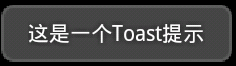 Android Toast 提示訊息使用教學
Toast 是 Android 中最常見的輕量提示方式。它會短暫顯示訊息,然後自動消失,不需要使用者點擊確認,也不會中斷目前 Activity 的操作。Toast 的使用
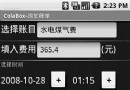 Android 理財 App 實作(四):新增帳單頁面的版面配置與 Spinner 資料綁定
這一節要把新增帳單的介面整理出來。動手前覺得應該不難,實際做下去才發現:排版面比寫程式還費工。上網找資料也收穫有限,官方範例裡用得最多的還是 ListView,但這個頁面