

編輯:Android 開發實例
在 App 裡開網頁是很常見的需求,Android 提供了幾種不同的調用方式,各有適用情境。
Intent intent = new Intent();
intent.setAction("android.intent.action.VIEW");
Uri content_url = Uri.parse("https://www.example.com");
intent.setData(content_url);
startActivity(intent);
這樣 Android 就會喚起手機的預設瀏覽器前往該網址。最簡單,也最通用。
如果你希望明確指定用哪一個瀏覽器開啟,只要補上 setClassName(),把套件名稱與啟動 Activity 一起寫死:
intent.setClassName("com.android.browser", "com.android.browser.BrowserActivity");
startActivity(intent);
常見的幾組對應如下(前提是該瀏覽器已安裝在機器上):
要開啟裝置上的本機 HTML 檔,一定要明確指定瀏覽器,不能靠方式一那種「交給系統挑」的寫法:
Intent intent = new Intent();
intent.setAction("android.intent.action.VIEW");
Uri content_url = Uri.parse("content://com.android.htmlfileprovider/sdcard/help.html");
intent.setData(content_url);
intent.setClassName("com.android.browser", "com.android.browser.BrowserActivity");
startActivity(intent);
關鍵在於使用了 content 這個 scheme,透過 com.android.htmlfileprovider 來提供檔案。
有 Win32 開發經驗的人可能會想:直接寫成 file:///sdcard/help.html 不行嗎?答案是預設瀏覽器並未針對 file 這個 scheme 做解析。若你希望自帶瀏覽器支援它,就得動手改 Android 原始碼。
步驟大致如下:
<intent-filter>
    <action android:name="android.intent.action.VIEW" />
    <category android:name="android.intent.category.DEFAULT" />
    <category android:name="android.intent.category.BROWSABLE" />
    <data android:scheme="file" />
</intent-filter>
一般應用開發當然不必走到改原始碼這一步,但理解 intent-filter 與 scheme 的運作,對後續處理各種 URI 會很有幫助。
 Android 本地化:讓同一個 App 在不同語系下說對的話
一支上架 Google Play 的 App,潛在使用者分布在全球上百個地區,語系、數字格式、日期寫法各不相同。若把「Hello world!」這類文字硬寫在程式碼或版面
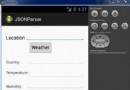 Android JSON 解析實作:用 JSONObject 取得天氣資料
從網路取得 JSON在 Android 應用中,JSON 常用來承載 API 回傳的資料。解析時,通常先取得完整字串,再建立 JSONObject,逐一讀取需要的欄位。解
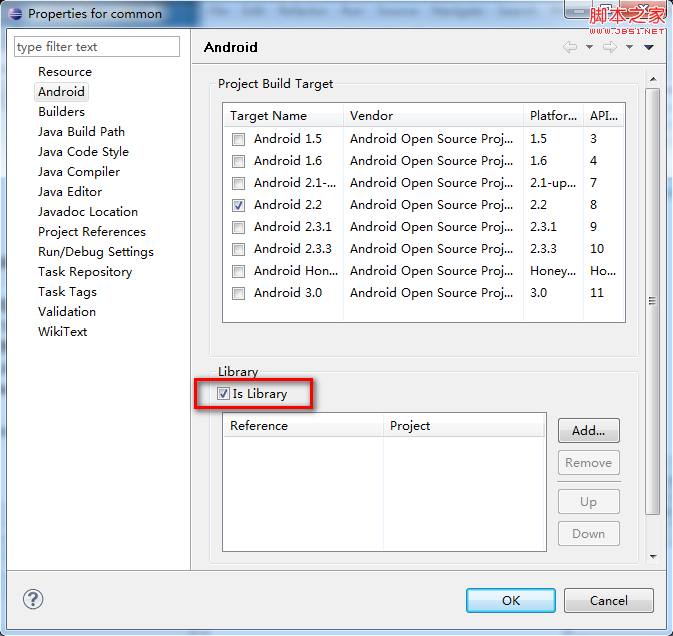 Android Library:模塊化與工程擴展的實踐
1. 需求從哪來 無論是 .NET 還是 Java 平台,合理的分層架構都是最主流的模塊化思路,dll 與 jar 因此風靡各處。 某天團隊找到我:要在 Android
 Android JSON 資料解析:JSONObject 與天氣資訊抓取
在 Android 開發中,JSON 解析幾乎是網路應用的必備技能。無論是氣象、新聞、社群或商品資料,後端常會以 JSON 格式回傳結果。本文說明如何從 JSON 中取出