

編輯:Android 開發實例
用 Eclipse 或 ADT 建立一個空專案,系統會自動幫你產生一個能跑起來的 HelloWorld。看似簡單,但這幾個檔案其實已經把 Android 開發的核心觀念全部涵蓋了。以下逐一拆解。
public class HelloWorld extends Activity {
    /** Called when the activity is first created. */
    @Override
    public void onCreate(Bundle savedInstanceState) {
        super.onCreate(savedInstanceState);
        setContentView(R.layout.main);
    }
}
首先它繼承了 Activity。你可以把一個 Activity 想像成手機的一整個畫面,凡是需要顯示內容的螢幕都必須繼承 Activity。
接著覆寫 onCreate() 做初始化,其中 setContentView(R.layout.main) 指定以 main.xml 作為這個畫面的版面配置。
值得留意的是 R.layout.main 這種寫法:Android 會在編譯期間產生一個 R.java 索引檔,把所有 res 目錄下的資源都登錄成常數。你不需要用 File 類別去自行讀取 XML,只要把索引交給系統,它會自動找到並載入——這是 Android 資源機制相當便利的一環。
<?xml version="1.0" encoding="utf-8"?>
<LinearLayout xmlns:android="https://schemas.android.com/apk/res/android"
    android:orientation="vertical"
    android:layout_width="fill_parent"
    android:layout_height="fill_parent"
    >
<TextView
    android:layout_width="fill_parent"
    android:layout_height="wrap_content"
    android:text="@string/hello"
    />
</LinearLayout>
內容不多:一個 LinearLayout 裡放了一個負責顯示文字的 TextView。幾個參數的意義如下:
android:orientation="vertical" 代表子元件垂直堆疊,改成 horizontal 則變成水平並排。fill_parent 表示撐滿父容器;改為 wrap_content 則依內容大小自動收縮。@string/hello 引用 strings.xml 中名為 hello 的字串資源。<?xml version="1.0" encoding="utf-8"?>
<resources>
<string name="hello">Hello World, HelloWorld!</string>
<string name="app_name">HelloWorld</string>
</resources>
本質上就是一堆 key-value 鍵值對,供專案各處引用。把所有文字集中管理,除了避免同一句話散落在數十個檔案裡難以維護,更是日後做多國語系(i18n)的準備工作——只要再開一個 values-en、values-ja 放對應翻譯即可。
<manifest xmlns:android="https://schemas.android.com/apk/res/android"
    package="com.flysnow"
    android:versionCode="1"
    android:versionName="1.0">
    <application android:icon="@drawable/icon" android:label="@string/app_name">
        <activity android:name=".HelloWorld"
            android:label="@string/app_name">
            <intent-filter>
                <action android:name="android.intent.action.MAIN" />
                <category android:name="android.intent.category.LAUNCHER" />
            </intent-filter>
        </activity>
    </application>
    <uses-sdk android:minSdkVersion="8" />
</manifest>
這份檔案宣告了 Activity、權限、Intent 等所有應用層級資訊,逐段來看:
android:icon 指定圖示、android:label 指定名稱。.HelloWorld 是相對寫法,會與上面的 package 組合成 com.flysnow.HelloWorld。把這四個檔案串起來看,你就掌握了 Android 應用最基本的骨架:Activity 負責行為、Layout 負責外觀、strings 負責文字、Manifest 負責身分註冊。
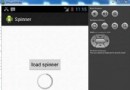 Android Spinner 載入動畫:按鈕觸發與顯示控制
Spinner 是 Android 中常見的等待提示元件。當使用者觸發某個操作,但系統需要一點時間處理時,可以用轉圈動畫告知目前仍在進行中。 基本設定 在版面配置中加入
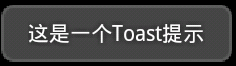 Android Toast 提示訊息使用教學
Toast 是 Android 中最常見的輕量提示方式。它會短暫顯示訊息,然後自動消失,不需要使用者點擊確認,也不會中斷目前 Activity 的操作。Toast 的使用
 使用 PHP for Android 與 SL4A 打造 Android 應用
PHP for Android 讓開發者能在 Android 上以 PHP 撰寫腳本,搭配 Scripting Layer for Android,也就是 SL4A,可快
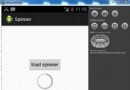 Android 進度條實作:用 Loading Spinner 表示「還不知道要等多久」
Android 的 ProgressBar 有兩種常見形態:一種是帶有百分比的進度條(progress bar),另一種是持續旋轉的轉圈動畫,也就是本章的主角 Spinn