

編輯:Android 開發實例
按下實體鍵盤上的搜尋按鈕時,會彈出一個搜尋對話框,並能顯示搜尋關鍵字的提示。這要如何實現呢?本文將一步步帶你完成。
在 res/xml 中建立 searchable.xml,內容如下:
<searchable xmlns:android="https://schemas.android.com/apk/res/android"
    android:label="@string/search_label"
    android:hint="@string/search_hint"
    android:searchSettingsDescription="@string/settings_description">
</searchable>
至少需要實作 onCreate 方法把畫面顯示出來。
<?xml version="1.0" encoding="utf-8"?>
<manifest xmlns:android="https://schemas.android.com/apk/res/android"
    package="com.halzhang.android.search" android:versionCode="1"
    android:versionName="1.0">
    <application
        android:icon="@drawable/icon"
        android:label="@string/app_name">
        <activity android:name=".SearchableMusicActivity"
            android:label="@string/app_name"
            android:theme="@android:style/Theme.NoTitleBar">
            <intent-filter>
                <action android:name="android.intent.action.MAIN" />
                <category android:name="android.intent.category.LAUNCHER" />
            </intent-filter>
            <intent-filter>
                <!-- 配置 action -->
                <action android:name="android.intent.action.SEARCH" />
            </intent-filter>
            <!-- 指定搜尋的設定檔 -->
            <meta-data android:name="android.app.searchable"
                android:resource="@xml/searchable" />
        </activity>
        <meta-data
            android:name="android.app.default_searchable"
            android:value=".SearchableMusicActivity" />
    </application>
</manifest>
Android 已經幫我們建立了一個預設的提示機制,我們只要繼承 SearchRecentSuggestionProvider 並稍作修改即可:
import android.content.SearchRecentSuggestionsProvider;

/**
 * 搜尋提示
 */
public class SearchSuggestionsProvider extends SearchRecentSuggestionsProvider {
    // 記住這個
    public final static String AUTHORITY = "searchprovider";
    public final static int MODE = DATABASE_MODE_QUERIES;

    public SearchSuggestionsProvider() {
        setupSuggestions(AUTHORITY, MODE);
    }
}
<?xml version="1.0" encoding="utf-8"?>
<searchable xmlns:android="https://schemas.android.com/apk/res/android"
    android:label="@string/search_label"
    android:hint="@string/search_hint"
    android:searchSettingsDescription="@string/search_settings_description"
    android:searchSuggestAuthority="searchprovider"
    android:searchSuggestIntentAction="android.intent.action.SEARCH"
    android:searchSuggestThreshold="1"
    android:includeInGlobalSearch="true"
    android:searchSuggestSelection=" ?" >
</searchable>
透過以上五個步驟,就能搭建出一個具備關鍵字提示功能的完整搜尋框架。其中 searchSuggestAuthority 對應前面建立的提示提供者,而 searchSuggestSelection 中的空格與問號則是查詢提示資料時的佔位參數,開發時要特別留意。
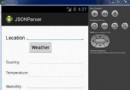 Android JSON 解析入門:用 JSONObject 取出你真正需要的那幾個欄位
JSON(JavaScript Object Notation)是一種不依附任何程式語言的純文字資料格式。它不像 XML 需要層層疊疊的標籤與屬性宣告,因此在行動網路上傳
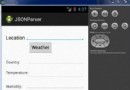 從 API 到畫面:Android 用 JSONObject 解析天氣資料的整條路
行動 App 的資料大多不是自己產生的,而是從伺服器抓回來的。而這些年最主流的傳輸格式,莫過於 JSON——它比 XML 短、比 XML 好讀,解析器幾乎每個語言都內建。
 Android 輕鬆實作淘寶風格地區選擇
淘寶在編輯地址時的地區選擇,最大特色是列表滾動時,新項目會從下方滑入並貼近上一項。本文以自製 Demo 重現這種效果,適合想替表單加入更細膩動畫的 Android 開發者
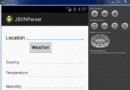 Android JSON 解析:以 JSONObject 擷取網路資料
JSON(JavaScript Object Notation)是一種與語言無關的資料交換格式,也是 XML 廣受歡迎的替代方案。本章說明如何在 Android 中解析