

編輯:Android 開發實例
字串資源為應用程式提供可翻譯的文字內容,還能附帶樣式與格式化參數。本文對應 Android 4.0 r1,整理三類字串資源以及格式化與樣式化的實務細節。
三類資源都屬於「簡單型別資源」,以 name 屬性而非檔名引用,因此可與其他簡單型別混放在同一個 <resources> 之下。
檔案位置 res/values/filename.xml(檔名不拘,<string> 的 name 即為資源 ID),編譯後型別為指向 String 的資源指標。Java 用 R.string.string_name 引用,XML 用 @string/string_name。
<?xml version="1.0" encoding="utf-8"?>
<resources>
<string name="string_name">text_string</string>
</resources>
<resources> 為必填根元素、無屬性;<string> 可包含樣式標記,但單引號與雙引號都必須轉義。
<resources>
<string name="hello">Hello!</string>
</resources>
<TextView
    android:layout_width="fill_parent"
    android:layout_height="wrap_content"
    android:text="@string/hello" />

String string = getString(R.string.hello);
讀取時有兩個選擇:getString(int) 只取純文字,getText(int) 則會一併保留套用在字串上的 rich text 樣式。
檔案位置同上,<string-array> 的 name 作為資源 ID,編譯後型別為指向 String 陣列的指標。Java 端以 R.array.string_array_name 引用。<string-array> 需包含一個以上 <item>,每個 item 是字串或指向其他字串資源的參考。
<resources>
<string-array name="planets_array">
<item>Mercury</item>
<item>Venus</item>
<item>Earth</item>
<item>Mars</item>
</string-array>
</resources>
Resources res = getResources();
String[] planets = res.getStringArray(R.array.planets_array);
每種語言描述數量的語法規則都不同。英文裡「1」是唯一特例:寫成 "1 book",其他數量一律是 "n books"。有些語言的區分更細緻,Android 支援的六大類別為 zero、one、two、few、many 和 other。
由於判定規則相當複雜,Android 提供了 getQuantityString() 來依地區設定自動挑選對應的資源。
實務提醒:選項必須依語法規則建立,不能憑字面直覺。例如英文不需要 zero,因為 0 的表達方式與 2 及其他非 1 的數字並無差別("zero books"、"two books")。也不要以為 "two" 只能用於數字 2——某些語言裡 2、12、102 可能都歸在同一類,卻與其他數字形式不同。這部分請務必與翻譯人員確認。
如果產品文案風格允許,用「Books: 1」這類模糊數量寫法可以完全避開複數問題,開發與翻譯都更省事。
Java 端以 R.plurals.plural_name 引用。<plurals> 的 name 為資源 ID,每個 <item> 透過 quantity 屬性標示適用哪一類數量:
<!-- res/values/strings.xml -->
<resources>
<plurals name="numberOfSongsAvailable">
<item quantity="one">One song found.</item>
<item quantity="other">%d songs found.</item>
</plurals>
</resources>
<!-- res/values-pl/strings.xml -->
<resources>
<plurals name="numberOfSongsAvailable">
<item quantity="one">Znaleziono piosenkę.</item>
<item quantity="few">Znaleziono %d piosenki.</item>
<item quantity="other">Znaleziono %d piosenek.</item>
</plurals>
</resources>
int count = getNumberOfsongsAvailable();
Resources res = getResources();
String songsFound = res.getQuantityString(R.plurals.numberOfSongsAvailable, count, count);
呼叫 getQuantityString() 時,若字串含有數字格式化佔位符,就必須傳入兩個 count 參數:第一個用來挑選正確的複數形式,第二個用來填入 %d。若複數字串本身不含格式化資訊,第三個參數可以省略。
字串中若含單引號或雙引號,必須轉義,或改用另一種成對引號把整段文字包起來:
<string name="good_example">"This'll work"</string>
<string name="good_example_2">This\'ll also work</string>
<string name="bad_example">This doesn't work</string>
<string name="bad_example_2">XML encodings don't work</string>
需要動態內容時,可直接把格式化參數寫進資源裡:
<string name="welcome_messages">Hello, %1$s! You have %2$d new messages.</string>
此例有兩個參數:%1$s 是字串,%2$d 是數字。使用時:
Resources res = getResources();
String text = String.format(res.getString(R.string.welcome_messages), username, mailCount);
可在字串資源中直接嵌入 HTML 標籤:
<resources>
<string name="welcome">Welcome to <b>Android</b>!</string>
</resources>
支援的標籤有 <b>(粗體)、<i>(斜體)與 <u>(底線)。
若想要「樣式化 + 格式化」並存,直接寫標籤是行不通的,因為 String.format(String, Object...) 會把字串中的樣式資訊全部剝除。解法是先把 HTML 標籤轉義存放,格式化之後再用 fromHtml(String) 還原:
<resources> <string name="welcome_messages">Hello, %1$s! You have <b>%2$d new messages</b>.</string> </resources>
注意左尖括號寫成 <,這才是真正被轉義的 HTML。
Resources res = getResources();
String text = String.format(res.getString(R.string.welcome_messages), username, mailCount);
CharSequence styledText = Html.fromHtml(text);
由於 fromHtml(String) 會解析整段文字中的 HTML,所有動態傳入的內容都必須先用 htmlEncode(String) 轉義。例如使用者名稱可能含 < 或 &,就必須在格式化之前處理:
String escapedUsername = TextUtil.htmlEncode(username);
Resources res = getResources();
String text = String.format(res.getString(R.string.welcome_messages), escapedUsername, mailCount);
CharSequence styledText = Html.fromHtml(text);
格式化完成後再交給 fromHtml(String),這些特殊字元就會被還原成本來的意義,而不會被誤當成標籤解析。
 Android OpenGL 繪圖技巧完整總結
本文重新複習了 Android 上使用 OpenGL ES 繪圖的原理與技巧,並把重點整理如下,方便日後查閱。1. Android 三維座標系統如圖:Android 的三
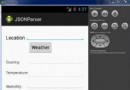 Android 天氣查詢範例:JSON 解析與畫面更新
範例目標這個範例以天氣查詢為主題,示範如何讓使用者輸入城市名稱,再由程式連線取得 JSON 資料,最後把國家、溫度、濕度與氣壓顯示在畫面上。實作步驟建立專案後,先設計輸入
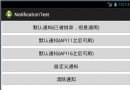 Android Notification 用法總整理:四種建立方式與版本演進
手機來了簡訊而你沒點開,狀態欄上方會留一個小圖示提醒你——這就是 Notification。想在自己的應用裡做類似的事,就得把 Notification 這套 API 摸
 Android Service 全面整理:分類、生命週期與使用方式
Service 是 Android 四大元件之一,但也最常被誤解成「執行緒」。這篇把它的分類、與 Thread 的差異、生命週期、啟動與綁定方式,以及 manifest