

編輯:Android 開發實例
我們上網幾乎都會用搜尋引擎,輸入一兩個字之後,對應的關鍵字就會自動跳出來。這種效果在 Android 裡怎麼做?其實只要 AutoCompleteTextView 搭配 ArrayAdapter,就能做出類似搜尋建議的互動。
[效果圖]
流程只有三步:在版面中放一個 AutoCompleteTextView,把預先準備好的字串陣列交給 ArrayAdapter,最後用 setAdapter() 掛上去。完成後,只要輸入 ab,清單裡所有含 ab 的項目就會自動浮現。
<?xml version="1.0" encoding="utf-8"?>
<LinearLayout xmlns:android="https://schemas.android.com/apk/res/android"
    android:layout_width="fill_parent"
    android:layout_height="fill_parent"
    android:orientation="vertical">

    <TextView
        android:layout_width="fill_parent"
        android:layout_height="wrap_content"
        android:text="Please input:" />

    <AutoCompleteTextView
        android:id="@+id/actv"
        android:layout_width="fill_parent"
        android:layout_height="wrap_content" />
</LinearLayout>
package com.android.test;

import android.app.Activity;
import android.os.Bundle;
import android.widget.ArrayAdapter;
import android.widget.AutoCompleteTextView;

public class AutoCompleteTextViewDemo extends Activity {

    private AutoCompleteTextView actv;
    private static final String[] autoStrs =
            new String[]{ "a", "abc", "abcd", "abcde", "ba" };

    public void onCreate(Bundle savedInstanceState) {
        super.onCreate(savedInstanceState);
        setContentView(R.layout.main);

        actv = (AutoCompleteTextView) findViewById(R.id.actv);

        // 把字串陣列包進 ArrayAdapter,掛給 AutoCompleteTextView
        ArrayAdapter<String> adapter = new ArrayAdapter<String>(this,
                android.R.layout.simple_dropdown_item_1line, autoStrs);
        actv.setAdapter(adapter);
    }
}
預設的比對是「開頭相符」,所以輸入 ab 會命中 abc、abcd,但不会命中 ba。若想改成包含即命中,可以自訂 Adapter 改寫 getFilter()。
另外兩個常用設定:android:completionThreshold 決定輸入幾個字才開始提示,預設是 2;android:completionHint 可以自訂下拉清單上方的提示文字。真實專案裡,建議清單通常來自資料庫或網路 API,此時把 ArrayAdapter 換成自訂 Adapter,並搭配非同步載入即可,切忌在主執行緒上做網路請求。
 Android TextView 顯示 HTML 樣式文字
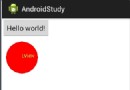
有時 App 需要在一行文字中混合不同顏色或字體大小,例如通知訊息中的姓名與數量。若使用 SpannableString,雖然可以控制樣式,但需要處理位置與替換規則,較
 Android 自定義 View 的實現方法
當系統內建控制項無法滿足需求時,可以自定義 View。由於大多數控制項都繼承自 View,因此自定義 View 通常也只需要繼承 View,並覆寫相關繪製方法。繪製流程最
 Eclipse 中 aapt.exe 停止工作的排查方式
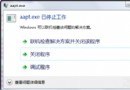
問題現象 在 Eclipse 開發 Android 專案時,若版面配置或 XML 檔有錯誤,可能會突然出現 aapt.exe 停止工作的提示。這類錯誤不一定伴隨明確訊息,
 Android 本地化:讓同一個 App 在不同語系下說對的話
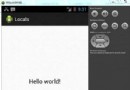
一支上架 Google Play 的 App,潛在使用者分布在全球上百個地區,語系、數字格式、日期寫法各不相同。若把「Hello world!」這類文字硬寫在程式碼或版面