

編輯:Android 開發實例
這是一個小小的入門應用,主要用來認識 MediaPlayer 類別。日後打算做個更完整的版本,能從網路直接下載歌曲與歌詞檔並動態顯示歌詞,這個小版本先不著墨於那些功能,留待以後補上。
<?xml version="1.0" encoding="utf-8"?>
<LinearLayout xmlns:android="https://schemas.android.com/apk/res/android"
 android:orientation="vertical"
 android:layout_width="fill_parent"
 android:layout_height="fill_parent"
 >
 <TextView
 android:layout_width="fill_parent"
 android:layout_height="wrap_content"
 android:text="音樂檔案路徑"
 />
 <EditText
 android:layout_width="fill_parent"
 android:layout_height="wrap_content"
 android:id="@+id/filename"
 android:text="test.mp3"
 />
 <RelativeLayout xmlns:android="https://schemas.android.com/apk/res/android"
 android:layout_width="wrap_content"
 android:layout_height="wrap_content"
 >
 <Button
 android:layout_width="wrap_content"
 android:layout_height="wrap_content"
 android:id="@+id/startButton"
 android:text="播放"
 android:textSize="15px"
 />
 <Button
 android:layout_width="wrap_content"
 android:layout_height="wrap_content"
 android:layout_toRightOf="@id/startButton"
 android:layout_alignTop="@id/startButton"
 android:layout_marginLeft="10px"
 android:id="@+id/pauseButton"
 android:text="暫停"
 android:textSize="15px"
 />
 <Button
 android:layout_width="wrap_content"
 android:layout_height="wrap_content"
 android:layout_toRightOf="@id/pauseButton"
 android:layout_alignTop="@id/pauseButton"
 android:layout_marginLeft="10px"
 android:id="@+id/stopButton"
 android:text="停止"
 android:textSize="15px"
 />
 </RelativeLayout>
</LinearLayout>
這是一個很簡單的配置,包含一個輸入路徑的 EditText 與播放、暫停、停止三個按鈕。
package com.studio.audio;

import java.io.IOException;

import android.app.Activity;
import android.media.MediaPlayer;
import android.os.Bundle;
import android.view.View;
import android.view.View.OnClickListener;
import android.widget.Button;
import android.widget.EditText;
import android.widget.Toast;

public class AudioActivity extends Activity {
 private MediaPlayer mediaPlayer = null;
 private Button startButton = null;
 private Button pauseButton = null;
 private Button stopButton = null;
 private EditText editText = null;

 private boolean isPause = false;

 @Override
 public void onCreate(Bundle savedInstanceState) {
 super.onCreate(savedInstanceState);
 setContentView(R.layout.main);

 editText = (EditText) findViewById(R.id.filename);
 startButton = (Button) findViewById(R.id.startButton);
 pauseButton = (Button) findViewById(R.id.pauseButton);
 stopButton = (Button) findViewById(R.id.stopButton);

 startButton.setOnClickListener(listener);
 pauseButton.setOnClickListener(listener);
 stopButton.setOnClickListener(listener);

 mediaPlayer = new MediaPlayer();
 mediaPlayer
 .setOnCompletionListener(new MediaPlayer.OnCompletionListener() {
 @Override
 public void onCompletion(MediaPlayer mp) {
 Toast.makeText(AudioActivity.this, "播放完成",
 Toast.LENGTH_LONG).show();
 }
 });
 }

 private OnClickListener listener = new OnClickListener() {
 @Override
 public void onClick(View v) {
 Button button = (Button) v;
 switch (button.getId()) {
 case R.id.startButton:
 try {
 String fileName = editText.getText().toString();
 mediaPlayer.reset();
 mediaPlayer.setDataSource("/sdcard/" + fileName);
 mediaPlayer.prepare();
 mediaPlayer.start();
 } catch (Exception e) {
 e.printStackTrace();
 }
 break;
 case R.id.pauseButton:
 try {
 if (mediaPlayer.isPlaying()) {
 mediaPlayer.pause();
 } else {
 mediaPlayer.start();
 }
 } catch (Exception e) {
 }
 break;
 case R.id.stopButton:
 if (mediaPlayer.isPlaying()) {
 mediaPlayer.stop();
 }
 break;
 default:
 break;
 }
 }
 };

 @Override
 protected void onPause() {
 if (mediaPlayer.isPlaying()) {
 mediaPlayer.pause();
 isPause = true;
 }
 super.onPause();
 }

 @Override
 protected void onResume() {
 if (isPause) {
 mediaPlayer.start();
 isPause = false;
 }
 super.onResume();
 }

 @Override
 protected void onDestroy() {
 mediaPlayer.release();
 mediaPlayer = null;
 super.onDestroy();
 }
}
由於此處使用 sdcard 裡的音樂檔案,因此必須先把一首音樂傳到 sdcard。開啟模擬器的 sdcard 頁籤,點擊右上角的手機圖示,即可將本機檔案傳入 sdcard。要特別注意檔名需與程式中的設定一致(此例為 test.mp3)。整體功能雖不複雜,但透過它便能掌握 MediaPlayer 播放、暫停、停止與生命週期管理的基礎用法。
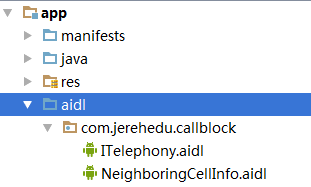 Android 四大組件實戰:來電攔截與通話錄音
一、需求描述本實例借助 BroadcastReceiver 與 Service 兩大組件,實現兩個實用功能:1. 當手機有來電時,自動啟動監聽服務,對通話進行錄音。2.
 Android MediaPlayer 範例:音樂播放與快進快退
本範例展示一個簡單的音樂播放器,包含播放、暫停、快進與倒退功能。適合初學者理解 MediaPlayer 的基本生命週期。 播放控制 播放時可取得總長度與目前位置,並更新
 Android 登入頁面範例:三次錯誤後停用登入按鈕
登入頁面是許多應用的基本功能。除了輸入帳號與密碼,還要提供清楚的錯誤提示,並限制連續失敗次數。 輸入欄位設計 帳號欄位可使用一般文字輸入;密碼欄位則應設定為密碼型態,讓輸
 Android手機衛士(十七):用自訂屬性擴充設定項
前面已完成設定中心第一欄,接下來要讓其他設定欄也能重複使用。做法是為自訂 SettingItemView 宣告可配置屬性。宣告自訂屬性在 res/values/attrs