

編輯:Android 開發實例
ContentProvider 是 Android 四大元件之一,也是官方中介面上「應用程式之間共享資料」的唯一標準途徑。它的主要功能是儲存、擷取資料,並對其他應用程式提供統一的存取介面。
Android 本身已為常見資料型別(音樂、視訊、圖片、通訊錄等)內建了一系列 ContentProvider,位於 android.provider 套件下;持有對應權限即可在自己的 App 中存取它們。
ContentProvider 的子類別。無論哪一種,最重要的兩個概念都是資料模型與 URI。
ContentProvider 把儲存的資料以資料表形式對外提供:每一列是一筆紀錄,每一行是具有特定型別與意義的欄位。每筆紀錄都必須包含一個特殊的 _ID 欄位,用來唯一標識該筆資料。
每個 ContentProvider 都對外提供一個能唯一標識其資料集的公開 URI;若它管理多個資料集,則為每個資料集配置獨立 URI。所有 ContentProvider 的 URI 都以 content:// 開頭,其中 content: 這個 schema 用來標示「資料由 ContentProvider 管理」。
由於幾乎所有操作都要用到 URI,自建 Provider 時建議把 URI 定義成常數,同時兼顧開發效率與可維護性。
存取主要靠 ContentResolver 物件,它提供了查詢、插入、修改、刪除等方法。以查詢為例,需要掌握三項資訊:
若要存取特定的某一筆紀錄,只要把該筆的 ID 併進 URI 即可。
查詢有兩個方法可用:ContentResolver.query() 與 Activity 的 managedQuery(),參數相同、都回傳 Cursor。差別在於 managedQuery() 會讓 Activity 代管 Cursor 的生命週期:Activity 進入暫停狀態時自動呼叫 deactivate() 卸載,回到運行狀態時呼叫 requery() 重新查詢。若某個未被管理的 Cursor 想交給 Activity 管理,可呼叫 startManagingCursor()。
ContentProvider 支援的四項基本操作:查詢、修改、新增、刪除。
下面這個範例自建了一個名為 Employees 的 Provider,背後用 SQLite 存資料,並示範完整的 CRUD。
把 authority、URI、MIME 類型、欄位名與預設排序集中管理,是官方推薦的做法。
package com.amaker.ch10.app;

import android.net.Uri;
import android.provider.BaseColumns;

public final class Employees {

    public static final String AUTHORITY = "com.amaker.provider.Employees";

    private Employees() {}

    public static final class Employee implements BaseColumns {
        private Employee() {}

        public static final Uri CONTENT_URI =
                Uri.parse("content://" + AUTHORITY + "/employee");

        public static final String CONTENT_TYPE =
                "vnd.android.cursor.dir/vnd.amaker.employees";
        public static final String CONTENT_ITEM_TYPE =
                "vnd.android.cursor.item/vnd.amaker.employees";

        public static final String DEFAULT_SORT_ORDER = "name DESC";

        public static final String NAME = "name";
        public static final String GENDER = "gender";
        public static final String AGE = "age";
    }
}
package com.amaker.ch10.app;

import android.content.Context;
import android.database.sqlite.SQLiteDatabase;
import android.database.sqlite.SQLiteOpenHelper;

import com.amaker.ch10.app.Employees.Employee;

public class DBHelper extends SQLiteOpenHelper {
    private static final String DATABASE_NAME = "Employees.db";
    private static final int DATABASE_VERSION = 1;
    public static final String EMPLOYEES_TABLE_NAME = "employee";

    public DBHelper(Context context) {
        super(context, DATABASE_NAME, null, DATABASE_VERSION);
    }

    @Override
    public void onCreate(SQLiteDatabase db) {
        db.execSQL("CREATE TABLE " + EMPLOYEES_TABLE_NAME + " ("
                + Employee._ID + " INTEGER PRIMARY KEY,"
                + Employee.NAME + " TEXT,"
                + Employee.GENDER + " TEXT,"
                + Employee.AGE + " INTEGER"
                + ");");
    }

    @Override
    public void onUpgrade(SQLiteDatabase db, int oldVersion, int newVersion) {
        db.execSQL("DROP TABLE IF EXISTS employee");
        onCreate(db);
    }
}
核心在 UriMatcher:它負責判斷傳進來的 URI 是「全集合」還是「單一 ID」,各方法的行為就依此分流。
package com.amaker.ch10.app;

import java.util.HashMap;

import android.content.ContentProvider;
import android.content.ContentUris;
import android.content.ContentValues;
import android.content.UriMatcher;
import android.database.Cursor;
import android.database.sqlite.SQLiteDatabase;
import android.database.sqlite.SQLiteQueryBuilder;
import android.net.Uri;
import android.text.TextUtils;

import com.amaker.ch10.app.Employees.Employee;

public class EmployeeProvider extends ContentProvider {

    private DBHelper dbHelper;
    private static final UriMatcher sUriMatcher;
    private static final int EMPLOYEE = 1;
    private static final int EMPLOYEE_ID = 2;
    private static HashMap<String, String> empProjectionMap;

    static {
        sUriMatcher = new UriMatcher(UriMatcher.NO_MATCH);
        sUriMatcher.addURI(Employees.AUTHORITY, "employee", EMPLOYEE);
        sUriMatcher.addURI(Employees.AUTHORITY, "employee/#", EMPLOYEE_ID);

        empProjectionMap = new HashMap<String, String>();
        empProjectionMap.put(Employee._ID, Employee._ID);
        empProjectionMap.put(Employee.NAME, Employee.NAME);
        empProjectionMap.put(Employee.GENDER, Employee.GENDER);
        empProjectionMap.put(Employee.AGE, Employee.AGE);
    }

    @Override
    public boolean onCreate() {
        dbHelper = new DBHelper(getContext());
        return true;
    }

    @Override
    public Uri insert(Uri uri, ContentValues values) {
        SQLiteDatabase db = dbHelper.getWritableDatabase();
        long rowId = db.insert(DBHelper.EMPLOYEES_TABLE_NAME, Employee.NAME, values);
        if (rowId > 0) {
            Uri empUri = ContentUris.withAppendedId(Employee.CONTENT_URI, rowId);
            // 通知監聽者資料變了
            getContext().getContentResolver().notifyChange(empUri, null);
            return empUri;
        }
        return null;
    }

    @Override
    public int delete(Uri uri, String selection, String[] selectionArgs) {
        SQLiteDatabase db = dbHelper.getWritableDatabase();
        int count;
        switch (sUriMatcher.match(uri)) {
            case EMPLOYEE:
                count = db.delete(DBHelper.EMPLOYEES_TABLE_NAME, selection, selectionArgs);
                break;
            case EMPLOYEE_ID:
                String id = uri.getPathSegments().get(1);
                count = db.delete(DBHelper.EMPLOYEES_TABLE_NAME,
                        Employee._ID + "=" + id
                        + (!TextUtils.isEmpty(selection) ? " AND (" + selection + ')' : ""),
                        selectionArgs);
                break;
            default:
                throw new IllegalArgumentException("錯誤的 URI " + uri);
        }
        getContext().getContentResolver().notifyChange(uri, null);
        return count;
    }

    @Override
    public String getType(Uri uri) {
        return null;
    }

    @Override
    public Cursor query(Uri uri, String[] projection, String selection,
                        String[] selectionArgs, String sortOrder) {
        SQLiteQueryBuilder qb = new SQLiteQueryBuilder();
        switch (sUriMatcher.match(uri)) {
            case EMPLOYEE:
                qb.setTables(DBHelper.EMPLOYEES_TABLE_NAME);
                qb.setProjectionMap(empProjectionMap);
                break;
            case EMPLOYEE_ID:
                qb.setTables(DBHelper.EMPLOYEES_TABLE_NAME);
                qb.setProjectionMap(empProjectionMap);
                qb.appendWhere(Employee._ID + "=" + uri.getPathSegments().get(1));
                break;
            default:
                throw new IllegalArgumentException("Uri 錯誤! " + uri);
        }

        String orderBy = TextUtils.isEmpty(sortOrder)
                ? Employee.DEFAULT_SORT_ORDER : sortOrder;

        SQLiteDatabase db = dbHelper.getReadableDatabase();
        Cursor c = qb.query(db, projection, selection, selectionArgs, null, null, orderBy);
        // 讓 Cursor 監聽該 URI,資料變動時自動通知
        c.setNotificationUri(getContext().getContentResolver(), uri);
        return c;
    }

    @Override
    public int update(Uri uri, ContentValues values, String selection,
                      String[] selectionArgs) {
        SQLiteDatabase db = dbHelper.getWritableDatabase();
        int count;
        switch (sUriMatcher.match(uri)) {
            case EMPLOYEE:
                count = db.update(DBHelper.EMPLOYEES_TABLE_NAME, values, selection, selectionArgs);
                break;
            case EMPLOYEE_ID:
                String id = uri.getPathSegments().get(1);
                count = db.update(DBHelper.EMPLOYEES_TABLE_NAME, values,
                        Employee._ID + "=" + id
                        + (!TextUtils.isEmpty(selection) ? " AND (" + selection + ')' : ""),
                        selectionArgs);
                break;
            default:
                throw new IllegalArgumentException("錯誤的 URI " + uri);
        }
        getContext().getContentResolver().notifyChange(uri, null);
        return count;
    }
}
package com.amaker.ch10.app;

import android.app.Activity;
import android.content.ContentUris;
import android.content.ContentValues;
import android.database.Cursor;
import android.net.Uri;
import android.os.Bundle;
import android.util.Log;

import com.amaker.ch10.app.Employees.Employee;

public class MainActivity extends Activity {

    @Override
    public void onCreate(Bundle savedInstanceState) {
        super.onCreate(savedInstanceState);
        setContentView(R.layout.main);

        insert();
        query();
        update();
        query();
        del();
        query();
    }

    // 新增
    private void insert() {
        ContentValues values = new ContentValues();
        values.put(Employee.NAME, "amaker");
        values.put(Employee.GENDER, "male");
        values.put(Employee.AGE, 30);
        getContentResolver().insert(Employee.CONTENT_URI, values);
    }

    // 查詢(由 Activity 代管 Cursor 生命週期)
    private void query() {
        String[] PROJECTION = new String[] {
                Employee._ID, Employee.NAME, Employee.GENDER, Employee.AGE
        };
        Cursor c = managedQuery(Employee.CONTENT_URI, PROJECTION, null,
                null, Employee.DEFAULT_SORT_ORDER);
        if (c.moveToFirst()) {
            for (int i = 0; i < c.getCount(); i++) {
                c.moveToPosition(i);
                Log.i("emp", c.getString(1) + ":" + c.getString(2) + ":" + c.getInt(3));
            }
        }
    }

    // 修改指定 ID
    private void update() {
        Uri uri = ContentUris.withAppendedId(Employee.CONTENT_URI, 1);
        ContentValues values = new ContentValues();
        values.put(Employee.NAME, "hz.guo");
        values.put(Employee.GENDER, "male");
        values.put(Employee.AGE, 31);
        getContentResolver().update(uri, values, null, null);
    }

    // 刪除指定 ID
    private void del() {
        Uri uri = ContentUris.withAppendedId(Employee.CONTENT_URI, 1);
        getContentResolver().delete(uri, null, null);
    }
}
千萬別忘了註冊 provider,android:authorities 必須與常量類中的 AUTHORITY 完全一致,否則解析 URI 會失敗。
<application android:icon="@drawable/icon" android:label="@string/app_name">
    <provider android:name="EmployeeProvider"
        android:authorities="com.amaker.provider.Employees" />

    <activity android:name=".MainActivity"
        android:label="@string/app_name">
        <intent-filter>
            <action android:name="android.intent.action.MAIN" />
            <category android:name="android.intent.category.LAUNCHER" />
        </intent-filter>
    </activity>
</application>
getType() 在範例中回傳 null,實作時應依 URI 回傳正確的 MIME 型別(目錄型 vnd.android.cursor.dir/...、單筆 vnd.android.cursor.item/...),否則跨 App 傳輸內容時會出問題。android:exported 明確宣告並搭配權限保護;僅供內部使用時應設為 false。ContentUris.withAppendedId() 組出單筆 URI,這比字串拼接安全得多。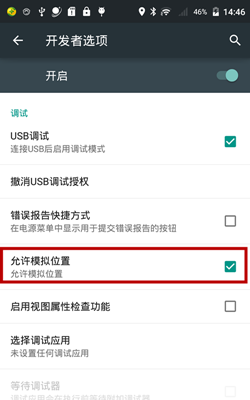 Android 模擬位置的完整實現方法(支援 Android 6.0)
在開發與測試定位相關功能時,模擬位置是一項非常實用的技巧——它能讓你在沒有真正移動的情況下,測試各種經緯度下的應用表現。本文整理了支援 Android 6.0 的模擬位置
 Android 音訊播放全攻略:MediaPlayer 方法與實作
要在 App 裡放音樂或播影片,MediaPlayer 是最經典的選擇。它位於 android.media 套件,能播放 SD 卡裡的檔案、res/raw 中的資源,也能
 Android JSON 解析實務:用 JSONObject 打造天氣查詢 App
JSON 是 JavaScript Object Notation 的縮寫,雖然源自 JavaScript 的物件語法,卻早已擺脫語言的框架,成為一門獨立、通用且人類易讀
 Android 示例程式剖析之 Snake 貪吃蛇(二:FrameLayout 與 RelativeLayout)
本文以 Snake 專案為例,說明 FrameLayout 與 RelativeLayout 的差異,並示範如何用 merge 標籤減少多餘的版面節點。FrameLayo