

編輯:Android 開發實例
Gallery 控件的主要用途就是實作圖片瀏覽——讓使用者左右滑動,瀏覽一批圖片。使用方式和 ListView 很像:一個 Gallery 加上一個 Adapter。
<Gallery
    android:id="@+id/myGallery1"
    android:layout_width="fill_parent"
    android:layout_height="wrap_content"
    android:gravity="bottom" />
Gallery g = (Gallery) findViewById(R.id.myGallery1);
g.setAdapter(new ImageAdapter(this));
g.setOnItemClickListener(new OnItemClickListener() {
    public void onItemClick(AdapterView parent, View v, int position, long id) {
        Toast.makeText(GalleryDemo.this, "當前的位置是:" + position, Toast.LENGTH_SHORT).show();
    }
});
Gallery 本身只負責滑動與排列,真正的呈現交給 Adapter;而 OnItemClickListener 回傳的 position 就是目前被點選的圖片索引,實務上常用它來觸發大圖檢視。
private Context mContext;              // 定義 Context

private Integer[] mImageIds = {        // 圖片來源
    R.drawable.sample_1, R.drawable.sample_2, R.drawable.sample_3,
    R.drawable.sample_4, R.drawable.sample_5, R.drawable.sample_6,
    R.drawable.sample_7
};

public ImageAdapter(Context c) {       // 建構子
    mContext = c;
}

public int getCount() {                // 圖片數量
    return mImageIds.length;
}

public Object getItem(int position) {  // 取得該位置的項目
    return position;
}

public long getItemId(int position) {  // 取得該位置的 id
    return position;
}

public View getView(int position, View convertView, ViewGroup parent) {
    ImageView i = new ImageView(mContext);
    i.setImageResource(mImageIds[position]);                  // 設定資源
    i.setLayoutParams(new Gallery.LayoutParams(200, 200));    // 每張圖 200x200
    i.setScaleType(ImageView.ScaleType.FIT_XY);               // 縮放比例
    return i;
}
這裡幾個方法各司其職:getCount() 決定 Gallery 有多少項;getView() 負責產生每一項的 View,在 Gallery 的情境下通常直接回傳一個設定好資源的 ImageView;Gallery.LayoutParams 用來指定單項尺寸;setScaleType() 則控制圖片填滿的方式。
若圖片來源是網路或大量本地圖檔,不建議像範例這樣每次都 new 一個 ImageView——可以沿用 ListView 的 convertView 重用思路,並加上記憶體快取,滑動才不會卡。另外 Gallery 在較新的 Android 版本中已被標記為 deprecated,正式專案可考慮改用 HorizontalScrollView 搭配 RecyclerView 來達到相同效果。
轉自:https://www.cnblogs.com/jk1001/archive/2010/08/02/1790388.html
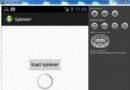 Android 進度指示器:不確定模式的 Spinner 怎麼用
當 App 要執行一段耗時的工作,使用者需要知道「系統還在動」。Android 用 ProgressBar 來表達這件事,而它基本上有兩種形態:進度條(progress
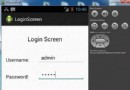 Android 登入畫面實作:輸入欄位、驗證與失敗鎖定
登入畫面幾乎是每個需要帳號的 App 都躲不掉的一關。使用者要在這裡輸入帳號與密碼,App 則負責把資料送出去驗證、處理錯誤、並且防止有心人士暴力猜密碼。本章就從零把這幾
 Android 多語系本地化:strings.xml 與 values-it 設定
Android 的本地化主要是讓同一套 App 能依裝置語言顯示不同文字。最簡單的做法,是把畫面上會變動的文字放到 string.xml,再針對各語言建立對應資源。 建立
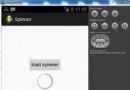 Android 載入動畫實作:用 ProgressBar 顯示不確定進度
App 在執行工作時,若沒有任何回饋,使用者往往會以為它當機了。ProgressBar 就是處理這種等待感最標準的元件,而它有兩種形態:可標示百分比的橫向進度條,以及只會