編輯:Android開發教程
package com.chy.utils;
import java.io.BufferedInputStream;
import java.io.File;
import java.io.FileInputStream;
import java.io.FileNotFoundException;
import java.io.FileOutputStream;
import java.io.IOException;
import java.util.Locale;
import java.util.zip.ZipEntry;
import java.util.zip.ZipInputStream;
import java.util.zip.ZipOutputStream;

import android.text.TextUtils;

/**
 * zip壓縮工具
 */
public class ZipUtils {
	private static final int BUFF_SIZE = 1024;

	/**
	 * @param zos
	 *            壓縮流
	 * @param parentDirName
	 *            父目錄
	 * @param file
	 *            待壓縮文件
	 * @param buffer
	 *            緩沖區
	 *URL:http://www.bianceng.cn/OS/extra/201609/50420.htm
	 * @return 只要目錄中有一個文件壓縮失敗,就停止並返回
	 */
	private static boolean zipFile(ZipOutputStream zos, String parentDirName, File file, byte[] buffer) {
		String zipFilePath = parentDirName + file.getName();
		if (file.isDirectory()) {
			zipFilePath += File.separator;
			for (File f : file.listFiles()) {
				if (!zipFile(zos, zipFilePath, f, buffer)) {
					return false;
				}
			}
			return true;
		} else {
			try {
				BufferedInputStream bis = new BufferedInputStream(new FileInputStream(file));
				ZipEntry zipEntry = new ZipEntry(zipFilePath);
				zipEntry.setSize(file.length());
				zos.putNextEntry(zipEntry);
				while (bis.read(buffer) != -1) {
					zos.write(buffer);
				}
				bis.close();
				return true;
			} catch (FileNotFoundException ex) {
				ex.printStackTrace();
			} catch (IOException ex) {
				ex.printStackTrace();
			}
			return false;
		}
	}

	/**
	 * @param srcPath
	 *            待壓縮的文件或目錄
	 * @param dstPath
	 *            壓縮後的zip文件
	 * @return 只要待壓縮的文件有一個壓縮失敗就停止壓縮並返回(等價於windows上直接進行壓縮)
	 */
	public static boolean zipFile(String srcPath, String dstPath) {
		File srcFile = new File(srcPath);
		if (!srcFile.exists()) {
			return false;
		}
		byte[] buffer = new byte[BUFF_SIZE];
		try {
			ZipOutputStream zos = new ZipOutputStream(new FileOutputStream(dstPath));
			boolean result = zipFile(zos, "", srcFile, buffer);
			zos.close();
			return result;
		} catch (FileNotFoundException ex) {
			ex.printStackTrace();
		} catch (IOException ex) {
			ex.printStackTrace();
		}
		return false;
	}

	/**
	 * @param srcPath
	 *            待解壓的zip文件
	 * @param dstPath
	 *            zip解壓後待存放的目錄
	 * @return 只要解壓過程中發生錯誤,就立即停止並返回(等價於windows上直接進行解壓)
	 */
	public static boolean unzipFile(String srcPath, String dstPath) {
		if(TextUtils.isEmpty(srcPath) || TextUtils.isEmpty(dstPath)) {
			return false;
		}
		File srcFile = new File(srcPath);
		if(!srcFile.exists() || !srcFile.getName().toLowerCase(Locale.getDefault()).endsWith("zip")) {
			return false;
		}
		File dstFile = new File(dstPath);
		if(!dstFile.exists() || !dstFile.isDirectory()) {
			dstFile.mkdirs();
		}
		try {
			ZipInputStream zis = new ZipInputStream(new FileInputStream(srcFile));
			BufferedInputStream bis = new BufferedInputStream(zis);
			ZipEntry zipEntry = null;
			byte[] buffer = new byte[BUFF_SIZE];
			if(!dstPath.endsWith(File.separator)) {
				dstPath += File.separator;
			}
			while((zipEntry = zis.getNextEntry()) != null) {
				String fileName = dstPath + zipEntry.getName();
				File file = new File(fileName);
				File parentDir = file.getParentFile();
				if(!parentDir.exists()) {
					parentDir.mkdirs();
				}
				FileOutputStream fos = new FileOutputStream(file);
				while(bis.read(buffer) != -1) {
					fos.write(buffer);
				}
				fos.close();
			}
			bis.close();
			zis.close();
			return true;
		} catch (FileNotFoundException ex) {
			ex.printStackTrace();
		} catch (IOException ex) {
			ex.printStackTrace();
		}
		return false;
	}
}
 android虛擬機詳解
android5.0之前使用的虛擬機是Dalvik虛擬機,這個虛擬機在JVM的基礎上做了一定的優化。android5.0之後,android采用了新的虛擬機ART,本文主
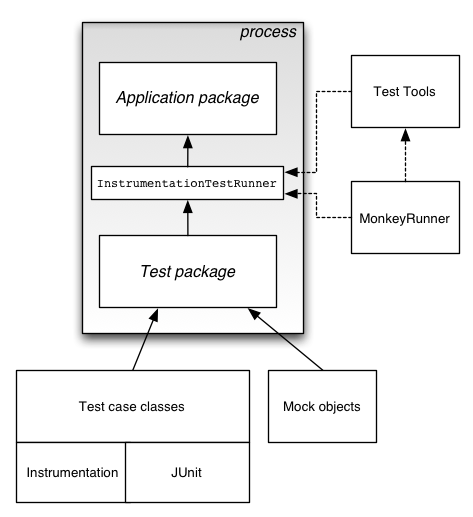 Android測試教程(2):測試基礎
Android測試框架(Android Testing Framework)為Android開發環境的一個組成部分,可以用來測試Android的各個方面,從 單元測試到框
 Android自定義View之仿vivo i管家病毒掃描動畫效果
技術是永無止境的,如果真的愛技術,那就勇敢的堅持下去。我很喜歡這句話,當我在遇到問題的時候、當我覺得代碼枯燥的時候,我就會問自己,到底是不是真的熱愛技術,這個時候,我心裡
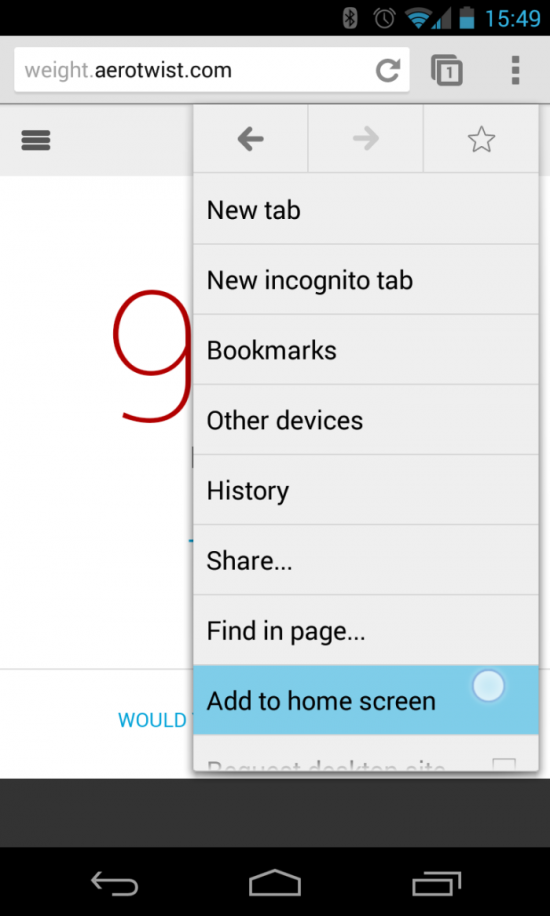 Chrome 31 beta for Android可將網頁應用作為快捷鍵加入主屏
盡管以前你也可以將一個網頁放到Android主屏直接啟動,但Chrome V31 beta for Android加到主屏的功能稍微有點改進,就是通過快捷方式進入的網頁是