編輯:Android開發教程
如果不使用系統自帶的TitleBar(即Activity被設置@android:style/Theme.NoTitleBar),那就需要自己來寫進度條了,這裡封裝了一個自定義控件和加載網頁的公共Activity,方便使用。
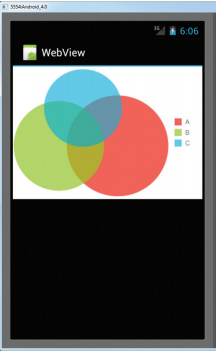
一、截圖

二、自定義控件
/**
 * 帶進度條的WebView
 * @author 農民伯伯
 * @see http://www.cnblogs.com/over140/archive/2013/03/07/2947721.html
 *
 */
@SuppressWarnings("deprecation")
public class ProgressWebView extends WebView {

    private ProgressBar progressbar;

    public ProgressWebView(Context context, AttributeSet attrs) {
        super(context, attrs);
        progressbar = new ProgressBar(context, null, android.R.attr.progressBarStyleHorizontal);
        progressbar.setLayoutParams(new LayoutParams(LayoutParams.FILL_PARENT, 3, 0, 0));
        addView(progressbar);
        //        setWebViewClient(new WebViewClient(){});
        setWebChromeClient(new WebChromeClient());
    }

    public class WebChromeClient extends android.webkit.WebChromeClient {
        @Override
        public void onProgressChanged(WebView view, int newProgress) {
            if (newProgress == 100) {
                progressbar.setVisibility(GONE);
            } else {
                if (progressbar.getVisibility() == GONE)
                    progressbar.setVisibility(VISIBLE);
                progressbar.setProgress(newProgress);
            }
            super.onProgressChanged(view, newProgress);
        }

    }

    @Override
    protected void onScrollChanged(int l, int t, int oldl, int oldt) {
        LayoutParams lp = (LayoutParams) progressbar.getLayoutParams();
        lp.x = l;
        lp.y = t;
        progressbar.setLayoutParams(lp);
        super.onScrollChanged(l, t, oldl, oldt);
    }
}
 Android LibGDX游戲引擎開發教程(四) 各個模塊的詳細介紹
博主思來想去,覺得還是想把這個教程寫的再細一點,讓讀者能夠更清楚的了解LibGDX這個游戲引擎整體 的架構,所以也就總結出了這樣一篇文章。一、模塊概述作為游戲開發人員,我
 詳解Cocos2dx 3.0正式版本開發環境搭建(Win32/Android)
cocos2d-x 3.0發布有一段時間了,作為一個初學者,我一直覺得cocos2d-x很坑。每個比較大的版本變動,都會有不一樣的項目創建方式,每次的跨度都挺大&hell
 Android滑動效果進階篇(五) 3D旋轉
前面介紹了利用Android自帶的控件,進行滑動翻頁制作效果,現在我們通過代碼實現一些滑動翻頁的動畫效果。Animation實現動畫有兩個方式:幀動畫(frame-by-
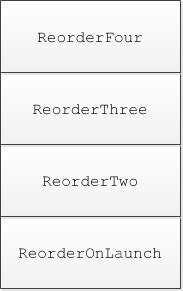 Android ApiDemos示例解析(13) App->Activity->Reorder Activities
Reorder Activities 示例有四個相關的Activitives: ReorderOnLaunch, ReorderTwo,ReorderThree, Reo