編輯:Android開發教程
最近在搞android 新浪微博客戶端,有一些心得分享
弄android客戶端表情功能可以用以下思路
1.首頁把新浪的表情下載到本地一文件夾種,表情圖片的命名要用新浪微博表情原來的命名
比如 新浪的害羞表情是shame.gif 那麼你在本地也得命名為shame.gif,命名相同主要是為了能夠匹配表情對應的code.
2.把本地的表情都放進android的資源文件裡----drawable下面
3.訪問新浪的表情接口(新浪返回的數據類型有json和xml兩種,本人用xml),把返回的信息,利用xml解析器解析出來的信息儲存在一個Emotion.java的bean裡,這樣就可以根據Emotion.java的code找到一一對應的資源表情圖片了
4.實現一個可以讓用戶選擇的表情界面,本人用GridView實現
5.實現點擊GridView的每一個item,處理根據item的index查找對應的表情code,然後再把code利用正則把code轉換為相對應的表情圖片,最後表情插入EditText進行發送。
下面是具體的實現過程
1.把新浪表情圖片下載到本地的實現如下:(這個可以建一個java工程進行下載)
public void getFriendList() throws Exception {
        BlogReleaseServiceImpl service = new BlogReleaseServiceImpl();
        List<Emotions> list = service.getEmotion();
        for (Emotions emotions : list) {
            String path = emotions.getUrl();
            String filename = path.substring(path.lastIndexOf("/") + 1,path.length());
            URL url =  new URL(path);
            HttpURLConnection conn = (HttpURLConnection)url.openConnection();
            conn.setRequestMethod("GET");
            conn.setReadTimeout(5 * 1000);
            if(conn.getResponseCode() == 200){
                InputStream is = conn.getInputStream();
                byte[] data = readStream(is);
                File file = new File("f: \\sina_images\\" + filename);
                FileOutputStream fs = new FileOutputStream(file);
                fs.write(data);
                fs.close();
            }else{
                System.out.println("請求失敗");
            }
        }
    }

    public byte[] readStream(InputStream is) throws Exception {
        ByteArrayOutputStream os = new ByteArrayOutputStream();
        byte[] buffer = new byte[2048];
        int len = 0;
        while((len = is.read(buffer)) != -1){
            os.write(buffer,0,len);
        }
        is.close();
        return os.toByteArray();
    }
2:把本地的表情都放進android的資源文件裡----drawable下面(這個就不用多說了,直接選取所有文件復制就行了)
3:
3.1訪問新浪的表情接口,把返回的信息如下:
     <emotion>
<phrase>[嘻嘻]</phrase>
<type>face</type>
<url>http://img.t.sinajs.cn/t35/style/images/common/face/ext/normal/c2/tooth.gif
</url>
<is_hot>false</is_hot>
<is_common>true</is_common>
<order_number>0</order_number>
<category></category>
lt;/emotion>
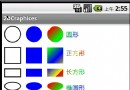 繪制幾何圖形 - 使用android.graphics類
范例說明“如何在和機上繪制2D圖形呢?”這是許多android游戲開發都是常提到的問題,在android SDK 當中,並沒有Java Graph
 Android GUI系統之SurfaceFlinger(1)OpenGLES與EGL
第1章 GUI系統之SurfaceFlinger在進入GUI系統的學習前,建議大家可以先閱讀本書應用篇中的“OpenGLES”章節,並
 Android開發入門(十四)顯示圖像 14.1 Gallery和ImageView
Gallery可以顯示一系列的圖片,並且可以橫向滑動。下面展示如何使用Gallery去顯示一系列的圖片。1. 創建一個工程,Gallery。2. main.xml中的代碼
 Android系統聯系人全特效實現(上),分組導航和擠壓動畫
記得在我剛接觸Android的時候對系統聯系人中的特效很感興趣,它會根據手機中聯系人姓氏的首字母進 行分組,並在界面的最頂端始終顯示一個當前的分組。如下圖所示:最讓我感興
 Android SDK升級的alvikvm(2658): Unable to resolve superclass of XXX錯誤
如果你升級ADT升級到17,發現原先的應用無法啟動,出現alvikvm(