編輯:Android開發教程
ListView實現的列表,如果是可編輯,可刪除的,一般都要提供批量刪除功能,否則的話,一項一項的刪 除體驗很不好,也給用戶帶來了很大的麻煩。
實現效果圖
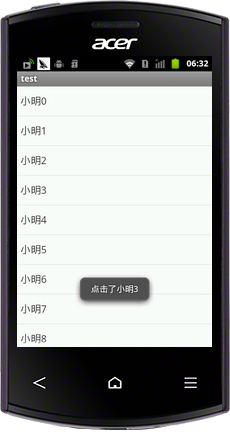
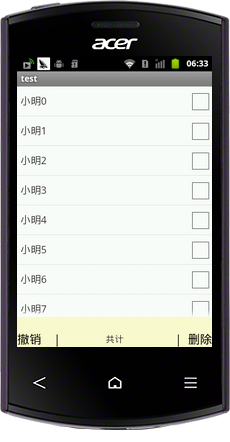
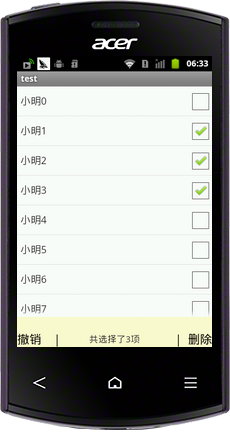
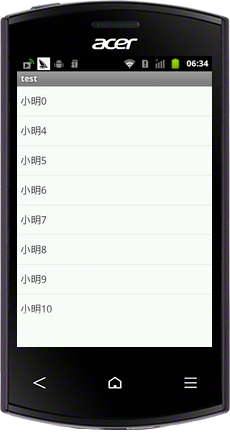
具體實現代碼
select.xml
主布局文件包含一個ListView還有一個隱藏的布局,包含了兩個Button一個TextView,默認布局為gone,當 監聽到長按響應事件時候顯示。
<?xml version="1.0" encoding="utf-8"?>
<LinearLayout xmlns:android="http://schemas.android.com/apk/res/android"
    android:layout_width="match_parent"
    android:layout_height="match_parent"
    android:orientation="vertical" >

    <ListView

        android:id="@+id/list"
        android:layout_width="match_parent"
        android:layout_height="match_parent"
        android:layout_weight="1"
        android:cacheColorHint="#FFF" >

        </ListView>

    <RelativeLayout

        android:id="@+id/relative"
        android:layout_width="fill_parent"
        android:layout_height="50dp"
        android:gravity="bottom"
        android:background="@color/lemonchiffon"
        android:visibility="gone"
        >
        <Button

            android:id="@+id/cancle"
            android:layout_width="wrap_content"
            android:layout_height="wrap_content"
            android:text="撤銷    |"
            android:textSize="20sp"
            android:background="@null"
            android:layout_centerVertical="true"

            />
        <TextView

            android:id="@+id/txtcount"
            android:layout_width="wrap_content"
            android:layout_height="wrap_content"
            android:text="共計"
            android:textSize="15sp"
            android:layout_centerInParent="true"

            />

        <Button

            android:id="@+id/delete"
            android:layout_width="wrap_content"
            android:layout_height="wrap_content"
            android:text="|  刪除"
            android:textSize="20sp"
            android:background="@null"
            android:layout_alignParentRight="true"
            android:layout_centerVertical="true"
            />


    </RelativeLayout>
</LinearLayout>
 Android ApiDemos示例解析(15) App->Activity->SetWallpaper
SetWallpaper介紹如何在Android獲取當前Wallpaper,對Wallpaper做些修改,然後用修改後的圖像重新設置Wallpaper。Wallpaper
 Android粉絲眼中iOS 7與Android 4.2功能對比
蘋果WWDC大會結束後,著名Android論壇Droid-life發布了iOS 7與Android4.2操作系統功能對比的文章,作者作為Android 粉絲,稱谷歌早已懶
 Android RoboGuice使用指南(4) Linked Bindings
Roboguice 中最常用的一種綁定為Linked Bindings,將某個類型映射到其實 現。這裡我們使用引路蜂二維圖形庫中的類為例,引路蜂二維圖形庫的使用可以 參見
 Android開發入門(十七)首選項 17.3 修改首選項文件的默認名字
在我的設備上面,默認的首選項名字是net.manoel.UsingPreferences_preferences.xml,這個名字是使 用包名作為前綴的。然而,給首選項定