編輯:Android開發教程
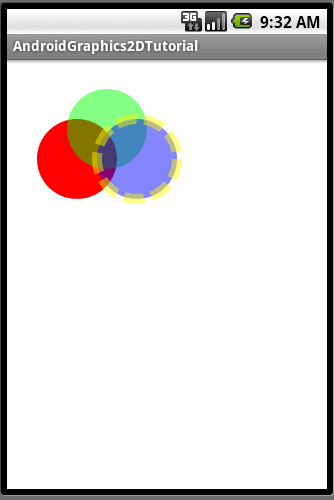
Roboguice 中最常用的一種綁定為Linked Bindings,將某個類型映射到其實 現。這裡我們使用引路蜂二維圖形庫中的類為例,引路蜂二維圖形庫的使用可以 參見Android簡明開發教程八:引路蜂二維圖形繪制實例功能定義。
使用 下面幾個類 IShape, Rectangle, MyRectangle, MySquare, 其繼承關系如下圖所示:
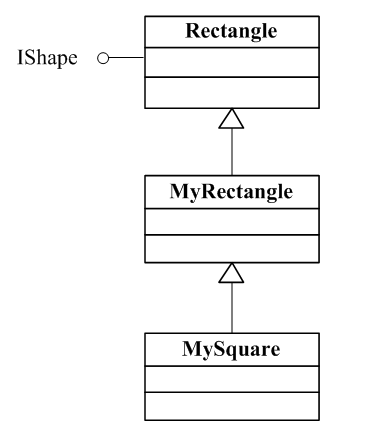
下面代碼將IShape 映射到MyRectangle
public

class Graphics2DModule extends AbstractAndroidModule{

 @Override
 protected void configure() {

 bind(IShape.class).to(MyRectangle.class);

 }
}
此時,如果使用injector.getInstance(IShape.class) 或是injector 碰到依賴於IShape地方時,它將使用MyRectangle。可以將類型映射到它任意子類 或是實現了該類型接口的所有類。也可以將一個實類(非接口)映射到其子類, 如
bind(MyRectangle.class).to(MySquare.class);
下面例子使用 @Inject 應用IShape.
public class LinkedBindingsDemo extends

Graphics2DActivity{

@Inject IShape  shape;

protected void drawImage(){

/**
* The semi-opaque blue color in
* the ARGB space (alpha is 0x78)
*/
Color blueColor = new Color(0x780000ff,true);
/**
* The semi-opaque yellow color in the
* ARGB space ( alpha is 0x78)
*/
Color yellowColor = new Color(0x78ffff00,true);

/**
* The dash array
*/
int dashArray[] = { 20 ,8 };
graphics2D.clear(Color.WHITE);
graphics2D.Reset();
Pen pen=new Pen(yellowColor,10,Pen.CAP_BUTT,
Pen.JOIN_MITER,dashArray,0);
SolidBrush brush=new SolidBrush(blueColor);
graphics2D.setPenAndBrush(pen,brush);
graphics2D.fill(null,shape);
graphics2D.draw(null,shape);

}

}
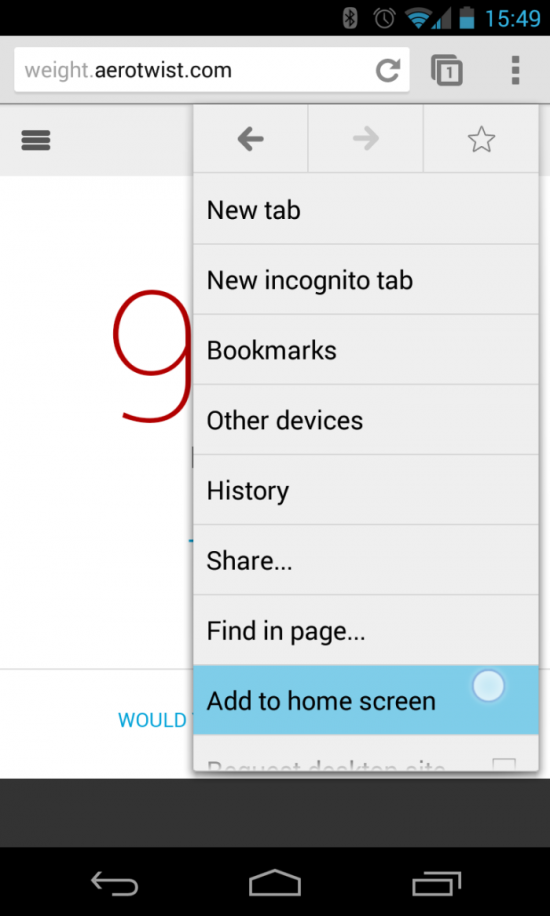 Chrome 31 beta for Android可將網頁應用作為快捷鍵加入主屏
盡管以前你也可以將一個網頁放到Android主屏直接啟動,但Chrome V31 beta for Android加到主屏的功能稍微有點改進,就是通過快捷方式進入的網頁是
 android數據存儲方式(二) Shared Preferences
android的數據存儲有四種方式:1.Shared Preferences主要用於存儲key-value對格式的 數據,是輕量級的存儲機制,輕到只能存儲基本數據類型。
 Android GUI系統之SurfaceFlinger(11) SurfaceComposerClient
1.1.1 SurfaceComposerClient圖 11?28 每個應用程序在SurfaceFlinger中都對應一個ClientSurfaceFlinger運行於
 Android ApiDemos示例解析(21) App->Device Admin
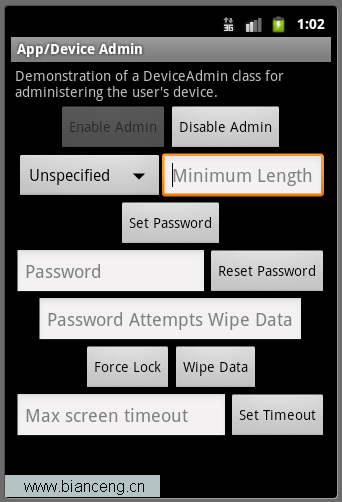
Device Admin示例介紹了類DeviceAdminReceiver,DevicePolicyManager和ActivityManager。類 DevicePol