編輯:Android開發教程
上一節介紹了如何把文件存儲到內部設備。有的時候,需要把文件存儲到外部存儲設備,比如SD卡。因為 SD卡具有更大的存儲空間,同時也可以很容易的和其他用戶分享這些文件。
使用上一節的例子,把用 戶輸入的文字保存在SD卡,修改onClick()事件。如下:
public class FilesActivity extends

Activity {
    EditText textBox;
    static final int READ_BLOCK_SIZE = 100;

    /** Called when the activity is first created. */
    @Override
    public void onCreate(Bundle savedInstanceState) {
        super.onCreate(savedInstanceState);
        setContentView(R.layout.main);

        textBox = (EditText) findViewById(R.id.txtText1);

        InputStream is = this.getResources().openRawResource(R.raw.textfile);
        BufferedReader br = new BufferedReader(new InputStreamReader(is));
        String str = null;
        try {
            while ((str = br.readLine()) != null) {
                Toast.makeText(getBaseContext(),
                    str, Toast.LENGTH_SHORT).show();
            }
            is.close();
            br.close();
        } catch (IOException e) {
            e.printStackTrace();
        }

    }

    public void onClickSave(View view) {
        String str = textBox.getText().toString();
        try
        {
            //---SD Card Storage---
            File sdCard = Environment.getExternalStorageDirectory();
            File directory = new File (sdCard.getAbsolutePath() +
                "/MyFiles");
            directory.mkdirs();
            File file = new File(directory, "textfile.txt");
            FileOutputStream fOut = new FileOutputStream(file);

            /*
            FileOutputStream fOut =
                    openFileOutput("textfile.txt",
                            MODE_WORLD_READABLE);
            */

            OutputStreamWriter osw = new
                    OutputStreamWriter(fOut);

            //---write the string to the file---
            osw.write(str);
            osw.flush();
            osw.close();

            //---display file saved message---
            Toast.makeText(getBaseContext(),
                    "File saved successfully!",
                    Toast.LENGTH_SHORT).show();

            //---clears the EditText---
            textBox.setText("");
        }
        catch (IOException ioe)
        {
            ioe.printStackTrace();
        }
    }

}
上面的代碼中,使用getExternalStorageDirectory()方法去獲取SD卡的路徑。通常,在真機上面 返回“/sdcard”,在模擬器上面返回"/mnt/sdcard"。但是,不要嘗試去寫死SD卡的路徑,因為 手機廠商有可能去給SD卡指定一個路徑。因此,確保使用getExternalStorageDirectory()方法去獲取SD卡的 路徑。
然後,創建一個MyFiles的文件夾。最終,把文件保存在這個文件夾中。
從外部設備 中加載文件,修改onClickLoad()方法:
public void onClickLoad(View view) {
        try
        {
            //---SD Storage---
            File sdCard = Environment.getExternalStorageDirectory();
            File directory = new File (sdCard.getAbsolutePath() +
                "/MyFiles");
            File file = new File(directory, "textfile.txt");
            FileInputStream fIn = new FileInputStream(file);
            InputStreamReader isr = new InputStreamReader(fIn);

            /*
            FileInputStream fIn =
                    openFileInput("textfile.txt");
            InputStreamReader isr = new
                    InputStreamReader(fIn);
            */

            char[] inputBuffer = new char[READ_BLOCK_SIZE];
            String s = "";

            int charRead;
            while ((charRead = isr.read(inputBuffer))>0)
            {
                //---convert the chars to a String---
                String readString =
                        String.copyValueOf(inputBuffer, 0,
                                charRead);
                s += readString;

                inputBuffer = new char[READ_BLOCK_SIZE];
            }
            //---set the EditText to the text that has been
            // read---
            textBox.setText(s);

            Toast.makeText(getBaseContext(),
                    "File loaded successfully!",
                    Toast.LENGTH_SHORT).show();
        }
        catch (IOException ioe) {
            ioe.printStackTrace();
        }

    }
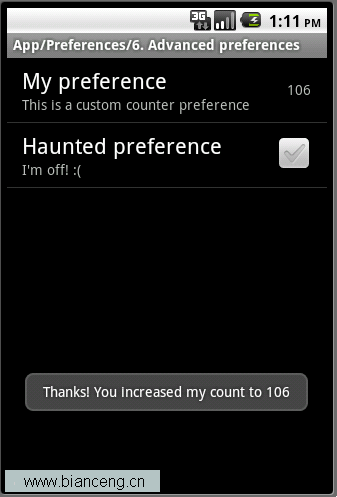 Android ApiDemos示例解析(31):App->Preferences->Launching preferences
前給例子介紹了如何使用PreferenceActivity 來顯示修改應用偏好,用戶對Preferences的修改自動存儲在應用對應的 Shared Preferenc
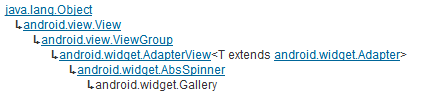 Android滑動效果入門篇(二) Gallery
Gallery 是Android官方提供的一個View容器類,繼承於AbsSpinner類,用於實現頁面滑動效果。從上面的繼承關系可 以看出,AbsSpinner類繼承自
 android tesseract-ocr實例教程
1.介紹快過年了,博主的新應用-屏幕取詞之了老花鏡的編碼工作也在緊鑼密鼓的進行中。下面分享一下這個應用中的核心功能ocr,也就是圖片識詞功能。先來看下我的實現效果。上圖是
 Android簡明開發教程三:第一個應用Hello World
在安裝後Android開發環境和創建好Android模擬器之後,就可以開始寫第一個Android應用“Hello,World”。後面的例子均 采用