編輯:Android開發教程
ListFramgent就是一個包含ListView的Fragment,它可以通過數據源(數組或游標)顯示一系列的信息。 ListFragment是非常有用處的,就像RSS,可能左邊顯示一個列表,右邊顯示被選中的列表所對應的內容。
可以通過繼承ListFragment創建一個ListFragment對象。下面將展示如何使用ListFragment。
1. 創建一個工程:ListFragmentExample。
2. main.xml中的代碼。
<?xml version="1.0" encoding="utf-8"?>
<LinearLayout xmlns:android="http://schemas.android.com/apk/res/android"
    android:layout_width="fill_parent"
    android:layout_height="fill_parent"
    android:orientation="horizontal" >

<fragment
    android:name="net.manoel.ListFragmentExample.Fragment1"
    android:id="@+id/fragment1"
    android:layout_weight="0.5"
    android:layout_width="0dp"
    android:layout_height="200dp" />

<fragment
    android:name="net.manoel.ListFragmentExample.Fragment1"
    android:id="@+id/fragment2"
    android:layout_weight="0.5"
    android:layout_width="0dp"
    android:layout_height="300dp" />

</LinearLayout>
3、在re/layout下面,新建一個文件:fragment1.xml。
<?

xml version="1.0" encoding="utf-8"?>
<LinearLayout xmlns:android="http://schemas.android.com/apk/res/android"
    android:orientation="vertical"
    android:layout_width="fill_parent"
    android:layout_height="fill_parent">

    <ListView
        android:id="@id/android:list"
        android:layout_width="match_parent"
        android:layout_height="match_parent"
        android:layout_weight="1"
        android:drawSelectorOnTop="false"/>

</LinearLayout>
4、在包路徑下面新建一個類:Fragment1.java。
public class Fragment1 extends ListFragment {
    String[] presidents = {
        "Dwight D. Eisenhower",
        "John F. Kennedy",
        "Lyndon B. Johnson",
        "Richard Nixon",
        "Gerald Ford",
        "Jimmy Carter",
        "Ronald Reagan",
        "George H. W. Bush",
        "Bill Clinton",
        "George W. Bush",
        "Barack Obama"
    };

    @Override
    public View onCreateView(LayoutInflater inflater,
    ViewGroup container, Bundle savedInstanceState) {
        return inflater.inflate(R.layout.fragment1, container, false);
    }

    @Override
    public void onCreate(Bundle savedInstanceState) {
        super.onCreate(savedInstanceState);
        setListAdapter(new ArrayAdapter<String>(getActivity(),
            android.R.layout.simple_list_item_1, presidents));
    }

    public void onListItemClick(ListView parent, View v,
    int position, long id)
    {
        Toast.makeText(getActivity(),
            "You have selected " + presidents[position],
            Toast.LENGTH_SHORT).show();
    }

}
 Android與iPhone的使用感受對比
注1:以下這些功能都是本人以MIUI ROM為例來講述的,如果你的Android沒有類似功能,可能是版本關系。部分功能需要安裝App來實現。注2:以下所述的優/缺點,全部
 Android RoboGuice2使用指南(2) 第一個例子Hello World
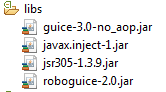
本例實現的功能和例子Android RoboGuice 使用指南(2):第一個例子Hello World一樣,所不同的是本例使用RoboGuice2.0 來實現。下載新的
 Android中自定義控件讓TextView的drawableLeft與文本一起居中
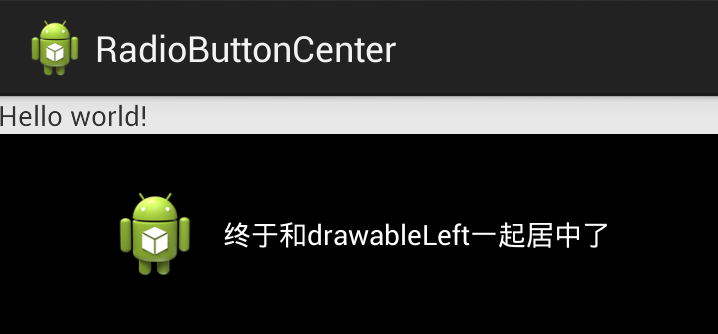
前言TextView的drawableLeft、drawableRight和drawableTop是一個常用、好用的屬性,可以在文本的上下左右放置一個圖片,而不使用更加復
 效果很華麗的仿桌面APP
開發Android APP的同學是否對於Launcher實現的絢麗效果而癡迷呢?什麼,連Android Launcher是什麼都不知道。好吧,拿起侬的手機,在解鎖後的首頁
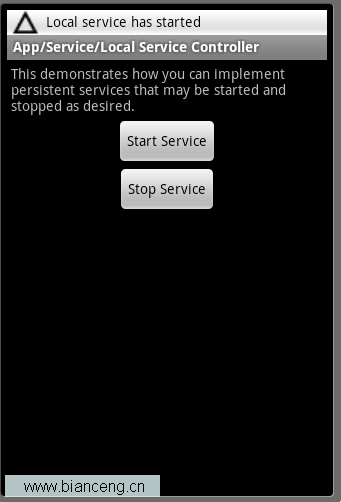 Android ApiDemos示例解析(40):App->Service->Local Service Controller
Local Service Controller 是將LocalServ