編輯:Android開發教程
1、圖片旋轉
Bitmap bitmapOrg = BitmapFactory.decodeResource(this.getContext().getResources(), R.drawable.moon);
Matrix matrix = new Matrix();
matrix.postRotate(-90);//旋轉的角度

Bitmap resizedBitmap = Bitmap.createBitmap(bitmapOrg, 0, 0,
                    bitmapOrg.getWidth(), bitmapOrg.getHeight(), matrix, true);
BitmapDrawable bmd = new BitmapDrawable(resizedBitmap);
2、獲取手機號碼
//創建電話管理

TelephonyManager tm = (TelephonyManager)

//與手機建立連接
activity.getSystemService(Context.TELEPHONY_SERVICE);

//獲取手機號碼

String phoneId = tm.getLine1Number();

//記得在manifest file中添加
    <uses-permission
android:name="android.permission.READ_PHONE_STATE" />

//程序在模擬器上無法實現,必須連接手機
3.格式化string.xml 中的字符串
// in strings.xml..
<string name="my_text">Thanks for visiting %s. You age is %d!</string>


// and in the java code:
String.format(getString(R.string.my_text), "oschina", 33);
4、android設置全屏的方法
A.在java代碼中設置
/** 全屏設置,隱藏窗口所有裝飾 */
requestWindowFeature(Window.FEATURE_NO_TITLE);
getWindow().setFlags(WindowManager.LayoutParams.FLAG_FULLSCREEN,
                WindowManager.LayoutParams.FLAG_FULLSCREEN);
B、在AndroidManifest.xml中配置
<activity android:name=".Login.NetEdit"  android:label="@string/label_net_Edit"
                  android:screenOrientation="portrait" android:theme="@android:style/Theme.Black.NoTitleBar.Fullscreen">
    <intent-filter>
        <action android:name="android.intent.Net_Edit" />
        <category android:name="android.intent.category.DEFAULT" />
    </intent-filter>
</activity>
5、設置Activity為Dialog的形式
在AndroidManifest.xml中配置Activity節點是配置theme如下:
android:theme="@android:style/Theme.Dialog"
 Android中如何修改最小SDK版本(minSdkVersion)
版本: Android Studio 0.5.1因為Android的一些特定功能需要高版本的支持, 當最小SDK版本(minSdkVersion)過低時, 會出現報錯,
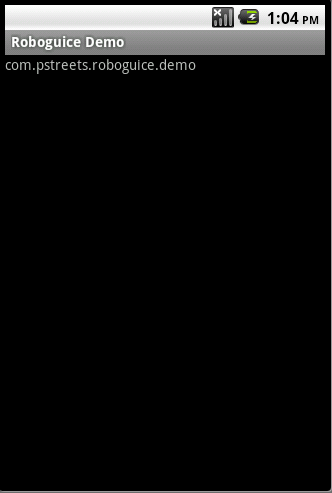 Android RoboGuice使用指南(15) Inject Context
在Android應用程序中,很多地方需要引用到Context對象(Activity, Application,Service等)。Roboguice 使得引用Contex
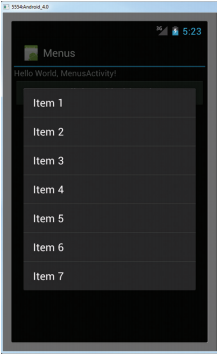 Android開發入門(十五)使用菜單 15.3 上下文菜單
在上一節,我們已經知道了在按MENU鍵的時候,如何顯示選項菜單。但是,除了選項菜單,你也可以顯示 一個上下文菜單。上下文菜單通常是和activity中的組件相關聯的。當用
 Android中如何實現Socket大文件斷點上傳
什麼是Socket?所謂Socket通常也稱作“套接字”,用於描述IP地址和端口,是一個通信連的句柄,應用程序通常通過“套接字&rdq