編輯:Android開發教程
Android應用程序訪問android的根文件系統中的文件時,由於應用程序的權 限限制,無法訪問這些文件,怎麼辦?
這時就要用到NDK編程了,既用 C/C++代碼實現訪問系統文件,並將其生成本地庫,供android中的java代碼調用 ,這樣就可以在java代碼中通過調用C/C++編寫的庫的接口來實現對系統文件的 訪問。
為何要用到NDK?
概括來說主要分為以下幾種情況:
1. 代碼的保護,由於apk的java層代碼很容易被反編譯,而C/C++庫反匯 難度較大。
2. 在NDK中調用第三方C/C++庫,因為大部分的開源庫都是用 C/C++代碼編寫的。
3. 便於移植,用C/C++寫得庫可以方便在其他的嵌入 式平台上再次使用。
Android NDK 入門
入門的最好辦法就是學習 Android自帶的例子, 這裡就通過學習Android的NDK自帶的demo程序 —— hello-jni
一、 開發環境搭建
NDK開發需要在linux下進行,因為 把C/C++編寫的代碼生成能在ARM上運行的.so文件,需要用到交叉編譯環境,而 交叉編譯需要在linux系統下才能完成。
安裝 android-ndk 開發包,這個開 發包可以在google android 官網下載,通過這個開發包的工具才能將android jni 的C/C++的代碼編譯成庫
Android應用程序開發環境: 包括eclipse、 java、 android sdk、 adt等,配置安裝詳見 Windows 和 Ubuntu
下載 android-ndk: NDK
安裝android-ndk:tar jxvf android -ndk-r8b-linux-x86.tar.bz2
配置android-ndk:
sudo vi /etc/profile
export JAVA_HOME=/home/homer/eclipse/jdk1.7.0_05
export JRE_HOME=/home/homer/eclipse/jdk1.7.0_05/jre
export NDK_HOME=/home/homer/android-ndk-r8b
export CLASSPATH=.:$JAVA_HOME/lib:$JRE_HOME/lib:$CLASSPATH
export PATH=$JAVA_HOME/bin:$JRE_HOME/bin:$NDK_HOME:$PATH
source /etc/profile
驗證配置是否成功:
ndk-build - v
彈出如下版本信息:
GNU Make 3.81
Copyright (C) 2006 Free Software Foundation, Inc.
This is free software; see the source for copying conditions.
There is NO warranty; not even for MERCHANTABILITY or FITNESS FOR A
PARTICULAR PURPOSE.
This program built for x86_64-unknown-linux-gnu
配置成功!
二、 代碼編寫
1. 首先是寫java代碼
建立一個Android應用工程 HelloJni,創建HelloJni.java文件:
HelloJni.java :
/*
 * Copyright (C) 2009 The Android Open Source Project
 *
 * Licensed under the Apache License, Version 2.0 (the "License");
 * you may not use this file except in compliance with the License.
 * You may obtain a copy of the License at
 *
 *      http://www.apache.org/licenses/LICENSE-2.0
 *
 * Unless required by applicable law or agreed to in writing, software


 * distributed under the License is distributed on an "AS IS" BASIS,
 * WITHOUT WARRANTIES OR CONDITIONS OF ANY KIND, either express or

implied.
 * See the License for the specific language governing permissions and


 * limitations under the License.
 */
package com.example.hellojni;

import android.app.Activity;
import android.widget.TextView;
import android.os.Bundle;


public class HelloJni extends Activity
{
    /** Called when the activity is first created. */
    @Override
    public void onCreate(Bundle savedInstanceState)
    {
        super.onCreate(savedInstanceState);

        /* Create a TextView and set its content.
         * the text is retrieved by calling a native
         * function.
         */
        TextView  tv = new TextView(this);
        tv.setText( stringFromJNI() );
        setContentView(tv);
    }

    /* A native method that is implemented by the
     * 'hello-jni' native library, which is packaged
     * with this application.
     */
    public native String  stringFromJNI();

    /* This is another native method declaration that is *not*
     * implemented by 'hello-jni'. This is simply to show that
     * you can declare as many native methods in your Java code
     * as you want, their implementation is searched in the
     * currently loaded native libraries only the first time
     * you call them.
     *
     * Trying to call this function will result in a
     * java.lang.UnsatisfiedLinkError exception !
     */
    public native String  unimplementedStringFromJNI();

    /* this is used to load the 'hello-jni' library on application
     * startup. The library has already been unpacked into
     * /data/data/com.example.HelloJni/lib/libhello-jni.so at
     * installation time by the package manager.
     */
    static {
        System.loadLibrary("hello-jni");
    }
}
這段代碼很簡單,注釋也很清晰,這裡只提兩點::
static {
System.loadLibrary("hello-jni");
}
表明程序開始 運行的時候會加載hello-jni, static區聲明的代碼會先於onCreate方法執行。 如果你的程序中有多個類,而且如果HelloJni這個類不是你應用程序的入口,那 麼hello-jni(完整的名字是libhello-jni.so)這個庫會在第一次使用HelloJni 這個類的時候加載。
public native String stringFromJNI ();
public native String unimplementedStringFromJNI();
可以看 到這兩個方法的聲明中有 native 關鍵字, 這個關鍵字表示這兩個方法是本地 方法,也就是說這兩個方法是通過本地代碼(C/C++)實現的,在java代碼中僅 僅是聲明。
用eclipse編譯該工程,生成相應的.class文件,這步必須在 下一步之前完成,因為生成.h文件需要用到相應的.class文件,其目錄在 bin/classes/目錄下。
 Android開發入門(一)詳解活動 1.2 設置Activity的樣式和主題
默認情況下,一個activity占據整個屏幕。然而,可以為一個activity設置一個“對話框”主題,這樣, 它就能像一個浮動的對話框顯示出來了。
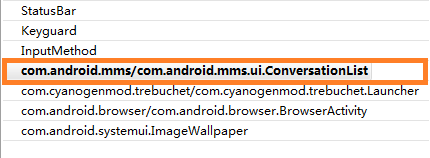 Android系統自帶APP分析:短信app
Android操作系統本身就是一個巨大的開源軟件倉庫,熟悉它既可以了解到Android系統的設計框架,也可以獲得高效的應用程序編寫方式。本文所分析的源碼來自於Google
 Android UI設計與開發教程 引導界面(四)仿人人網V5.9.2最新版引導界面
這一篇我將會以人人網的引導界面為實例來展開詳細的講解,人人網的引導界面比較的新穎,不同於其他 應用程序千篇一律的靠滑動來引導用戶,而是以一個一個比較生動形象的動畫效果展
 淺析Android、iOS和Windows Phone中的推送技術
推送並不是什麼新技術,這種技術在互聯網時代就已經很流行了。只是隨著進入移動互聯網時代,推送技術顯得更加重要。因為在智能手機中,推送從某種程度上,可以取代使用多年的短信,而