編輯:Android開發教程
在一個Android應用中可以包含零個或多個Acivity。當你的應用中包含多個Activity時,通常要在各個 Activity中間跳轉。在Android中,完成這些操作需要使用Intent的組件。
理解這個既重要又抽象概 念的最好辦法,就是嘗試一下。下面的例子展示如何在兩個Activity之間跳轉。
1. 創建一個工程, UsingIntent。
2. 創建兩個Activity:UsingIntentActivity和SecondActivitty。
3. AndroidManifest.xml中的代碼。
<?xml version="1.0" encoding="utf-8"?>
<manifest xmlns:android="http://schemas.android.com/apk/res/android"
    package="net.horsttnann.UsingIntent"
    android:versionCode="1"
    android:versionName="1.0" >

    <uses-sdk android:minSdkVersion="14" />

    <application
        android:icon="@drawable/ic_launcher"
        android:label="@string/app_name" >
        <activity
            android:name=".UsingIntentActivity"
            android:label="@string/app_name" >
            <intent-filter>
                <action android:name="android.intent.action.MAIN" />

                <category android:name="android.intent.category.LAUNCHER" />
            </intent-filter>
        </activity>
        <activity
            android:name=".SecondActivity"
            android:label="Second Activity" >
            <intent-filter>
                <action android:name="net.horsttnann.SecondActivity" />

                <category android:name="android.intent.category.DEFAULT" />
            </intent-filter>
        </activity>
    </application>

</manifest>
4. 在res/layout文件夾下,新建一個叫secondactivity.xml的文件。
<?xml version="1.0" encoding="utf-8"?>
<LinearLayout xmlns:android="http://schemas.android.com/apk/res/android"
    android:layout_width="fill_parent"
    android:layout_height="fill_parent"
    android:orientation="vertical" >

    <TextView
        android:layout_width="fill_parent"
        android:layout_height="wrap_content"
        android:text="This is the Second Activity!" />

    <TextView
        android:layout_width="fill_parent"
        android:layout_height="wrap_content"
        android:text="Please enter your name" />

    <EditText
        android:id="@+id/txt_username"
        android:layout_width="fill_parent"
        android:layout_height="wrap_content" />

    <Button
        android:id="@+id/btn_OK"
        android:layout_width="fill_parent"
        android:layout_height="wrap_content"
        android:onClick="onClick"
        android:text="OK" />

</LinearLayout>
 Android Annotations開源框架簡介
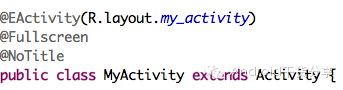
AndroidAnnotations是一個開源框架,旨在加快Android開發的效率。通過使用它開放出來的注解api,你幾乎可以使用在任何地方, 大大的減少了無關痛癢的代
 使用Mina框架開發QQ Android 客戶端(2) 客戶端與服務端的通信
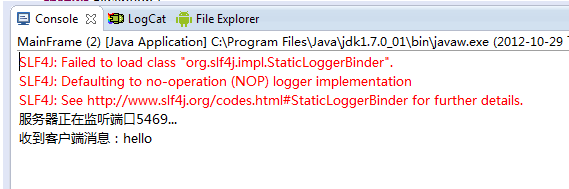
一個簡單的例子,對Mina框架有了大體的了解,在上節的基礎上,看看 怎樣實現客戶端與服務端的通信,廢話不多說了,直接看代碼:public class Test {
 Android ApiDemos示例解析(18) App->Activity->Wallpaper
Wallpaper介紹一個Activity如何通過Style把系統Wallpaper作為當前Activity的背景。這是WallpaperActivity在 Androi
 Android代碼調試工具traceview 和 dmtracedump簡介
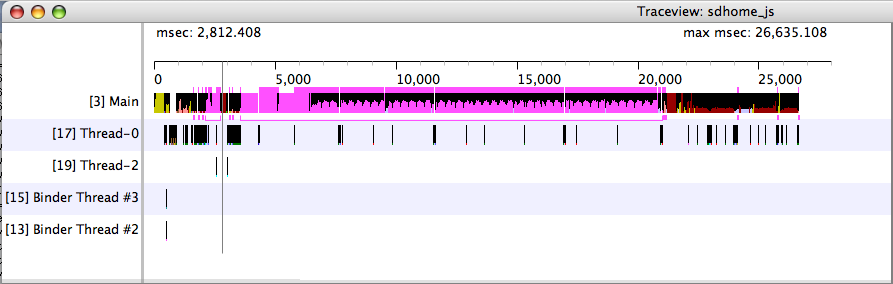
Android 程序調試工具 Google為我們提供的代碼調試工具的亮點:traceview和 dmtracedump 。有了這兩個工具,我們調試程序分析bug