編輯:Android開發教程
除了能從一個Activity返回數據結果之外,向一個Activity傳遞數據也是很常用的。
1. 新建一個 工程,PassData。
2. main.xml中的代碼。
<?xml version="1.0" encoding="utf-8"?>
<LinearLayout xmlns:android="http://schemas.android.com/apk/res/android"
    android:layout_width="fill_parent"
    android:layout_height="fill_parent"
    android:orientation="vertical" >

    <Button
        android:id="@+id/btn_SecondActivity"
        android:layout_width="fill_parent"
        android:layout_height="wrap_content"
        android:onClick="onClick"
        android:text="Click to go to Second Activity" />

</LinearLayout>
3. 在res/layout文件夾下,創建secondactivity.xml文件。
<?xml version="1.0" encoding="utf-8"?>
<LinearLayout xmlns:android="http://schemas.android.com/apk/res/android"
    android:layout_width="fill_parent"
    android:layout_height="fill_parent"
    android:orientation="vertical" >

    <TextView
        android:layout_width="fill_parent"
        android:layout_height="wrap_content"
        android:text="Welcome to Second Activity" />

    <Button
        android:id="@+id/btn_MainActivity"
        android:layout_width="fill_parent"
        android:layout_height="wrap_content"
        android:onClick="onClick"
        android:text="Click to return to main activity" />

</LinearLayout>
4. 新建一個Activity子類:SecondActivity.java。
public

class SecondActivity extends Activity {
    @Override
    public void onCreate(Bundle savedInstanceState) {
        super.onCreate(savedInstanceState);
        setContentView(R.layout.secondactivity);

        // ---get the data passed in using getStringExtra()---
        Toast.makeText(this, getIntent().getStringExtra("str1"),
                Toast.LENGTH_SHORT).show();

        // ---get the data passed in using getIntExtra()---
        Toast.makeText(this,
                Integer.toString(getIntent().getIntExtra("age1", 0)),
                Toast.LENGTH_SHORT).show();

        // ---get the Bundle object passed in---
        Bundle bundle = getIntent().getExtras();

        // ---get the data using the getString()---
        Toast.makeText(this, bundle.getString("str2"), Toast.LENGTH_SHORT)
                .show();

        // ---get the data using the getInt() method---
        Toast.makeText(this, Integer.toString(bundle.getInt("age2")),
                Toast.LENGTH_SHORT).show();
    }

    public void onClick(View view) {
        // ---use an Intent object to return data---
        Intent i = new Intent();

        // ---use the putExtra() method to return some
        // value---
        i.putExtra("age3", 45);

        // ---use the setData() method to return some value---
        i.setData(Uri.parse("Something passed back to main activity"));

        // ---set the result with OK and the Intent object---
        setResult(RESULT_OK, i);

        // ---destroy the current activity---
        finish();
    }
}
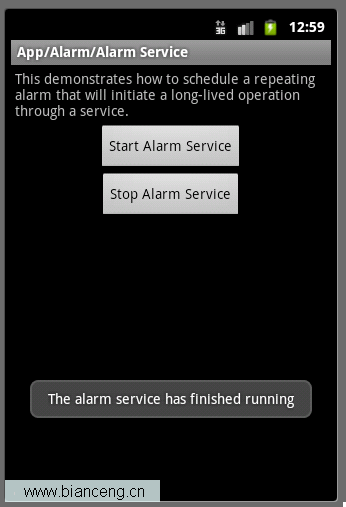 Android ApiDemos示例解析(20) App->Alarm->Alarm Service
Alarm Service和Alarm Controller 例子非常類似,只是Alarm Service是用來Schedule一個Service,而前面的例子是來 Sc
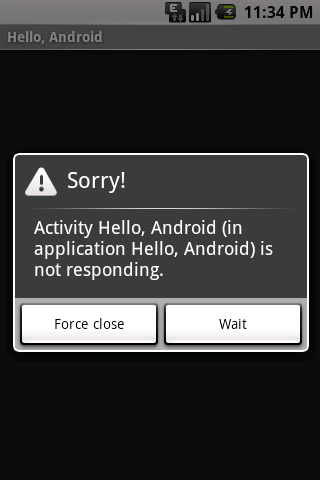 Android簡明開發教程十九:線程 Bezier曲線
Android中使用線程Thread的方法和Java SE相同。和大多數OS系統一樣,Android中也有稱為UI Thread的主線程。UI Thread 主要用來給相
 淺析Android、iOS和Windows Phone中的推送技術
推送並不是什麼新技術,這種技術在互聯網時代就已經很流行了。只是隨著進入移動互聯網時代,推送技術顯得更加重要。因為在智能手機中,推送從某種程度上,可以取代使用多年的短信,而
 手機上的Scala - 使用Android、Scala和Eclipse創建移動應用程序
先決條件在本文中,我們將創建一個在 Android 設備上運行的移動應用程序。您將需 要安裝 Android SDK;本文使用 V1.5 SDK。應用程序代碼將用Scal