編輯:Android開發教程
fragment的真正用處是在程序運行過程中動態地添加。
1. 新建工程。
2. res/layout/main.xml
<?xml version="1.0" encoding="utf-8"?>
<LinearLayout xmlns:android="http://schemas.android.com/apk/res/android"
    android:layout_width="fill_parent"
    android:layout_height="fill_parent"
    android:orientation="horizontal" >

</LinearLayout>
3. res/layout/fragment1.xml
<?xml version="1.0" encoding="utf-8"?>
<LinearLayout xmlns:android="http://schemas.android.com/apk/res/android"
    android:layout_width="fill_parent"
    android:layout_height="fill_parent"
    android:background="#00FF00"
    android:orientation="vertical" >

    <TextView
        android:id="@+id/lblFragment1"
        android:layout_width="fill_parent"
        android:layout_height="wrap_content"
        android:text="This is fragment #1"
        android:textColor="#000000"
        android:textSize="25sp" />

</LinearLayout>
4. res/layout/fragment2.xml
<?xml version="1.0" encoding="utf-8"?>
<LinearLayout xmlns:android="http://schemas.android.com/apk/res/android"
    android:layout_width="fill_parent"
    android:layout_height="fill_parent"
    android:background="#FFFE00"
    android:orientation="vertical" >

    <TextView
        android:layout_width="fill_parent"
        android:layout_height="wrap_content"
        android:text="This is fragment #2"
        android:textColor="#000000"
        android:textSize="25sp" />

</LinearLayout>
5. Fragment1.java
public class Fragment1 extends Fragment

{
    @Override
    public View onCreateView(LayoutInflater inflater, ViewGroup container,
            Bundle savedInstanceState) {
        // ---Inflate the layout for this fragment---
        return inflater.inflate(R.layout.fragment1, container, false);
    }
}
6. Fragment2.java
public class Fragment2 extends Fragment {
    @Override
    public View onCreateView(LayoutInflater inflater, ViewGroup container,
            Bundle savedInstanceState) {
        // ---Inflate the layout for this fragment---
        return inflater.inflate(R.layout.fragment2, container, false);
    }
}
 C/C++交叉編譯環境中編譯可在Android上運行的可執行文件
X86架構的CPU采用的是復雜指令集(Complex Instruction Set Computer,CICS),而ARM架構的CPU使用的是精 簡指令集
 Android ApiDemos示例解析(48):Content->Resources->Resources
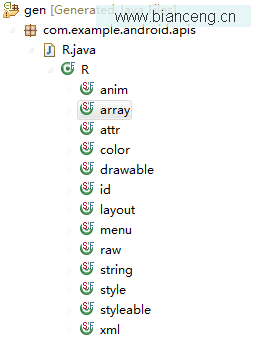
Android SDK對應沒個定義在res目錄下的資源都會定義一個維一的資源ID。在編譯時會在gen目錄下生成 R.java , 資源ID的 格式為 R.[type].[
 Android開發入門(十四)顯示圖像 14.1 Gallery和ImageView
Gallery可以顯示一系列的圖片,並且可以橫向滑動。下面展示如何使用Gallery去顯示一系列的圖片。1. 創建一個工程,Gallery。2. main.xml中的代碼
 在IBM Rational Performance Tester中錄制Android客戶端應用程序測試腳本
編寫本文的背景隨著智能電話使用率的增長,越來越多的基於 Web 的應用程序開始提供從移動客 戶端訪問的能力,無論該客戶端是浏覽器還是原生應用程序。在這兩種情況下,這些客戶