

編輯:Android 手機知識
Android 本身支援文字陰影效果,原理和 Photoshop 的投影類似。在 TextView 上實作陰影,效率會比在位圖元件上處理更好,也更容易適配各種螢幕尺寸——畢竟 LayoutManager 縮放 TextView 遠比在 ImageView 裡縮放位圖單純。
先說明一下:以下內容需要具備基本的反編譯與改包經驗,完全沒有基礎的用戶不建議嘗試;本教學僅適用於懂得使用反編譯工具解包、打包的人。

1. android:shadowColor:陰影顏色
2. android:shadowDx:水平方向偏移量
3. android:shadowDy:垂直方向偏移量
4. android:shadowRadius:陰影擴散範圍
「字體陰影」其實是個約定俗成的說法,因為透過參數的組合,實際能做出與陰影毫不相干的效果。先從最基礎的投影寫起:
<LinearLayout
xmlns:android="https://schemas.android.com/apk/res/android"
android:orientation="vertical"
android:background="@color/White"
android:layout_width="fill_parent"
android:layout_height="fill_parent">
<TextView android:textColor="@color/Black"
android:layout_width="wrap_content"
android:text="Simple Shadow"
android:layout_height="wrap_content"
android:padding="2dp"
android:shadowColor="@color/TransparentGrey"
android:shadowDx="3"
android:shadowDy="3"
android:shadowRadius="0.01" />
</LinearLayout>
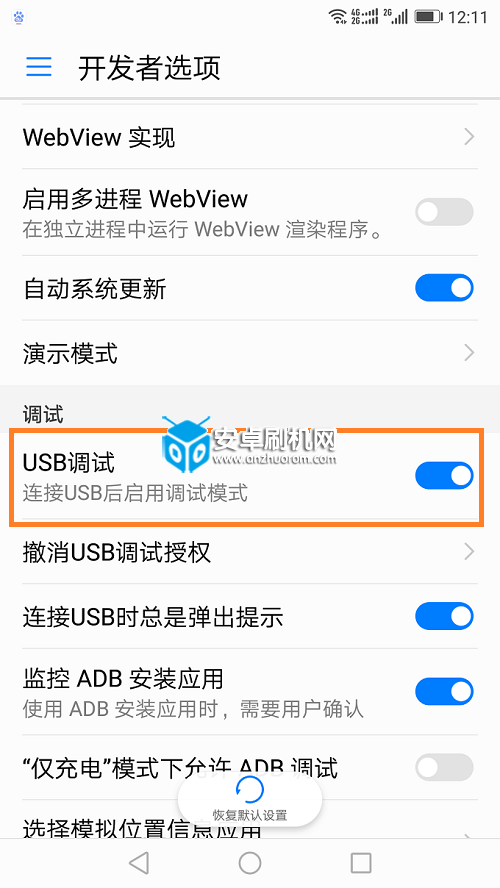 華為榮耀 9 怎麼連電腦?USB 調試與開發者選項開啟教學
華為榮耀 9 如何連接電腦?這是不少新手關心的問題。平時要批量管理文件、傳輸照片,都離不開這個操作。下面把開啟 USB 調試與連接電腦的完整流程說清楚。 一、榮耀 9 開
 小米移動又要出招:傳10元包1.5GB全國流量,虛擬運營商大戰升溫
小米涉足虛擬運營商其實只是時間問題。此前它已經推出了「吃到飽」和「任我行」兩款SIM卡產品,但這一次即將亮相的新品,走的完全是另一條路子——它不再是一张實體卡。虛擬運營商
 蘋果手機如何添加上傳電子書?新手入門教學
如何添加電子書? 以下用 iFunbox 示範如何加入電子書,同樣不需越獄。 先打開主介面,選擇「已連接的裝置」中的「iBooks」選項。 點擊「從電腦複製」加入 EP
 vivo Xplay3S與三星Note3對比 2K屏能否勝出?
vivo Xplay3S: 硬件清單相當硬:6英寸2K(2560×1440)巨屏、高通驍龍800四核、3GB內存以及千萬像素級別的攝像頭,整體流暢度令人滿意。 它同時支