

編輯:Android 資訊
近幾天打算抽空總結 Android 一些系統 UI 的實踐用法,於是動手建了個庫 AndroidSystemUiTraining,邊撸代碼邊寫總結。今天開寫第一篇,對 Translucent System Bar 的實踐做個總結。說起這個特性,可能有些朋友還比較陌生,先簡單介紹一下。
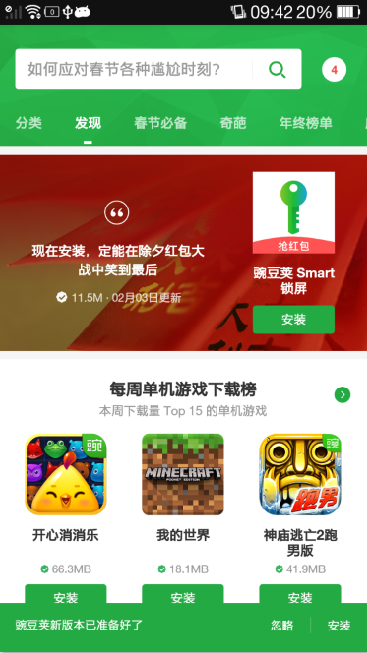
如上圖,Android 4.4 之前,打開 App 時總能看到系統頂部那條黑乎乎的通知欄,讓 App 顯得突兀。於是從 Android 4.4 開始,系統引入了 Translucent System Bar 特性,用來彌補通知欄的突兀(估計也是向 iOS 學習,因為 iOS 早就有這特性)。我們先看看引入該特性後的變化。下面截取了 中華萬年歷的天氣預報界面 與 QQ 音樂主界面 的效果(兩者實現方式略有區別,下文細講):
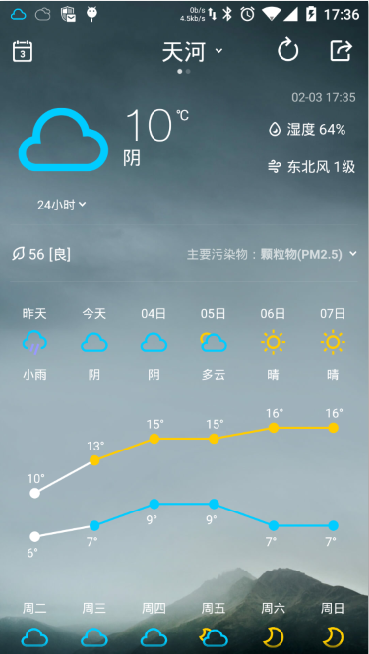
中華萬年歷
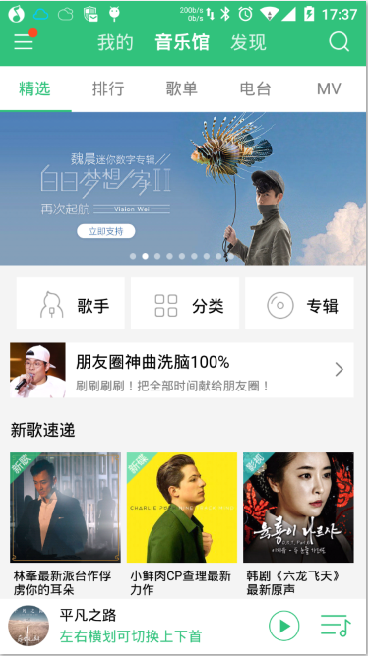
QQ 音樂
可以看到,系統通知欄與 App 界面融為一體,告別了黑乎乎的通知欄。關於 Translucent System Bar 就簡介到此。
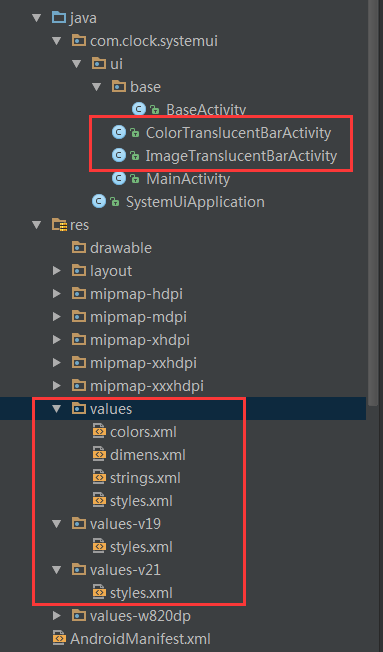
先簡單介紹工程結構,核心部分已圈出,待我逐一講解:
第一種方式需做三步設置:
1、在 values、values-v19、values-v21 的 style.xml 中都設置一個 Translucent System Bar 風格的 Theme:
values/style.xml
<style name="ImageTranslucentTheme" parent="AppTheme"> <!--在 Android 4.4 之前的版本上運行,直接跟隨系統主題--> </style>
values-v19/style.xml
<style name="ImageTranslucentTheme" parent="Theme.AppCompat.Light.DarkActionBar"> <item name="android:windowTranslucentStatus">true</item> <item name="android:windowTranslucentNavigation">true</item> </style>
values-v21/style.xml
<style name="ImageTranslucentTheme" parent="Theme.AppCompat.Light.DarkActionBar"> <item name="android:windowTranslucentStatus">false</item> <item name="android:windowTranslucentNavigation">true</item> <!--Android 5.x 開始需把顏色設置透明,否則導航欄會呈現系統默認的淺灰色--> <item name="android:statusBarColor">@android:color/transparent</item> </style>
需要注意:無論在哪個 SDK 版本的 values 目錄下設置主題,都應在最基本的 values 下設置一個同名主題,才能確保 App 正常運行於 Android 4.4 以下設備,否則會報找不到 Theme 的錯誤。
2、在 AndroidManifest.xml 中對指定 Activity 設置 theme:
<activity android:name=".ui.ImageTranslucentBarActivity" android:label="@string/image_translucent_bar" android:theme="@style/ImageTranslucentTheme" />
3、在 Activity 布局文件中設置背景圖片,同時把 android:fitsSystemWindows 設為 true:
activity_image_translucent_bar.xml
<?xml version="1.0" encoding="utf-8"?> <RelativeLayout xmlns:android="https://schemas.android.com/apk/res/android" android:layout_width="match_parent" android:layout_height="match_parent" android:background="@mipmap/env_bg" android:fitsSystemWindows="true"> </RelativeLayout>
到此第一種方式完成,效果如下:
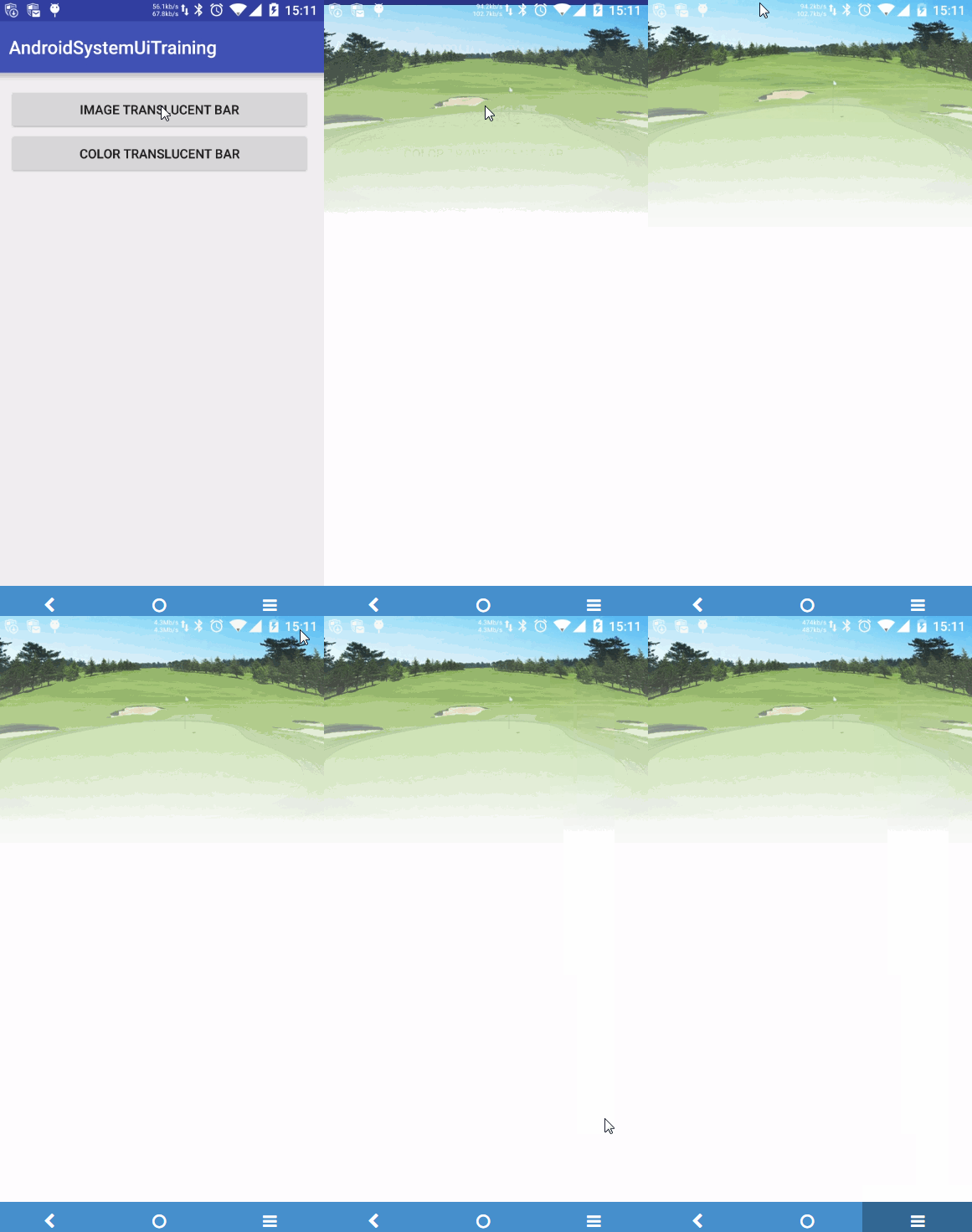
就跟中華萬年歷的天氣預報界面一樣,整個導航欄融入 App 界面,背景圖片填滿全屏,看起來舒服多了。關於 android:fitsSystemWindows 的設置,後面會細講。接下來看第二種方式。
相比中華萬年歷,QQ 音樂採用的是另一種方式,它把 App 的 Tab 欄與系統導航欄分開設置:
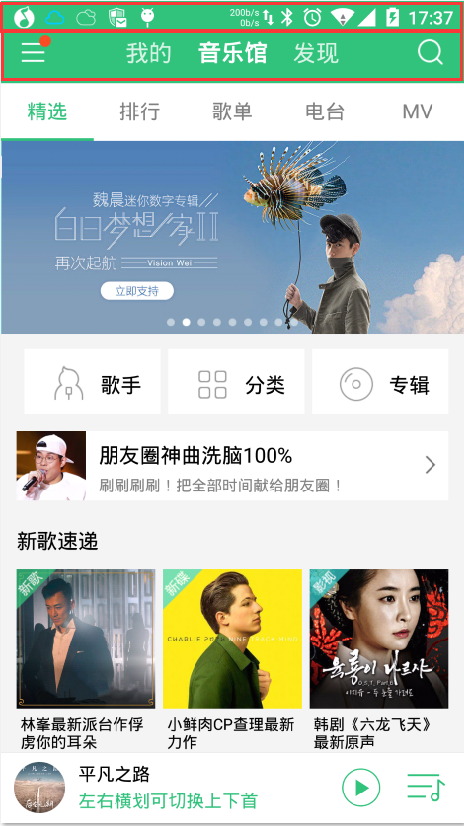
由於它的 Tab 欄是純色的,只要把系統通知欄顏色設成與 Tab 欄一致即可,實現上比方法一簡單很多。同樣要在不同 SDK 版本的 values 下創建同名 theme,在 values-v21 下設置系統導航欄顏色:
values-v21/style.xml
<style name="ColorTranslucentTheme" parent="Theme.AppCompat.Light.DarkActionBar"> <item name="android:windowTranslucentStatus">false</item> <item name="android:windowTranslucentNavigation">true</item> <item name="android:statusBarColor">@color/color_31c27c</item> </style>
再到 ColorTranslucentBarActivity 的布局文件 activity_color_translucent_bar.xml 中設置 Tab 欄顏色:
<?xml version="1.0" encoding="utf-8"?> <LinearLayout xmlns:android="https://schemas.android.com/apk/res/android" android:layout_width="match_parent" android:layout_height="match_parent" android:fitsSystemWindows="true" android:orientation="vertical"> <RelativeLayout android:layout_width="match_parent" android:layout_height="55dp" android:background="@color/color_31c27c"> <TextView android:layout_width="wrap_content" android:layout_height="wrap_content" android:layout_centerInParent="true" android:text="QQ Music" android:textColor="@android:color/white" android:textSize="20sp" /> </RelativeLayout> </LinearLayout>
到此,就能得到和 QQ 音樂主界面一樣的效果了:
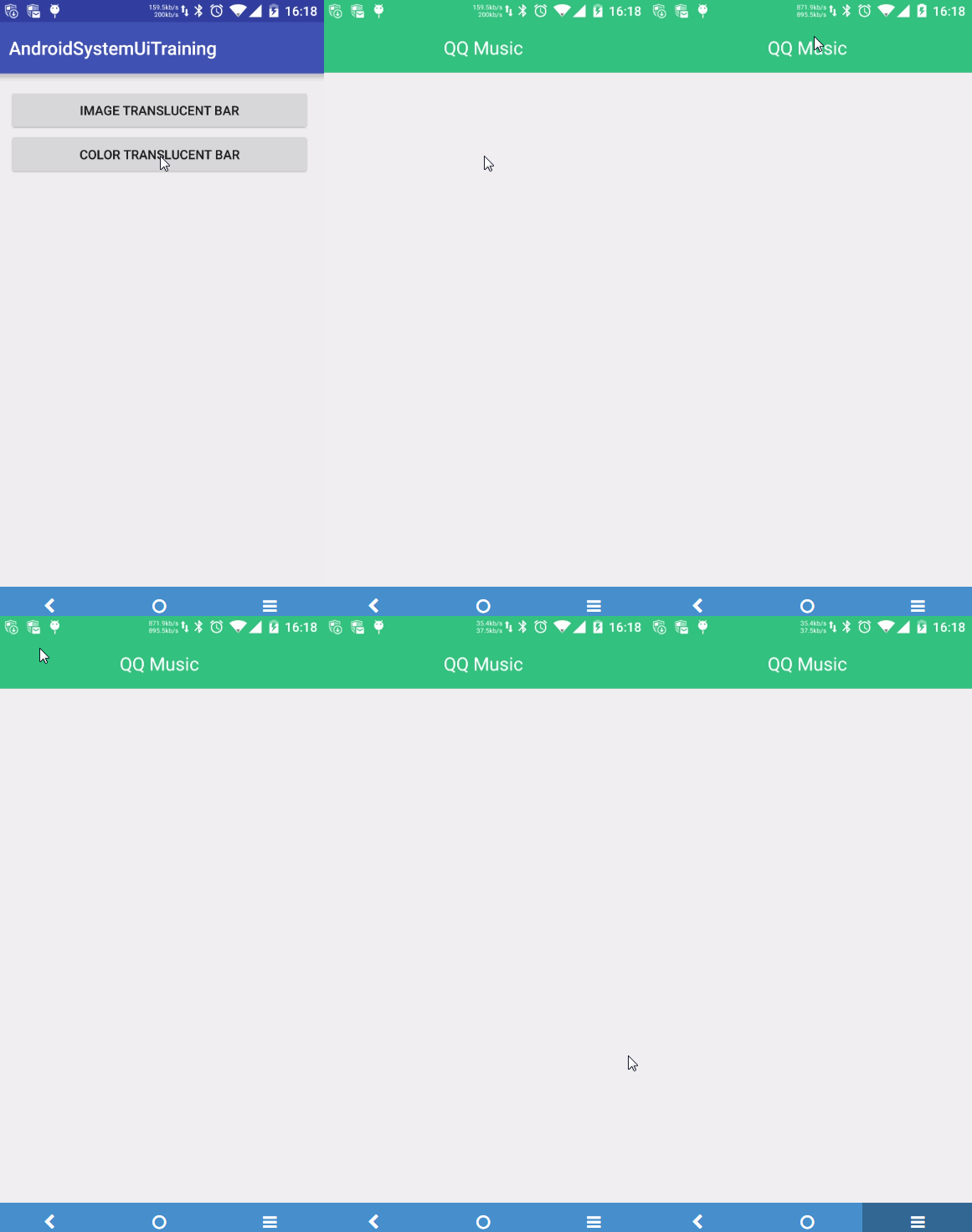
至此,Translucent System Bar 的兩種實現方式就介紹完了。
大家可能留意到,所有實現 Translucent System Bar 效果的 Activity 都要在根布局設置 android:fitsSystemWindows="true"。它的作用是不讓系統導航欄與 App UI 重疊而導致交互問題。看下面對比就清楚了。
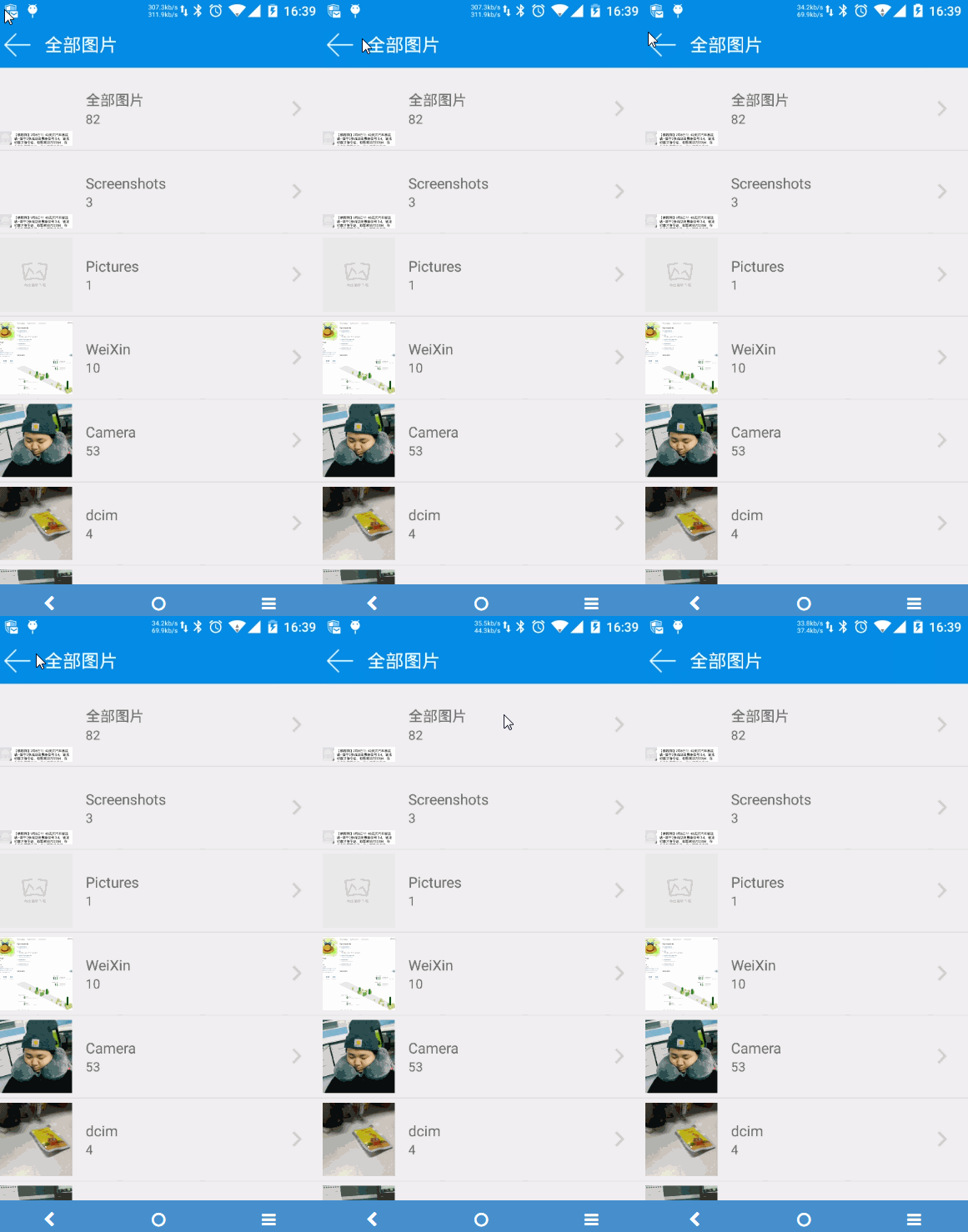
有 fitsSystemWindows 設置
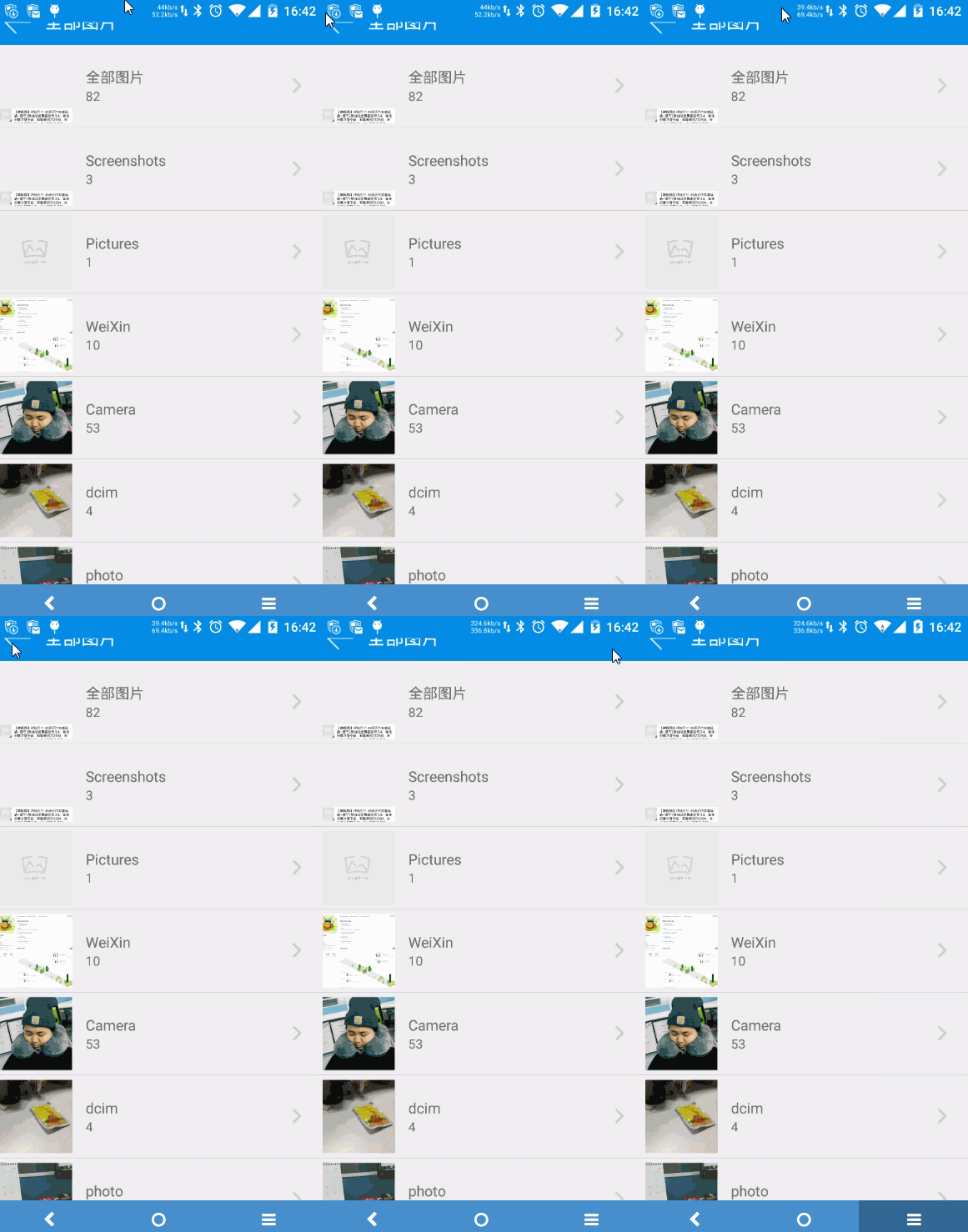
沒有 fitsSystemWindows 設置
註:以上演示效果借助了我的另一個開源項目 AndroidAlbum。
這樣一來,若有 10 個 Activity 要實現該效果,就得在 10 個布局文件裡設置,非常麻煩。於是我想:能否在 theme 中加上如下設置?
<item name="android:fitsSystemWindows">true</item>
試了發現果真可行,所有要實現 Translucent System Bar 的 Activity 只需設置這個 theme 即可,改起來很方便。可惜後來出現了一個 BUG,讓我不得不老老實實回到布局文件裡設置:
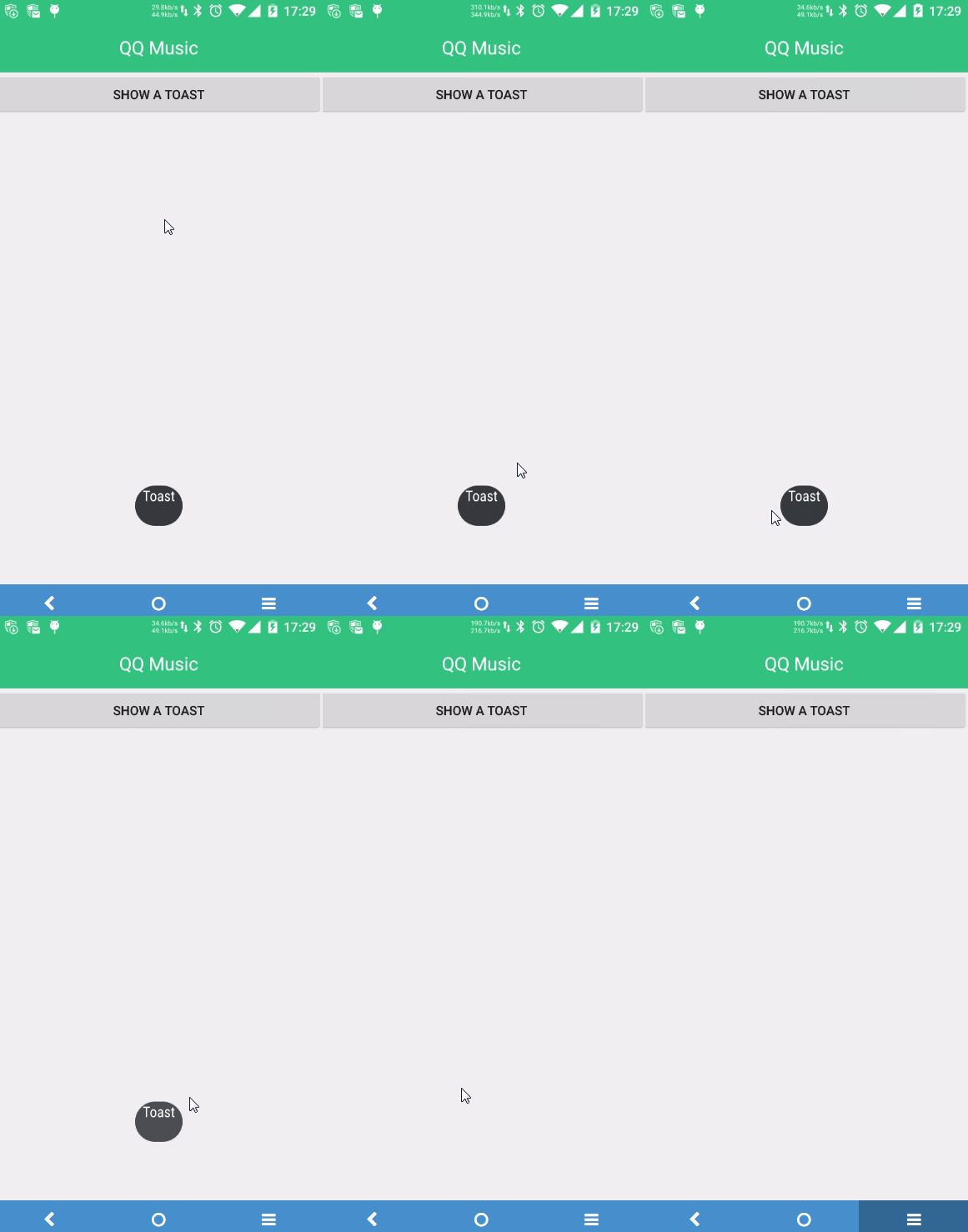
Toast 打印出來的文字竟然向上偏移了。這也是我疏忽的地方:在布局文件中設置是對 View 生效,而在 theme 中設置則是對 Window 生效,兩者實現上並不一樣。所以最終只能改回原來的方式。
最後做個小總結:
怎樣,介紹到這裡,你會用 Translucent System Bar 了嗎?趕快到你的 App 裡試試吧!
 基于 AndroidPn 的 Push Notification 消息推送實現
在此前一篇文章中,我們談到 Android 實現推送的多種方案,其中較成熟的一種是基于 XMPP 協議。而 AndroidPn 正是採用 XMPP 實現信息推送的開源項目
 Android .so 檔案與 ABI 完整解析
早期 Android 裝置大多只針對 ARMv5 這類相對單一的 CPU 架構。隨著行動平台快速演進,Android 已需要面對多種 CPU 架構,例如 ARMv5、AR
 高效 Android 開發者必備的 4 款神器
本文由碼農網 – 小峰 原創翻譯,轉載請看清文末的轉載要求,歡迎參與我們的付費投稿計劃! 行動 App 開發是一個漫長而費力的過程。然而,現在的企業總希望能夠盡快發布 A
 從資源使用談 Android 記憶體優化
Android 應用常遇到的記憶體問題,很多都與資源使用方式有關。若能在開發初期就建立正確習慣,後續除錯與效能調校都會輕鬆很多。 Bitmap 是記憶體大戶 多數記憶體分