

編輯:Android 資訊
默認情況下,Android 的 WebView 並不支持上傳文件。這一點,還是在前端工程師告訴我之後才了解的。由於每個 Android 版本 WebView 的實現都有差異,需要針對不同版本分別適配。花了一點時間、參考別人的代碼後,這個問題已經解決,這裡把我踩過的坑分享出來。
主要思路是重寫 WebChromeClient,然後在 WebViewActivity 中接收選中的文件 Uri,再傳給頁面去上傳即可。
public class XHSWebChromeClient extends WebChromeClient { // For Android 3.0+ public void openFileChooser(ValueCallback<Uri> uploadMsg) { CLog.i("UPFILE", "in openFile Uri Callback"); if (mUploadMessage != null) { mUploadMessage.onReceiveValue(null); } mUploadMessage = uploadMsg; Intent i = new Intent(Intent.ACTION_GET_CONTENT); i.addCategory(Intent.CATEGORY_OPENABLE); i.setType("*/*"); startActivityForResult(Intent.createChooser(i, "File Chooser"), FILECHOOSER_RESULTCODE); } // For Android 3.0+ public void openFileChooser(ValueCallback uploadMsg, String acceptType) { CLog.i("UPFILE", "in openFile Uri Callback has accept Type" + acceptType); if (mUploadMessage != null) { mUploadMessage.onReceiveValue(null); } mUploadMessage = uploadMsg; Intent i = new Intent(Intent.ACTION_GET_CONTENT); i.addCategory(Intent.CATEGORY_OPENABLE); String type = TextUtils.isEmpty(acceptType) ? "*/*" : acceptType; i.setType(type); startActivityForResult(Intent.createChooser(i, "File Chooser"), FILECHOOSER_RESULTCODE); } // For Android 4.1 public void openFileChooser(ValueCallback<Uri> uploadMsg, String acceptType, String capture) { CLog.i("UPFILE", "in openFile Uri Callback has accept Type" + acceptType + "has capture" + capture); if (mUploadMessage != null) { mUploadMessage.onReceiveValue(null); } mUploadMessage = uploadMsg; Intent i = new Intent(Intent.ACTION_GET_CONTENT); i.addCategory(Intent.CATEGORY_OPENABLE); String type = TextUtils.isEmpty(acceptType) ? "*/*" : acceptType; i.setType(type); startActivityForResult(Intent.createChooser(i, "File Chooser"), FILECHOOSER_RESULTCODE); } //Android 5.0+ @Override @SuppressLint("NewApi") public boolean onShowFileChooser(WebView webView, ValueCallback<Uri[]> filePathCallback, FileChooserParams fileChooserParams) { if (mUploadMessage != null) { mUploadMessage.onReceiveValue(null); } CLog.i("UPFILE", "file chooser params:" + fileChooserParams.toString()); mUploadMessage = filePathCallback; Intent i = new Intent(Intent.ACTION_GET_CONTENT); i.addCategory(Intent.CATEGORY_OPENABLE); if (fileChooserParams != null && fileChooserParams.getAcceptTypes() != null && fileChooserParams.getAcceptTypes().length > 0) { i.setType(fileChooserParams.getAcceptTypes()[0]); } else { i.setType("*/*"); } startActivityForResult(Intent.createChooser(i, "File Chooser"), FILECHOOSER_RESULTCODE); return true; } }上面的 openFileChooser 是系統未暴露的接口,所以不用加 Override 注解,而且不同版本參數各異:第一個 ValueCallback 用來在選完文件後把文件回調給網頁處理,acceptType 則是接受的文件 mime type。5.0 之後,系統提供了 onShowFileChooser 讓我們實現選文件的方法,同樣有 ValueCallback,FileChooserParams 參數裡也包含 acceptType。我們可以根據 acceptType 打開系統或自定義的文件選擇器。若需要打開相機拍照,也可以自己用相機 Intent 去實現。
打開選擇界面之後,還得處理收到的文件並回傳給網頁。因為前面用的是 startActivityForResult,所以我們會在 onActivityResult 中接收結果。Show code:
@Override protected void onActivityResult(int requestCode, int resultCode, Intent data) { super.onActivityResult(requestCode, resultCode, data); if (requestCode == FILECHOOSER_RESULTCODE) { if (null == mUploadMessage) return; Uri result = data == null || resultCode != RESULT_OK ? null : data.getData(); if (result == null) { mUploadMessage.onReceiveValue(null); mUploadMessage = null; return; } CLog.i("UPFILE", "onActivityResult" + result.toString()); String path = FileUtils.getPath(this, result); if (TextUtils.isEmpty(path)) { mUploadMessage.onReceiveValue(null); mUploadMessage = null; return; } Uri uri = Uri.fromFile(new File(path)); CLog.i("UPFILE", "onActivityResult after parser uri:" + uri.toString()); if (Build.VERSION.SDK_INT >= Build.VERSION_CODES.LOLLIPOP) { mUploadMessage.onReceiveValue(new Uri[]{uri}); } else { mUploadMessage.onReceiveValue(uri); } mUploadMessage = null; } }核心就是調用 ValueCallback 的 onReceiveValue,把結果傳回 web。
由於版本差異,5.0 以下 ValueCallback 的 onReceiveValue 接收的是 Uri,5.0 及以上接收的是 Uri 數組,傳值時要特別注意。
選文件會用到系統組件或其他支持的 app,返回的 uri 有的是文件 url,有的是 contentprovider 的 uri,所以要統一處理,轉成文件 uri。可以參考下面的代碼(獲取文件路徑),調用 getPath 就能把 Uri 轉成真實文件 Path,再自己生成文件 Uri。
public class FileUtils { /** * @param uri The Uri to check. * @return Whether the Uri authority is ExternalStorageProvider. */ public static boolean isExternalStorageDocument(Uri uri) { return "com.android.externalstorage.documents".equals(uri.getAuthority()); } /** * @param uri The Uri to check. * @return Whether the Uri authority is DownloadsProvider. */ public static boolean isDownloadsDocument(Uri uri) { return "com.android.providers.downloads.documents".equals(uri.getAuthority()); } /** * @param uri The Uri to check. * @return Whether the Uri authority is MediaProvider. */ public static boolean isMediaDocument(Uri uri) { return "com.android.providers.media.documents".equals(uri.getAuthority()); } /** * Get the value of the data column for this Uri. This is useful for * MediaStore Uris, and other file-based ContentProviders. * * @param context The context. * @param uri The Uri to query. * @param selection (Optional) Filter used in the query. * @param selectionArgs (Optional) Selection arguments used in the query. * @return The value of the _data column, which is typically a file path. */ public static String getDataColumn(Context context, Uri uri, String selection, String[] selectionArgs) { Cursor cursor = null; final String column = "_data"; final String[] projection = { column }; try { cursor = context.getContentResolver().query(uri, projection, selection, selectionArgs, null); if (cursor != null && cursor.moveToFirst()) { final int column_index = cursor.getColumnIndexOrThrow(column); return cursor.getString(column_index); } } finally { if (cursor != null) cursor.close(); } return null; } /** * Get a file path from a Uri. This will get the the path for Storage Access * Framework Documents, as well as the _data field for the MediaStore and * other file-based ContentProviders. * * @param context The context. * @param uri The Uri to query. * @author paulburke */ @SuppressLint("NewApi") public static String getPath(final Context context, final Uri uri) { final boolean isKitKat = Build.VERSION.SDK_INT >= Build.VERSION_CODES.KITKAT; // DocumentProvider if (isKitKat && DocumentsContract.isDocumentUri(context, uri)) { // ExternalStorageProvider if (isExternalStorageDocument(uri)) { final String docId = DocumentsContract.getDocumentId(uri); final String[] split = docId.split(":"); final String type = split[0]; if ("primary".equalsIgnoreCase(type)) { return Environment.getExternalStorageDirectory() + "/" + split[1]; } // TODO handle non-primary volumes } // DownloadsProvider else if (isDownloadsDocument(uri)) { final String id = DocumentsContract.getDocumentId(uri); final Uri contentUri = ContentUris.withAppendedId( Uri.parse("content://downloads/public_downloads"), Long.valueOf(id)); return getDataColumn(context, contentUri, null, null); } // MediaProvider else if (isMediaDocument(uri)) { final String docId = DocumentsContract.getDocumentId(uri); final String[] split = docId.split(":"); final String type = split[0]; Uri contentUri = null; if ("image".equals(type)) { contentUri = MediaStore.Images.Media.EXTERNAL_CONTENT_URI; } else if ("video".equals(type)) { contentUri = MediaStore.Video.Media.EXTERNAL_CONTENT_URI; } else if ("audio".equals(type)) { contentUri = MediaStore.Audio.Media.EXTERNAL_CONTENT_URI; } final String selection = "_id=?"; final String[] selectionArgs = new String[] { split[1] }; return getDataColumn(context, contentUri, selection, selectionArgs); } } // MediaStore (and general) else if ("content".equalsIgnoreCase(uri.getScheme())) { return getDataColumn(context, uri, null, null); } // File else if ("file".equalsIgnoreCase(uri.getScheme())) { return uri.getPath(); } return null; } }再有,即使獲取結果為 null,也要傳給 web,即直接調用 mUploadMessage.onReceiveValue(null),否則網頁會阻塞。
最後,打 release 包時因為會混淆,要特別設置不要混淆 WebChromeClient 子類裡的 openFileChooser 方法——由於它不是繼承的方法,默認會被混淆,之後就無法選文件了。
 Android UI 控件系列:DatePicker 與 TimePicker 日期時間選擇
日期與時間幾乎是所有手機平台的標配功能,Android 也不例外。 DatePicker:用來實現日期(年月日)TimePicker:用來實現時間(時分秒) Calend
 Android 多渠道打包工具 Gradle 插件詳解
在 Android 專案中,多渠道打包是常見需求。不同應用市場、推廣管道或合作夥伴,往往需要不同的渠道標識,以便進行統計與歸因。gradle-packer-plugin
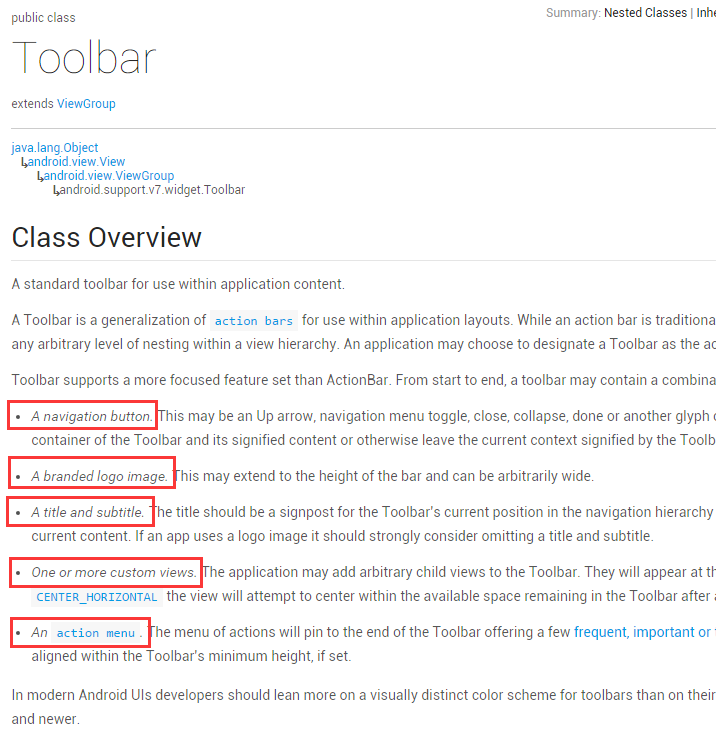 最詳盡的 Android Toolbar 開發實踐與踩坑總結
年前我發過一篇介紹 Translucent System Bar 特性的文章《Translucent System Bar 的最佳實踐》,收到不少開發者的關注和反饋。今天
 優化 Android App 性能的十大技巧
無論錘子還是茄子手機不斷冒出,Android 系統手機的市場佔有率目前來說還是最大的,因此基於 Android 開發的 App 數量也很龐大。那麼,如何才能開發出更高性能