

編輯:初階開發
Service 是 Android 四大組件之一,也是初學者最容易搞錯觀念的一個。本文從「它是什麼」、「它不是什麼」開始,再談實作與生命週期。
這兩點是面試與實務中最常考的地方,务必記牢。
先繼承 Service,然後實作以下方法:
onBind()
onCreate()
onStartCommand()
onDestroy()
接著必須在 AndroidManifest.xml 中註冊,否則系統無法找到它:
<service android:name=".FirstService"></service>
啟動:
Intent intent = new Intent();
intent.setClass(TestActivity.this, FirstService.class);
startService(intent);
關閉:
Intent intent = new Intent();
intent.setClass(TestActivity.this, FirstService.class);
stopService(intent);
Service 也可以在內部呼叫 stopSelf() 自行結束。
透過 startService() 啟動時的順序如下:
onCreate()。onStartCommand(),這個函數會收到 Intent 對象,可以從中取得資料。onCreate(),而是直接呼叫 onStartCommand()——因為上一次的 Service 並沒有被銷毀。stopService(),系統就會呼叫 Service 的 onDestroy()。若改用 bindService() 啟動,生命週期順序會變成 onCreate() → onBind() → onDestroy(),並且需要透過 ServiceConnection 來取得與 Service 溝通的 Binder。
一個容易被忽略但很重要的細節:onStartCommand() 必須回傳一個整數,用來告訴系統「若 Service 被系統殺掉,該怎麼處理」。常見選項有:
START_STICKY:Service 被殺後會重建,但 Intent 會是 null。START_NOT_STICKY:被殺就這樣,不重建。START_REDELIVER_INTENT:重建並重新送來最後一個 Intent。選錯回傳值,可能導致 Service 莫名重啟或該跑的任務沒跑完,實作時要依需求判斷。
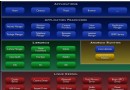 Android 架構詳解
Android 五層架構 Android 系統架構可分為 Linux Kernel、Android Runtime、Libraries、Application Fram
 自訂 Android DigitalClock 的時間格式
Android 的 DigitalClock 本身沒有直接提供設定時間格式的屬性,但可以透過繼承與覆寫的方式來自訂顯示內容。若只需要讓時鐘顯示小時與分鐘,可以修改原本的格
 Android 介面載入完成後自動彈出軟鍵盤
在 Android 開發中,若希望在畫面載入完成後自動彈出軟鍵盤,直接在 onCreate 中呼叫相關方法往往不會成功。原因在於,介面配置與渲染通常需要一點時間,視圖尚未
 10 款對 Android 開發者實用的手機應用
以下整理 10 款對開發者相當實用的 Android 應用,涵蓋遠端連線、檔案傳輸、程式編輯、資料庫操作與色彩取樣等情境。若你手上也有值得推薦的工具,歡迎補充。 1.