

編輯:初階開發
最近因專案需要研究 ListView 捲動時的資料動態更新,其中載入過程要顯示圓形進度條,卡住的地方是顏色設定。以下把查到的資料與自己的實作結果整理出來。
在 XML 中加入進度條控件,並透過 indeterminateDrawable 指向自訂的 drawable:
<ProgressBar android:id="@+id/loadProgressBar"
    android:indeterminateDrawable="@drawable/progressbar"
    android:layout_width="wrap_content"
    android:layout_height="wrap_content" />
indeterminateDrawable 就是決定顏色與形狀的地方,內容如下:
<?xml version="1.0" encoding="utf-8"?>
<rotate xmlns:android="https://schemas.android.com/apk/res/android"
    android:pivotX="50%"
    android:pivotY="50%"
    android:fromDegrees="0"
    android:toDegrees="360">

    <shape
        android:shape="ring"
        android:innerRadiusRatio="3"
        android:thicknessRatio="8"
        android:useLevel="false">

        <gradient
            android:type="sweep"
            android:useLevel="false"
            android:startColor="#000000"
            android:centerColor="#FFFFFF"
            android:centerY="0.50"
            android:endColor="#FFFF00" />
    </shape>
</rotate>
效果如下:
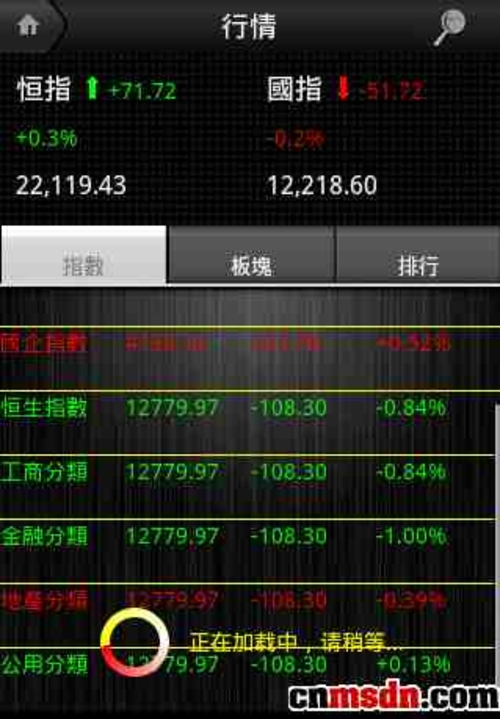
▲ 自訂顏色的圓形進度條
各參數可依設計稿自行調整。若想改成不旋轉的純色圓環,把外層 rotate 拿掉、並改用 shape 的 solid 填色即可。
 保護你的 Android 付費軟體——LVL 全攻略(一)
近來 Google 開始大力打擊 Android 軟體盜版,為開發者提供了 License Verification Library(LVL)機制,以防止軟體被盗版濫用。
 Android 版面配置入門:垂直方向的 LinearLayout
LinearLayout 是最容易上手的版面容器,顧名思義,它把子元件排成一條線。方向由 android:orientation 決定:設為 vertical 時由上而下
 Android 實作:Service、BroadcastReceiver 與 AlarmManager
本文以「定時停止播放音樂」為例,說明如何結合 Service、AlarmManager 與 BroadcastReceiver。當使用者設定時間後啟動 Service,S
 Android ApiDemo 逐項拆解:Graphics 與 View 篇(上)
ApiDemo 是 Android SDK 附帶的範例集,幾乎涵蓋了所有常用 API。這一篇把 Graphics 與 View 兩個 package 裡的關鍵範例整理成可