

編輯:更多教學
教你如何把三星N7100狀態欄的時間精確到秒顯示,分成「靠左」與「原始靠右」兩種做法。
一、時間精確到秒(靠左)
1. 先反編譯 SystemUI.apk。
2. 找到檔案 SystemUI.apk\res\layout\tw_status_bar.xml(建議用 Notepad++ 開啟編輯)。
3. 刪除以下程式碼:
android:textSize="@dimen/status_bar_clock_text_size" android:textColor="#ff959595" android:ellipsize="none" android:gravity="left|center" android:id="@+id/clock" android:paddingLeft="3.0dip" android:layout_width="wrap_content" android:layout_height="fill_parent" android:singleLine="true" android:includeFontPadding="false" />
4. 找到以下程式碼:
android:paddingLeft="4.0dip" android:layout_width="0.0dip" android:layout_height="fill_parent" android:layout_weight="1.0">
5. 在該段程式碼後面換行加入:
android:layout_width="wrap_content" android:layout_height="fill_parent"> android:textColor="#ff959595" android:gravity="center" android:id="@+id/digitalClock" android:layout_width="wrap_content" android:layout_height="fill_parent" android:singleLine="true" android:includeFontPadding="false" />
6. 編輯儲存後編譯 SystemUI。
7. 編譯後把 res\layout\tw_status_bar.xml 與 resources.arsc 複製回原 SystemUI.apk 替換,再複製到手機、修改權限並重啟即可。
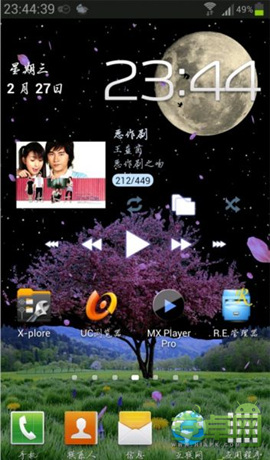
二、時間精確到秒(維持靠右)
1. 反編譯 SystemUI.apk。
2. 找到 SystemUI.apk\res\layout\tw_status_bar.xml。
3. 找到以下程式碼:
android:textSize="@dimen/status_bar_clock_text_size" android:textColor="#ff959595" android:ellipsize="none" android:gravity="left|center" android:id="@+id/clock" android:paddingLeft="3.0dip" android:layout_width="wrap_content" android:layout_height="fill_parent" android:singleLine="true" android:includeFontPadding="false" />
改為:
android:textColor="#ff959595" android:gravity="center" android:id="@+id/digitalClock" android:layout_width="wrap_content" android:layout_height="fill_parent" android:singleLine="true" android:includeFontPadding="false" />
4. 找到以下程式碼:
android:paddingLeft="4.0dip" android:layout_width="0.0dip" android:layout_height="fill_parent" android:layout_weight="1.0">
在其後換行加入:
android:layout_width="wrap_content" android:layout_height="fill_parent">
5. 編輯儲存後編譯 SystemUI。
6. 編譯後把 res\layout\tw_status_bar.xml 與 resources.arsc 複製回原 SystemUI.apk 替換,再複製到手機、修改權限並重啟即可。
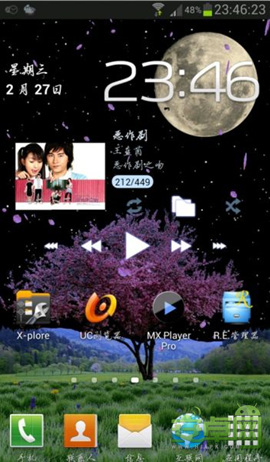
 三星S3 I9300辨識翻新機的簡單一招
今天分享一個辨識三星I9300是否為翻新機的簡單方法。S3上市已經很長一段時間,當年的「字庫門」問題也曾引起廣泛關注。其實要判斷I9300是不是翻新機,可以從它是否換過字
 Note 2 N7100 刷機後顯示「未註冊在網路上」的原因與修復
刷完機卻發現 SIM 卡抓不到、狀態顯示無訊號、圓圈加斜線,甚至 IMEI 變成 004999010640000、S/N 全 0——這在 N7100 上是個經典陷阱。以下
 三星 Note2 神筆 S Pen 五大實用技巧
三星 Note2 的 S Pen 在硬體上最大的特色,是盡量真實地還原手寫筆跡,1024 級的壓感設計能細膽呈現中文字筆畫粗細的變化。以下就來看這支「神筆」的實用技巧。
 努比亞Z11 miniS安兔兔跑分
努比亞Z11 miniS搭載驍龍625與4GB記憶體,定位中端拍照機。安兔兔跑分58732分,屬驍龍625正常水平,日常遊戲與多工沒問題。