

編輯:進階開發
要在應用程式裡把使用者帶到瀏覽器,最乾淨的做法是發出一個 ACTION_VIEW 意圖,把網址交給系統處理。若想明確指定由標準瀏覽器接手,可以再加上元件名稱。
Intent it = new Intent(Intent.ACTION_VIEW, Uri.parse("https://www.baidu.com"));
it.setClassName("com.android.browser", "com.android.browser.BrowserActivity");
getContext().startActivity(it);
要開啟裝置上的 HTML 檔,得透過 Android 內建的 htmlfileprovider 來取得一個 content:// URI,並指明要存在哪裡。
Intent intent = new Intent();
intent.setAction(Intent.ACTION_VIEW);

Uri uri = Uri.parse("content://com.android.htmlfileprovider/sdcard/123.html");
intent.setData(uri);
intent.setClassName("com.android.browser", "com.android.browser.BrowserActivity");

startActivity(intent);
兩段程式碼的差異只在 URI 的來源。第一種寫法的好處是彈性大——如果使用者把預設瀏覽器換成 Chrome、Firefox 或其他 App,系統會依他的設定分派,不需要你猜對方的套件名稱。反過來,若你確實需要指定某個瀏覽器(例如為了測試特定引擎的行為),再用 setClassName 鎖定;此時最好包一層 try-catch,因為在沒有安裝該瀏覽器的裝置上會直接拋出 ActivityNotFoundException。
另外別忘了,存取 /sdcard 需要 READ_EXTERNAL_STORAGE 權限,而較新的 Android 版本還要求執行期動態申請;htmlfileprovider 這條路徑屬於早期寫法,在現代版本上未必可用,新專案建議改用 FileProvider 產生 content URI,並記得在 Intent 上加 FLAG_GRANT_READ_URI_PERMISSION。
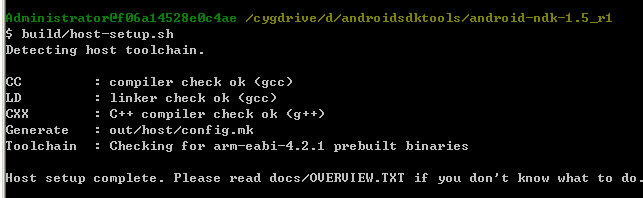 NDK 入門專案實戰(一)
目標:利用 NDK 生成 SO 函式庫,透過 SO 函式庫進行 JNI 呼叫,在 Android sdcard 建立檔案並寫入資料。 工具:NDK 1.5 R1、Andr
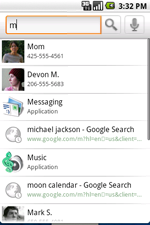 Android 版本發展與 Firefox 上機的可能性觀察
曾經,我們暢想過 Android 版本的 Firefox。從技術層面看已經沒有障礙,而近日 Mozilla 執行長 John Lilly 與 Mozilla Mobile
 Android 應用區域詳解:進程隔離、Zygote 與 APK 的優化產物
Android 平台可以促使行動裝置創新,讓使用者體驗到最優越的行動服務。當年美國運營商 AT&T 和 Verizon 沒有加入,微軟沒有加入,獨樹一幟的加拿大
 Myriad 推 Android 虛擬機 讓 MeeGo 也能跑 Android 程式
在 Android 快速擴張的同時,其他智慧型手機平台的光芒被掩蓋了不少。原因很單純:Android 是繼 iOS 之後迅速壯大、且擁有大量軟體應用的平台,而這正是手機用