

編輯:進階開發
在開發 Android 遊戲 MagicBubble 的過程中,當兩個泡泡連通時,泡泡會以類似水泡爆破的方式消失。筆者的做法是这样的:在 FrameLayout 裡放入一個 ImageView,再定義一段爆炸用的 Animation;平時把這個 ImageView 隱藏起來,需要時就把它移動到指定位置並呼叫 startAnimation,如此一來便能呈現出爆炸效果。
下面是簡化後的程式碼,效果是:點擊螢幕上任意位置,就在該處播放爆炸動畫。
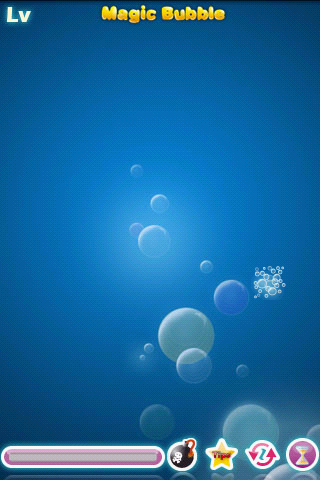
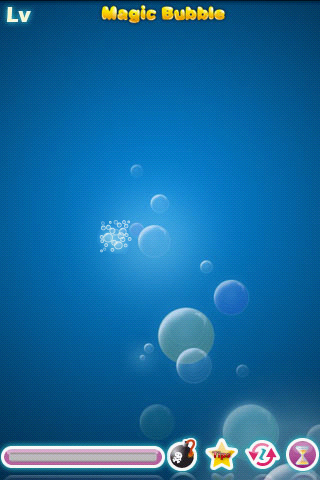
首先是動畫的定義——建立一個 Frame Animation,依序播放 5 幀動畫,每幀持續時間為 50 毫秒:
<animation-list xmlns:android="https://schemas.android.com/apk/res/android"
    android:oneshot="true">
    <item android:drawable="@drawable/explode1" android:duration="50" />
    <item android:drawable="@drawable/explode2" android:duration="50" />
    <item android:drawable="@drawable/explode3" android:duration="50" />
    <item android:drawable="@drawable/explode4" android:duration="50" />
    <item android:drawable="@drawable/explode5" android:duration="50" />
</animation-list>
接著是主程式碼:
package com.ray.bubble;

import android.app.Activity;
import android.content.Context;
import android.graphics.drawable.AnimationDrawable;
import android.os.Bundle;
import android.view.MotionEvent;
import android.view.View;
import android.view.Window;
import android.view.WindowManager;
import android.view.View.OnTouchListener;
import android.widget.FrameLayout;
import android.widget.ImageView;

public class BubbleExplosion extends Activity {
    private FrameLayout fl;
    private ExplosionView exv1;
    private AnimationDrawable exa1;

    public void onCreate(Bundle savedInstanceState) {
        super.onCreate(savedInstanceState);
        // set full screen
        requestWindowFeature(Window.FEATURE_NO_TITLE);
        getWindow().setFlags(WindowManager.LayoutParams.FLAG_FULLSCREEN,
                WindowManager.LayoutParams.FLAG_FULLSCREEN);

        fl = new FrameLayout(this);
        fl.setBackgroundResource(R.drawable.bg);

        exv1 = new ExplosionView(this);
        exv1.setVisibility(View.INVISIBLE);
        exv1.setBackgroundResource(R.anim.explosion);
        exa1 = (AnimationDrawable) exv1.getBackground();

        fl.addView(exv1);
        fl.setOnTouchListener(new LayoutListener());
        setContentView(fl);
    }

    class ExplosionView extends ImageView {
        public ExplosionView(Context context) {
            super(context);
        }
        // 處理爆炸的位置
        public void setLocation(int top, int left) {
            this.setFrame(left, top, left + 40, top + 40);
        }
    }

    class LayoutListener implements OnTouchListener {
        public boolean onTouch(View v, MotionEvent event) {
            // 首先必須停止播放動畫,否則動畫一旦開始便無法重複觸發
            exv1.setVisibility(View.INVISIBLE);
            exa1.stop();

            float x = event.getX();
            float y = event.getY();
            exv1.setLocation((int) y - 20, (int) x - 20);
            exv1.setVisibility(View.VISIBLE);
            exa1.start();
            return false;
        }
    }
}
關鍵細節在於:每次觸發前都要先把動畫停止並隱藏,再重新定位、顯示、播放,這樣才能讓爆炸效果在每次點擊時都準確重現。搭配 Android 的 SurfaceView 與 Animation,還能實現更流暢的過渡效果,而 SurfaceView 的用法本身並不複雜。
 國內 Android 移動廣告平台現狀盤點
不久前我們詳細介紹過國內幾家移動廣告平台,對哇棒(wooboo)、架勢(casee)、有米(youmi)、微雲各自的優劣做過評估。本文把它們放在一起橫向對比,希望能給做移
 Android SDK 設計目標解析:組件、清單與開發環境
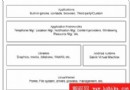
SDK 一般是工程師用來為特定平台建立應用軟體的開發工具集合。Android SDK 的設計有幾個明確目標:降低開發門檻、以宣告式方式管理安全性、並提供完整的除錯工具鏈。
 Sidekick 的故事:從 Danger 到 Android(4)明星寵兒與轉折的開始
2004 年秋,明星擁抱新 Sidekick 2003 年的彩色版讓 Sidekick 進入了明星的視野,Paris Hilton 與 Lindsay Lohan 都是使
 Android 的四種自由:開放、免費、可改與獨立執行緒
市面上的 Android 新聞從未間斷,全球粉絲更創造出數百款憨態可掬的機器人形象。而在熱鬧背後,微軟把自家手機系統統一改名為 Windows Phone;Google