

編輯:進階開發
Android 提供兩條建立動畫的路徑:在 XML 中宣告,或直接在程式碼中組出物件。兩者效果相同,取決於你希望調整的時機。本文以 RotateAnimation 為例示範,其他如 ScaleAnimation、AlphaAnimation、TranslateAnimation 的原理完全一致。
於 res/anim/ 下新增檔案,例如 my_rotate_action.xml:
<?XML version="1.0" encoding="utf-8"?>
<set xmlns:android="https://schemas.android.com/apk/res/android">
    <rotate
        android:interpolator="@android:anim/accelerate_decelerate_interpolator"
        android:fromDegrees="0"
        android:toDegrees="+360"
        android:duration="3000" />
</set>
各屬性說明:
interpolator:指定插入器,用來控制動畫的速度變化曲線fromDegrees:動畫起始時物件的角度toDegrees:動畫結束時物件旋轉到的角度,正值代表順時針duration:動畫持續時間,單位為毫秒使用時透過 AnimationUtils.loadAnimation() 載入,效果是按下按鈕後 TextView 旋轉一週:
package com.ray.animation;

import android.app.Activity;
import android.os.Bundle;
import android.view.VIEw;
import android.view.VIEw.OnClickListener;
import android.vIEw.animation.Animation;
import android.vIEw.animation.AnimationUtils;
import android.widget.Button;

public class TestAnimation extends Activity implements OnClickListener {

    public void onCreate(Bundle savedInstanceState) {
        super.onCreate(savedInstanceState);
        setContentView(R.layout.main);
        Button btn = (Button) findViewById(R.id.Button01);
        btn.setOnClickListener(this);
    }

    @Override
    public void onClick(VIEw v) {
        Animation anim = AnimationUtils.loadAnimation(this, R.anim.my_rotate_action);
        findViewById(R.id.TextVIEw01).startAnimation(anim);
    }
}
package com.ray.animation;

import android.app.Activity;
import android.os.Bundle;
import android.view.VIEw;
import android.view.VIEw.OnClickListener;
import android.vIEw.animation.AccelerateDecelerateInterpolator;
import android.vIEw.animation.Animation;
import android.vIEw.animation.RotateAnimation;
import android.widget.Button;

public class TestAnimation extends Activity implements OnClickListener {

    public void onCreate(Bundle savedInstanceState) {
        super.onCreate(savedInstanceState);
        setContentView(R.layout.main);
        Button btn = (Button) findViewById(R.id.Button);
        btn.setOnClickListener(this);
    }

    public void onClick(VIEw v) {
        Animation anim = new RotateAnimation(0.0f, +360.0f);
        anim.setInterpolator(new AccelerateDecelerateInterpolator());
        anim.setDuration(3000);
        findViewById(R.id.TextVIEw01).startAnimation(anim);
    }
}
寫在 XML 的好處是動畫參數與版面、邏輯分離,設計人員可以直接調整曲線與時間而不必碰 Java 程式碼,也便於同一段動畫在多處重複使用。程式碼方式則在需要「依執行期狀態決定參數」時更靈活,例如依目前角度做相對旋轉、依資料長度決定 Duration。
最後提醒兩點:<set> 標籤可以包多個動畫並用 android:startOffset 安排先後順序,做出序列動畫;另外 Tween Animation 只是視覺上的位移,並未真正改變 View 的位置與事件觸發範圍,若需要真正的位置變更,應改用屬性動畫(Property Animation)API。
 DDMS 工作原理拆解:埠號分配、Devices 面板與檔案總管
DDMS 為 IDE 搭建起通往測試終端的連結,雙方各自監聽獨立埠口來交換除錯資訊。它最大的特性,是能即時感知測試終端的連線狀態,並自動列出新加入的裝置。本文拆解它的埠號
 錢景無限:Android 開發者自曬收入
行動開發風起雲湧,不少開發者賺到了第一桶金。我們曾報導過一位「月入 40 萬的 iPhone 中文應用程式開發者」的訪談,這次換看一篇 Android 開發者的收入自白。
 解析 Android 樣式:布局是根本
如果你曾經是一名 Web 前台設計師,如果你曾有過設計功底,那麼你很幸運——一旦轉到 Android 平台,過去的知識和經驗都能很好地移植過來。我始終認為,學習是一個長期
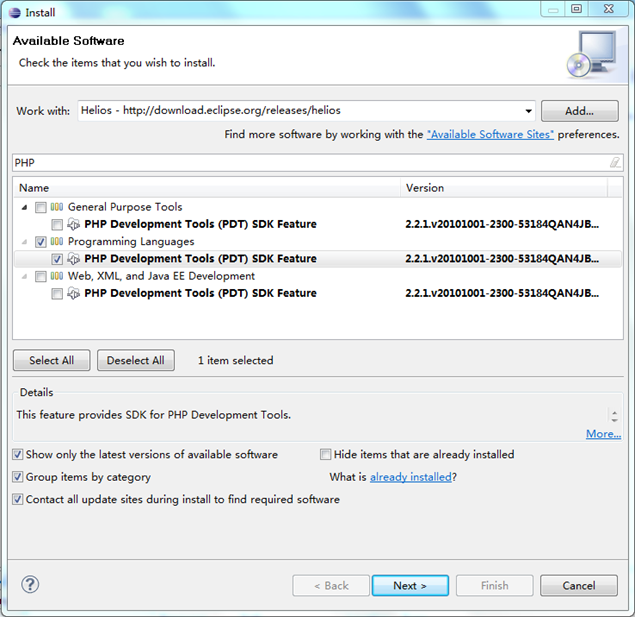 Win7 建置 Android 開發環境(5):JDK 版本與安裝 ADT
在 Eclipse 的 Help → Install New Software 開啟的介面中,選擇 Helios 站台(download.eclipse.org/rele