

編輯:進階開發
把保存與還原分別放進生命週期裡最合適的位置,資料就不會因為畫面被回收而消失。
還原放在 onCreate,讀出每個鍵並填回元件:
etName.setText(preferences.getString("name", ""));
etAge.setText(preferences.getString("age", ""));
sex.check(preferences.getInt("sex", -1));
保存放在 onStop,先取得 SharedPreferences 與 Editor,再把畫面上的值寫回去:
@Override
protected void onStop() {
    // 取得 SharedPreferences 物件
    SharedPreferences myPreferences =
            getSharedPreferences(PREFERENCES_NAME, Activity.MODE_PRIVATE);
    // 取得 Editor
    SharedPreferences.Editor editor = myPreferences.edit();
    // 把元件的值存起來
    editor.putString("name", etName.getText().toString());
    editor.putInt("age", ...);
    editor.commit();
}
三個細節值得注意。第一,getString 的第二個參數是預設值,第一次安裝、檔案還不存在時就靠它避免 crash。第二,第三個參數必須用 Activity.MODE_PRIVATE,否則資料會被其他應用讀到。第三,一定要呼叫 commit(),只 put 不 commit 等於什麼都沒存。
為什麼選 onStop 而不是 onPause?因為 onStop 的時機更接近「使用者真的離開了」,此時寫檔的代價較不影響操作流暢度;但要注意系統在極端情況下可能不呼叫 onStop,所以關鍵資料仍建議提早保存。
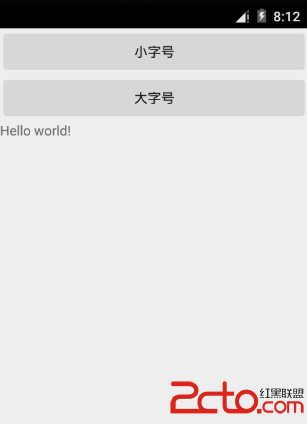 Android 事件處理:三種監聽器註冊方式實作比較
事件是使用者與應用程式互動時產生的訊號,例如按鍵、觸碰螢幕等。Android 框架會把這些事件放進一個先入先出(FIFO)的佇列中排隊處理,而你能在程式中攔截它們並做出回
 在 Android 標題欄顯示進度條的做法
當應用要在背景執行網路連線或大量資料寫入時,使用者需要一個「正在忙」的提示。彈出對話框會打斷操作,浮在畫面中央又遮內容,最不佔用空間的選擇其實是標題欄上的那圈小進度條。
 市面上的Android手機,真的熱賣嗎?
Android手機的核心系統服務建立在Linux 2.6核心之上,安全性、記憶體管理、行程管理、網路協議疊與驅動模型都由此提供,而這些又統一由一個工作管理器協調,用起来既
 淺談 Android 源碼與開發工具:Motodev Studio 實測評析
談 Android 源碼之前,先把定義講清楚:Android 是基於 Linux 平台的開源手機作業系統。理解這個定位,才能理解為什麼它的測試與工具鏈都長得跟傳統 Jav