

編輯:關於 Android 程式設計
幾乎每個需要聯網的 App 都得先問一句「現在有網嗎」。Android 提供了 ConnectivityManager 來查詢連接狀態,封裝成一個工具類會更順手。
public class ConnectionDetector {

    private Context _context;

    public ConnectionDetector(Context context) {
        this._context = context;
    }

    public boolean isConnectingToInternet() {
        ConnectivityManager connectivity =
                (ConnectivityManager) _context.getSystemService(Context.CONNECTIVITY_SERVICE);
        if (connectivity != null) {
            NetworkInfo[] info = connectivity.getAllNetworkInfo();
            if (info != null)
                for (int i = 0; i < info.length; i++)
                    if (info[i].getState() == NetworkInfo.State.CONNECTED) {
                        return true;
                    }
        }
        return false;
    }
}
調用方式:
ConnectionDetector cd = new ConnectionDetector(getApplicationContext());
Boolean isInternetPresent = cd.isConnectingToInternet();
記得在清單文件中加入 android.permission.ACCESS_NETWORK_STATE 權限,否則 getSystemService 拿到的對象會受限。
另外要提醒的是,這種判斷只能確認「有網絡接口連着」,並不能保證真的能上網(比如連上了沒有認證的 WiFi、或者需要網頁登入的熱點)。如果要更可靠,可以在判斷之後發一個輕量的 HEAD 請求探活。
感謝閱讀,希望能幫助到大家。
 Android 導航模式總結:TabActivity、ViewPager 與 Fragment 五種實現
導航幾乎是所有應用的入口。Android 提供了多套實現思路,從早期的 TabActivity 到後來的 ViewPager 加 Fragment,各有適用場景。本文把五
 Android 監聽應用安裝與卸載廣播實作教學
BroadcastReceiver 的基本觀念 BroadcastReceiver 是系統全域的廣播監聽類,核心方法是 onReceive()。自訂的接收器繼承它並實作自
 Android GPS 定位資料取得:LocationManager 與位置監聽
LocationManager 是定位核心Android 的定位服務主要由 LocationManager 管理。應用可透過 getSystemService 取得它,再
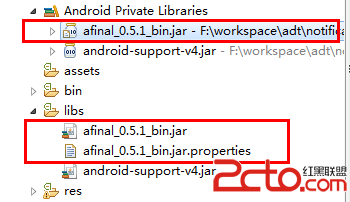 Android 為 Private Libraries 中的 JAR 加入原始碼
問題說明 在 Android 專案中,加入 libs 的 JAR 會出現在 Android Private Libraries。若希望能查看 JAR 的原始碼,可以透過