

編輯:關於 Android 程式設計
把 Handler 的知識重新梳理一遍,本文涵蓋六個問題:
歸納起來就兩件事:
sendMessageDelayed/postDelayed)。三個理由,重要性依序遞減:
你可能會想:既然是擔心並發,那我在子執行緒加鎖更新 UI 不就得了?實務上這麼做代價很高——鎖的範圍很難拿捏,稍不注意就是畫面掉幀甚至 ANR。
舉個類比:銀行取款的餘額不能變成負數。單執行緒時這個不變式自然成立;一旦多執行緒同時扣款而沒有適當的同步,就會出現「同一筆錢被領兩次」的資料競爭。UI 狀態也是同樣的道理。
1. CalledFromWrongThreadException
原因:嘗試在子執行緒更新 UI。
2. Can't create handler inside thread that has not called Looper.prepare()
原因:在沒有 Looper 的子執行緒中建立 Handler。
<RelativeLayout xmlns:android="https://schemas.android.com/apk/res/android"
    xmlns:tools="https://schemas.android.com/tools"
    android:layout_width="match_parent"
    android:layout_height="match_parent"
    tools:context=".MainActivity">

    <TextView
        android:id="@+id/tv"
        android:layout_width="wrap_content"
        android:layout_height="wrap_content"
        android:text="@string/hello_world" />

    <Button
        android:id="@+id/btn"
        android:layout_width="match_parent"
        android:layout_height="wrap_content"
        android:text="按鈕" />

</RelativeLayout>public class MainActivity extends Activity {
private TextView tv;
private Button btn;
@Override
protected void onCreate(Bundle savedInstanceState) {
super.onCreate(savedInstanceState);
setContentView(R.layout.activity_main);
tv = (TextView) findViewById(R.id.tv);
btn = (Button) findViewById(R.id.btn);
// 點擊按鈕後,嘗試在子執行緒中更新 UI
btn.setOnClickListener(new View.OnClickListener() {
@Override
public void onClick(View v) {
new Thread(new Runnable() {
@Override
public void run() {
tv.setText("smyhvae"); // ← 這一行會丟異常
}
}).start();
}
});
}
}核心就是最後那一行。按下按鈕,logcat 就會拋出 CalledFromWrongThreadException,訊息會明白告訴你「Only the original thread that created a view hierarchy can touch its views」。
正確寫法是把 setText 搬到 Handler 的 handleMessage 裡,由子執行緒 sendMessage 觸發。第二個異常則發生在你想於子執行緒中直接 new Handler 的時候——只要先 Looper.prepare() 再 Looper.loop(),或改用 HandlerThread 預先備好 Looper,就能避開。
 Android Canvas 練習(8):自己繪製環形圖
繼續研究常見圖表的繪製。這次做的是環形圖(Doughnut Chart),原理很單純——大圓套小圓,中間挖空就完成了。 程式碼 package com.xcl.ch
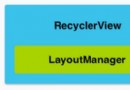 Android RecyclerView 點擊事件實作解析
一、為什麼要用 RecyclerView 自從 Android L 問世,RecyclerView 就逐步取代 ListView 成為展示大量資料的首選。相比 ListV
 Android Studio 常用快捷鍵整理
終於把卡頓到令人心煩的 Eclipse 丟掉了。用了一個月 Android Studio 之後,我對它的設計實在佩服——即便當時版本還停留在 0.4.5,功能已經相當完整
 Android 加載網絡 GIF 完整解決方案:緩存、進度與同步一次搞定
前言 加載並顯示 GIF 是 App 中很常見的需求。像加載普通圖片一樣,一個完善的方案大致要滿足以下幾點: 1、自動將 GIF 下載到本地作為緩存,同一 url 第二次