

編輯:關於 Android 程式設計
本文將說明如何在 Android 程式中呼叫系統的分享功能,涵蓋分享文字、單張圖片與多張圖片三種情境,分享給大家參考。
 /**
 * 調用系統的分享功能
 * Created by admin on 15-4-13.
 */
 public class ShareActivity extends Activity {
 @Override protected void onCreate(Bundle savedInstanceState) {
 super.onCreate(savedInstanceState);
 setContentView(R.layout.share_layout);
 }
 //分享文字
 public void shareText(View view) {
 Intent shareIntent = new Intent();
 shareIntent.setAction(Intent.ACTION_SEND);
 shareIntent.putExtra(Intent.EXTRA_TEXT, "This is my Share text.");
 shareIntent.setType("text/plain");
 //設置分享列表的標題,並且每次都顯示分享列表
 startActivity(Intent.createChooser(shareIntent, "分享到"));
 }
 //分享單張圖片
 public void shareSingleImage(View view) {
 String imagePath = Environment.getExternalStorageDirectory() + File.separator + "test.jpg";
 //由文件得到uri
 Uri imageUri = Uri.fromFile(new File(imagePath));
 Log.d("share", "uri:" + imageUri);
 //輸出:file:///storage/emulated/0/test.jpg
 Intent shareIntent = new Intent();
 shareIntent.setAction(Intent.ACTION_SEND);
 shareIntent.putExtra(Intent.EXTRA_STREAM, imageUri);
 shareIntent.setType("image/*");
 startActivity(Intent.createChooser(shareIntent, "分享到"));
 }
 //分享多張圖片
 public void shareMultipleImage(View view) {
 ArrayList<Uri> uriList = new ArrayList<>();
 String path = Environment.getExternalStorageDirectory() + File.separator;
 uriList.add(Uri.fromFile(new File(path+"australia_1.jpg")));
 uriList.add(Uri.fromFile(new File(path+"australia_2.jpg")));
 uriList.add(Uri.fromFile(new File(path+"australia_3.jpg")));
 Intent shareIntent = new Intent();
 shareIntent.setAction(Intent.ACTION_SEND_MULTIPLE);
 shareIntent.putParcelableArrayListExtra(Intent.EXTRA_STREAM, uriList);
 shareIntent.setType("image/*");
 startActivity(Intent.createChooser(shareIntent, "分享到"));
 }
 }
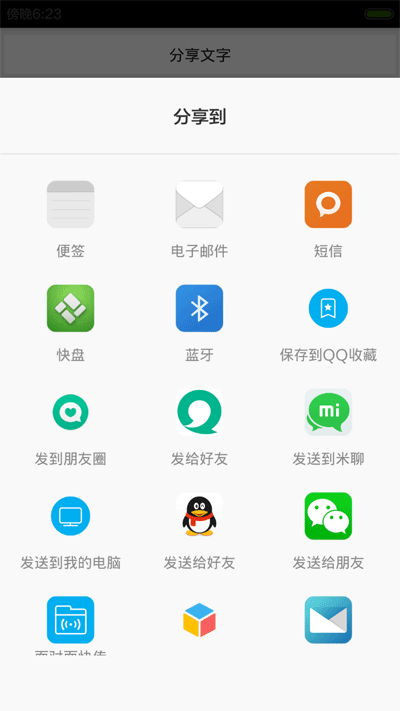
從程式碼可以看出,系統分享的核心在於建構一個 Intent:分享文字時使用 ACTION_SEND 搭配 EXTRA_TEXT 與 text/plain 類型;分享單張圖片時搭配 EXTRA_STREAM 與 image/* 類型;而分享多張圖片則改用 ACTION_SEND_MULTIPLE,並以 putParcelableArrayListExtra 傳入多個 Uri 清單。最後透過 Intent.createChooser 彈出系統分享選單,讓使用者自行選擇要分享到的目標應用。
頁面效果如下:

值得一提的是,在較新版本的 Android 中,由於採用 FileProvider 來共享檔案 URI,直接以 Uri.fromFile 傳遞檔案可能會引發 FileUriExposedException,實作時建議改用 FileProvider.getUriForFile 並授予讀取權限,以確保分享順利進行。
希望本文所述能對大家的 Android 程式設計有所幫助。
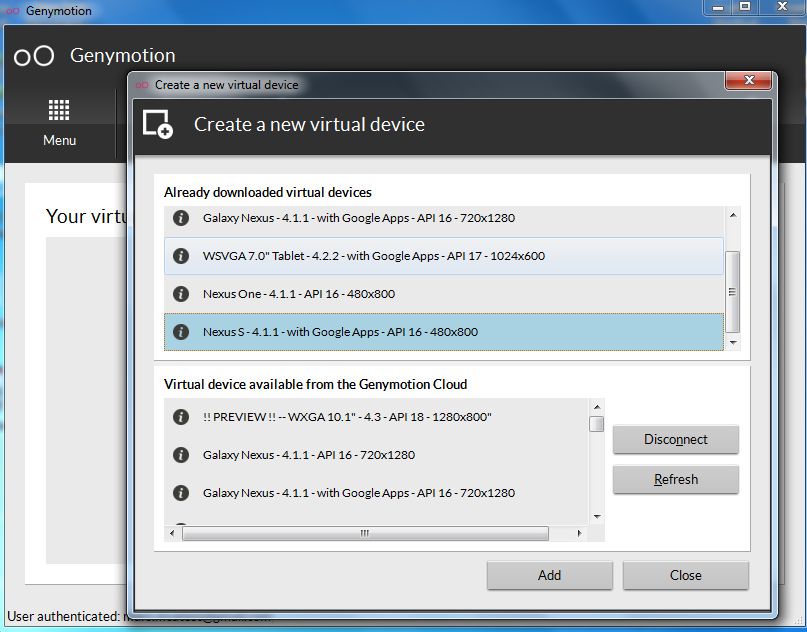 為什麼Android開發者都愛用Genymotion?速度與真機體驗兼得的模擬器
如果你還在用 Android 原生的 AVD 調試程式,那種「點一下、等三秒」的煎熬大概不必多說。Genymotion 在開發者圈子裡口碑極佳,理由其實非常直白:跑得快、
 Android 設計模式筆記:六大關係、七大原則與二十三種模式
簡介 在專案開發中,我們不斷遇到問題、解決問題。這個過程中反覆浮現的,是那些「一再出現」與「從前一個問題遺留下來」的難題。這些問題的本質,其實就是設計模式試圖回答的東西。
 Android Data Binding 踩坑記:資源綁定被解析成 float
照著官方教學試用資料綁定,功能確實強大,這是 Android 往 MVVM 邁出的一大步,也可以視為 Native 開發風格逐步向 Web 靠攏的訊號。 其中一種玩法是直
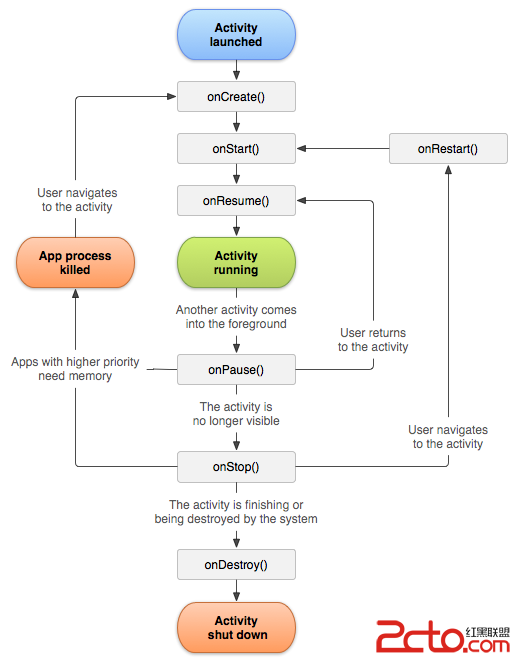 深度解析 Activity 的本質:從訊息分發看 Android 設計思想
Activity 大概是每個學習 Android 的人接觸的第一個概念,關於它的說法層出不窮——有人說它是窗口,有人說它是活動。本文嘗試從原始碼與設計思想的角度,探討 A