

編輯:關於 Android 程式設計
我們用 WebView 去請求一個網頁連結時,如果請求失敗或無網路的情況下,它會回傳一個系統預設的頁面,如下圖所示:
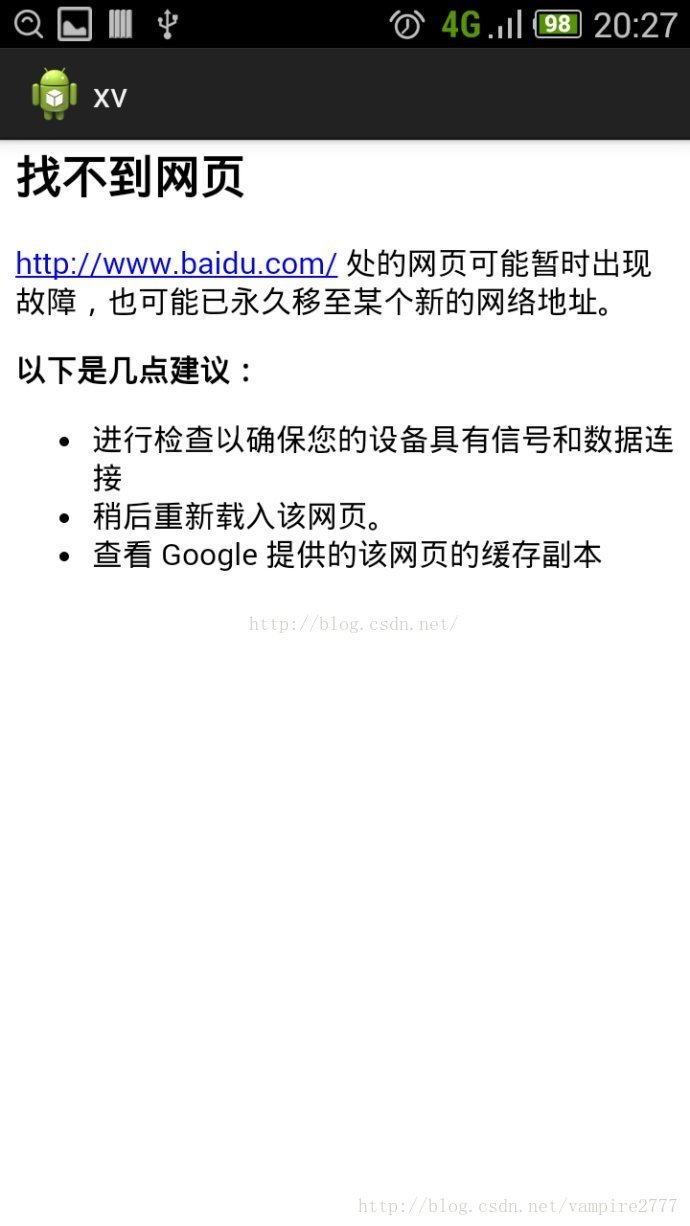
上面這個就是系統自帶的頁面,是不是覺得很醜、很難看?於是我便在想,能不能自訂一個頁面,當資料請求失敗時,讓系統來載入我們自訂好的頁面?上網查了很多資料都沒有找到現成的解法,經過不斷嘗試,今天終於實作了這個功能。以下就是自訂實作的資料載入失敗頁面:
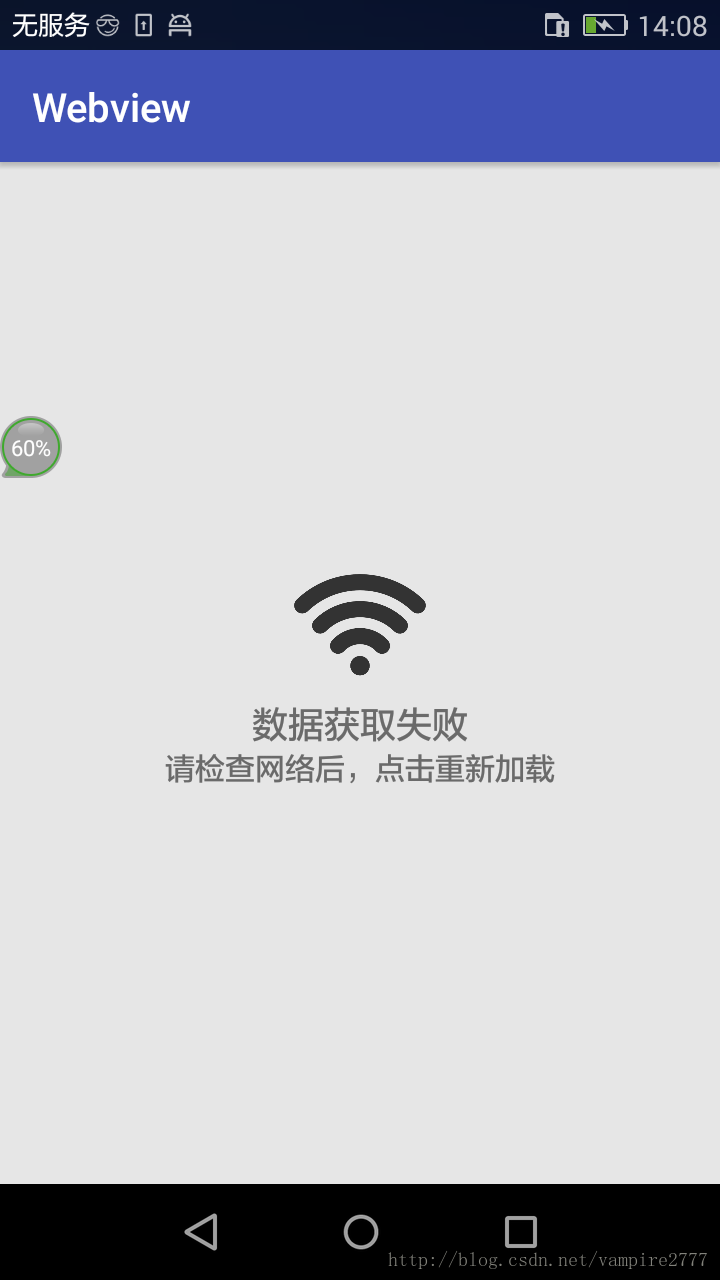
這樣看起來是不是就專業多了?這和真正拿到資料介面做出來的效果幾乎一模一樣,對使用者而言,這樣的體驗也更為完善。
全部程式碼:
一、主程式碼:MainActivity.java
 package com.example.webview;
 import android.support.v4.view.ViewPager;
 import android.support.v7.app.AppCompatActivity;
 import android.os.Bundle;
 import android.view.View;
 import android.webkit.WebSettings;
 import android.webkit.WebView;
 import android.webkit.WebViewClient;
 import android.widget.LinearLayout;
 import android.widget.RelativeLayout;
 public class MainActivity extends AppCompatActivity {
 private WebView webview;
 private WebSettings mWebSettings;
 private View mErrorView;
 @Override protected void onCreate(Bundle savedInstanceState) {
 super.onCreate(savedInstanceState);
 setContentView(R.layout.activity_main);
 webview = (WebView) findViewById(R.id.main_webview);
 setUpView();
 }
 private void setUpView() {
 //加載需要顯示的網頁
 webview.loadUrl("https://www.baidu.com/");
 //設置WebView屬性,能夠執行Javascript腳本
 webview.getSettings().setJavaScriptEnabled(true);
 mWebSettings = webview.getSettings();
 mWebSettings.setJavaScriptEnabled(true);
 //允許加載javascript
 mWebSettings.setSupportZoom(true);
 //允許縮放
 mWebSettings.setBuiltInZoomControls(true);
 //原網頁基礎上縮放
 mWebSettings.setUseWideViewPort(true);
 //任意比例縮放
 webview.setWebViewClient(webClient);
 //設置Web視圖
 }
 /*** * 設置Web視圖的方法 */
 WebViewClient webClient = new WebViewClient(){//處理網頁加載失敗時
 public void onReceivedError(WebView view, int errorCode, String description, String failingUrl) {
 showErrorPage();//顯示錯誤頁面
 };
 };
 boolean mIsErrorPage;
 protected void showErrorPage() {
 LinearLayout webParentView = (LinearLayout)webview.getParent();
 initErrorPage();//初始化自定義頁面
 while (webParentView.getChildCount() > 1) {
 webParentView.removeViewAt(0);
 }
 @SuppressWarnings("deprecation")
 LinearLayout.LayoutParams lp = new LinearLayout.LayoutParams(ViewPager.LayoutParams.FILL_PARENT, ViewPager.LayoutParams.FILL_PARENT);
 webParentView.addView(mErrorView, 0, lp);
 mIsErrorPage = true;
 }
 /**** * 把系統自身請求失敗時的網頁隱藏 */
 protected void hideErrorPage() {
 LinearLayout webParentView = (LinearLayout)webview.getParent();
 mIsErrorPage = false;
 while (webParentView.getChildCount() > 1) {
 webParentView.removeViewAt(0);
 }
 }
 /*** * 顯示加載失敗時自定義的網頁 */
 protected void initErrorPage() {
 if (mErrorView == null) {
 mErrorView = View.inflate(this, R.layout.activity_error, null);
 RelativeLayout layout = (RelativeLayout)mErrorView.findViewById(R.id.online_error_btn_retry);
 layout.setOnClickListener(new View.OnClickListener() {
 public void onClick(View v) {
 webview.reload();
 }
 });
 mErrorView.setOnClickListener(null);
 }
 }
 }
二、XML 版面程式碼:
1. activity_main.xml
 <?xml version="1.0" encoding="utf-8"?>
 <LinearLayout xmlns:android="https://schemas.android.com/apk/res/android"
 xmlns:tools="https://schemas.android.com/tools"
 android:id="@+id/activity_main"
 android:layout_width="match_parent"
 android:layout_height="match_parent"
 android:orientation="vertical"
 tools:context="com.example.webview.MainActivity">
 <WebView
 android:id="@+id/main_webview"
 android:layout_width="match_parent"
 android:layout_height="match_parent">
 </WebView>
 </LinearLayout>
2. activity_error.xml
 <?xml version="1.0" encoding="utf-8"?>
 <LinearLayout xmlns:android="https://schemas.android.com/apk/res/android"
 android:orientation="vertical"
 android:layout_width="match_parent"
 android:layout_height="match_parent">
 <RelativeLayout
 android:id="@+id/online_error_btn_retry"
 android:layout_width="match_parent"
 android:layout_height="match_parent"
 android:background="#E6E6E6"
 android:clickable="true"
 android:gravity="center" >
 <LinearLayout
 android:layout_width="match_parent"
 android:layout_height="match_parent"
 android:gravity="center"
 android:orientation="vertical" >
 <ImageView
 android:layout_width="70dp"
 android:layout_height="70dp"
 android:src="@drawable/wifi"
 android:id="@+id/imageView2" />
 <TextView
 android:layout_width="wrap_content"
 android:layout_height="wrap_content"
 android:textSize="18dp"
 android:text="數據獲取失敗" ></TextView>
 <TextView
 android:layout_width="wrap_content"
 android:layout_height="wrap_content"
 android:textSize="15dp"
 android:text="請檢查網絡後,點擊重新加載" />
 </LinearLayout>
 </RelativeLayout>
 </LinearLayout>
整體原理是:在 WebViewClient 中覆寫 onReceivedError,當載入失敗時呼叫 showErrorPage,將自訂的錯誤提示版面(含重新載入按鈕)加入 WebView 的父容器中,並移除系統預設的錯誤頁;點擊重新載入時則呼叫 webview.reload()。如此一來,使用者看到的便是設計精美、體驗一致的自訂頁面,而非生硬的系統預設畫面。
以上便是替換 WebView 載入失敗頁面的實作方式,希望對大家有所幫助。若有任何疑問,歡迎留言討論。
 PowerFramework ImageTask 圖片異步加載使用心得
ImageTask 特色 PowerFramework 的 ImageTask 提供簡便的圖片異步加載能力,可指定快取路徑、顯示下載進度、載入本地或網路圖片,並可針對中文
 Android 客戶端與服務端 JSP 中文傳輸的解決方案
為了兼容簡體、繁體及其他語系,推薦統一採用 UTF-8 編碼。下面我們分別從 Android 端與服務端來看該如何處理。先看 Android 端:在發送前,應對參數值進行
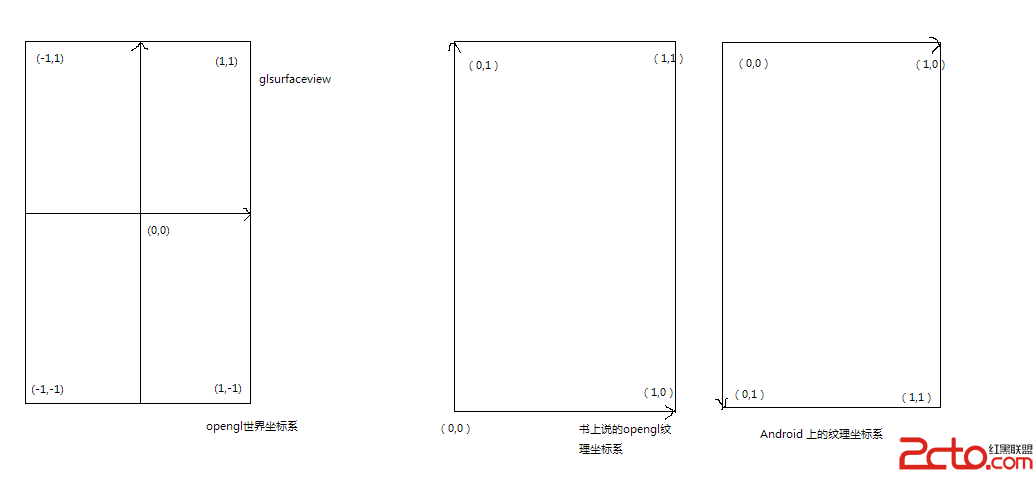 搞懂 OpenGL ES 的世界座標與紋理座標:貼圖為什麼會上下顛倒
幾乎每一個教你在螢幕上貼圖的 OpenGL 入門範例,都會出現這麼兩組陣列: static final float COORD[] = { -1.0f, -1.0
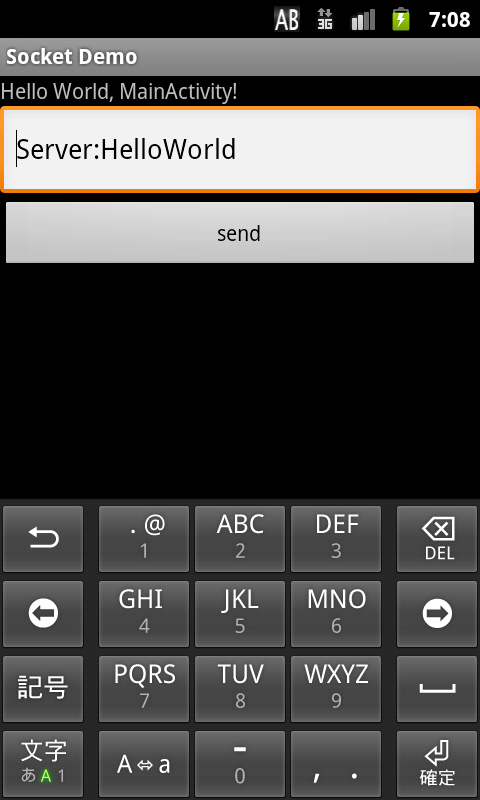 談談 Android 的三種網路通信方式
Android 平台主要提供三套網路 API:java.net.*(標準 Java 介面)、org.apache 介面,以及 android.net.*(Android