

編輯:關於 Android 程式設計
這篇可以接在先前那篇「讓圖片變成圓形」之後看,單獨閱讀也沒問題。
步驟一:建立 anim 資源目錄
在 res 資料夾下新增一個名為 anim 的目錄,名稱不要打錯。
步驟二:撰寫旋轉動畫定義檔
在 anim 裡新增 img_animation.xml(檔名可自取,但避免大寫):
<?xml version="1.0" encoding="utf-8"?> <set xmlns:android="https://schemas.android.com/apk/res/android" > <rotate android:duration="5000" android:fromDegrees="0" android:pivotX="50%" android:pivotY="50%" android:repeatCount="-1" android:repeatMode="restart" android:toDegrees="360" /> </set>
各屬性含義:
duration:動畫 duration,單位毫秒
fromDegrees="0":起始角度
toDegrees="360":旋轉總角度
pivotX="50%"/pivotY="50%":旋轉中心相對於 View 左上角的位置,這裡設為正中央
repeatCount="-1":重複次數,-1 代表無限循環
repeatMode="restart":重複模式,restart 表示每次都從頭轉起
步驟三:布局
布局檔不用改,放一個控件就好:
<RelativeLayout xmlns:android="https://schemas.android.com/apk/res/android" xmlns:tools="https://schemas.android.com/tools" android:layout_width="match_parent" android:layout_height="match_parent" android:background="#ff00ff" > <com.example.circleimageview.CircleImageView android:id="@+id/imageview" android:layout_width="100dp" android:layout_height="100dp" android:layout_centerInParent="true" android:src="@drawable/control_image" /> </RelativeLayout>
换成一般的 ImageView 也一樣能轉。
步驟四:套用動畫
package com.example.circleimageview; import android.app.Activity; import android.os.Bundle; import android.view.animation.Animation; import android.view.animation.AnimationUtils; import android.view.animation.LinearInterpolator; import android.widget.ImageView; public class MainActivity extends Activity { @Override protected void onCreate(Bundle savedInstanceState) { super.onCreate(savedInstanceState); setContentView(R.layout.activity_main); ImageView imageView = (ImageView) findViewById(R.id.imageview); //載入動畫 Animation animation = AnimationUtils.loadAnimation(this, R.anim.img_animation); LinearInterpolator lin = new LinearInterpolator();//設定為等速運動 animation.setInterpolator(lin); imageView.startAnimation(animation); } }
這裡的 LinearInterpolator 是重點。若不指定插值器,系統預設會套用加速減速效果,轉起來忽快忽慢;換成 LinearInterpolator 才是真正意義上的等速旋轉。
實際運行效果(錄影有些掉幀,實機是平順的等速旋轉):
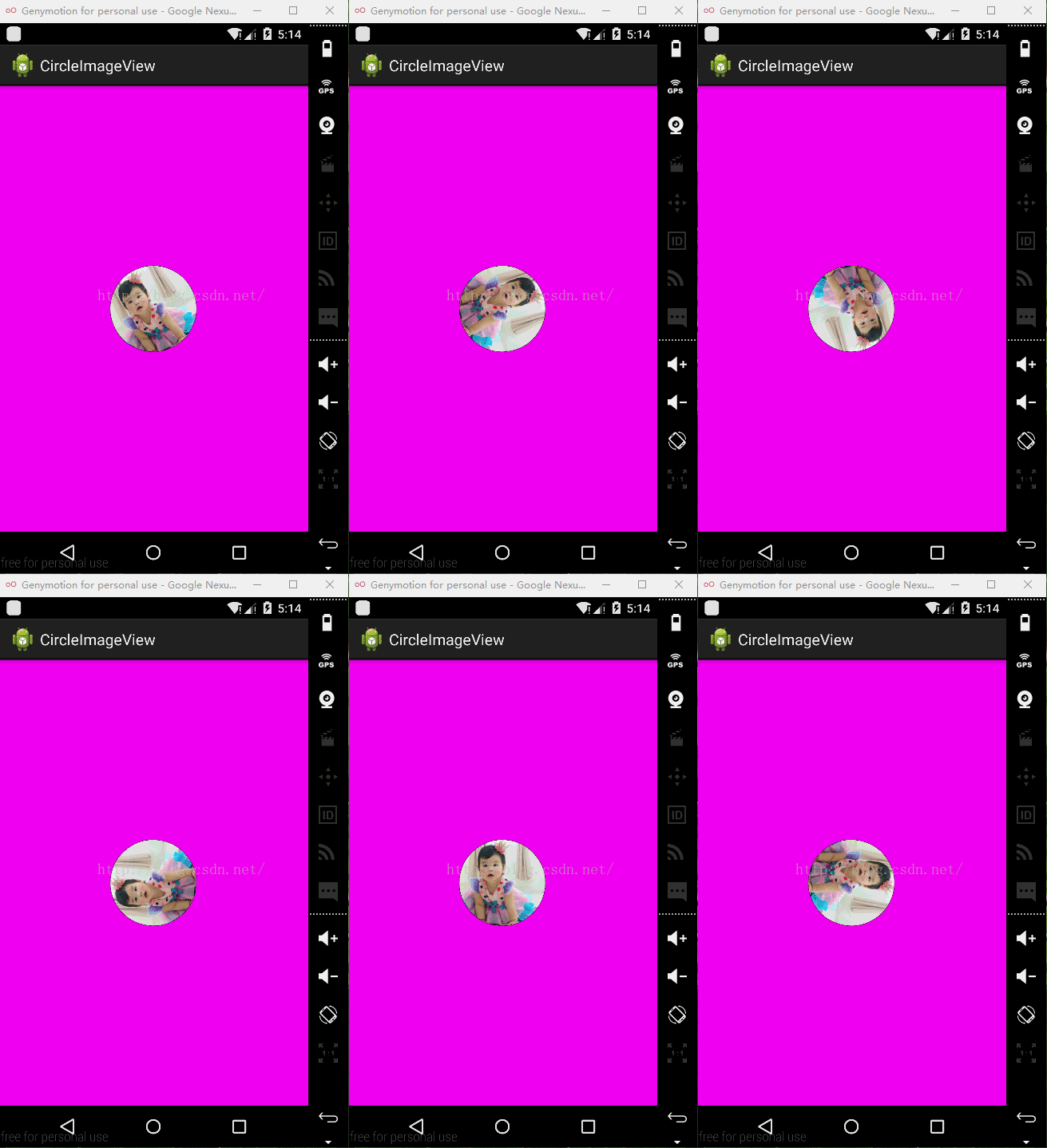
整體來說非常簡單:一個 XML 描述旋轉規則,一行 setInterpolator 決定速度曲線,再 startAnimation 就完成了。
 Android 動畫體系入門(上):屬性動畫原理與 API 全解
先認清三套動畫系統 Android 框架提供了兩套主要的動畫系統:屬性動畫(Property Animation)與視圖動畫(View Animation)。兩者各有適用
 Android 應用間調用實戰:一個 App 如何啟動並控制另一個 App
這個案例能帶你掌握哪些技能 · Activity 的 singleTask 啟動模式 · 界面跳轉的基本實現 · 前台 Service 的介紹與實現 · SharedPr
 Android 事件分發與消費機制:三個方法、五種返回值組合
一、Touch 的三個重要方法 Android 中與觸摸事件相關的核心方法只有三個,它們協同完成事件的分發: public boolean dispatchTouchE
 Android 結合 zbar 二維碼掃描:的解決中文亂碼與掃描區域自訂
本文是上一篇 zbar 二維碼掃描的延伸,針對網友提出的兩個痛點做了修復:一是掃描框過去只是「假框」,實際上仍對全屏圖做解析;二是掃描中文時出現亂碼。以下分享修復後的成果