

編輯:關於 Android 程式設計
應用裡想把運行日誌回傳到服務端排查問題,是個很常見的需求。這類場景不必引入額外的 HTTP 框架,直接用 HttpURLConnection 手工拼一次 multipart 請求就能搞定。下面直接上關鍵代碼。
/** * 往服務器上上傳文本 比如log日志 * @param urlstr 請求的url * @param uploadFile log日志的路徑 * /mnt/shell/emulated/0/LOG/LOG.log * @param newName log日志的名字 LOG.log * @return */ public static void httpPost(Activity activity,String urlstr,String uploadFile,String newName) { LogUtil.info("getEhttpPostt", "urlstr="+urlstr+";uploadFile="+uploadFile+";newName="+newName,"i"); String end = "\r\n"; String twoHyphens = "--"; String boundary = "*****";//邊界標識 int TIME_OUT = 10*1000; //超時時間 HttpURLConnection con = null; DataOutputStream ds = null; InputStream is = null; try { URL url = new URL(urlstr); con = (HttpURLConnection) url.openConnection(); con.setReadTimeout(TIME_OUT); con.setConnectTimeout(TIME_OUT); /* 允許Input、Output,不使用Cache */ con.setDoInput(true); con.setDoOutput(true); con.setUseCaches(false); // 設置http連接屬性 con.setRequestMethod("POST");//請求方式 con.setRequestProperty("Connection", "Keep-Alive");//在一次TCP連接中可以持續發送多份數據而不會斷開連接 con.setRequestProperty("Charset", "UTF-8");//設置編碼 con.setRequestProperty("Content-Type",//multipart/form-data能上傳文件的編碼格式 "multipart/form-data;boundary=" + boundary); ds = new DataOutputStream(con.getOutputStream()); ds.writeBytes(twoHyphens + boundary + end); ds.writeBytes("Content-Disposition: form-data; " + "name=\"stblog\";filename=\"" + newName + "\"" + end); ds.writeBytes(end); // 取得文件的FileInputStream FileInputStream fStream = new FileInputStream(uploadFile); /* 設置每次寫入1024bytes */ int bufferSize = 1024; byte[] buffer = new byte[bufferSize]; int length = -1; /* 從文件讀取數據至緩沖區 */ while ((length = fStream.read(buffer)) != -1) { /* 將資料寫入DataOutputStream中 */ ds.write(buffer, 0, length); } ds.writeBytes(end); ds.writeBytes(twoHyphens + boundary + twoHyphens + end);//結束 fStream.close(); ds.flush(); /* 取得Response內容 */ is = con.getInputStream(); int ch; StringBuffer b = new StringBuffer(); while ((ch = is.read()) != -1) { b.append((char) ch); } /* 將Response顯示於Dialog */ showDialog(activity,true,uploadFile,"上傳成功" + b.toString().trim()); } catch (Exception e) { showDialog(activity,false,uploadFile,"上傳失敗" + e); }finally { /* 關閉DataOutputStream */ if(ds!=null){ try { ds.close(); } catch (IOException e) { e.printStackTrace(); } } if (is != null) { try { is.close(); } catch (IOException e) { e.printStackTrace(); } } if (con != null) { con.disconnect(); } } } /* 顯示Dialog的method */ private static void showDialog(final Activity activity,final Boolean isSuccess,final String uploadFile,final String mess) { activity.runOnUiThread(new Runnable() { @Override public void run() { new AlertDialog.Builder(activity).setTitle("Message") .setMessage(mess) .setNegativeButton("確定", new DialogInterface.OnClickListener() { public void onClick(DialogInterface dialog, int which) { File file = new File(uploadFile); if(file.exists()&&isSuccess){//日志文件存在且上傳日志成功 file.delete(); Toast.makeText(activity, "log日志已刪除", Toast.LENGTH_SHORT).show(); } } }).show(); } }); }
拆解一下關鍵環節:
boundary 是協議約定的分隔符。請求頭的 Content-Type 必須寫成 multipart/form-data;boundary=你的分隔符,請求體裡每一段也要用 -- 加這個分隔符包起來,最後以 --boundary-- 收尾。兩邊不一致,服務端就解析不出來。
頭部之後要空一行。Content-Disposition 寫完必須再補一個 \r\n,才能與文件內容隔開,這一步漏掉是最常見的失敗原因。
超時一定要設。移動網絡不穩定,不設超時的請求會把線程掛在那裡,實踐中給 10 秒比較合適。
線程與流都要收乾淨。網絡操作不能放在主線程,這裡假定調用方已經切到工作線程;finally 中依次關閉 DataOutputStream、InputStream 並 disconnect,避免洩露。日誌上傳成功後順手把本地文件刪掉,也能防止日誌把存儲空間撐滿。
以上就是本次分享的 Android 通過 POST 上傳文本文件的實例代碼,希望對大家有所幫助。
 Android 資料庫通用化:用註解與反射建立映射
本文延續 Android 資料庫通用化主題,重點在於利用註解與反射,讓實體類與資料表自動對應。 表名取得 可定義 TableName 註解,標記在實體類上,並於執行期透
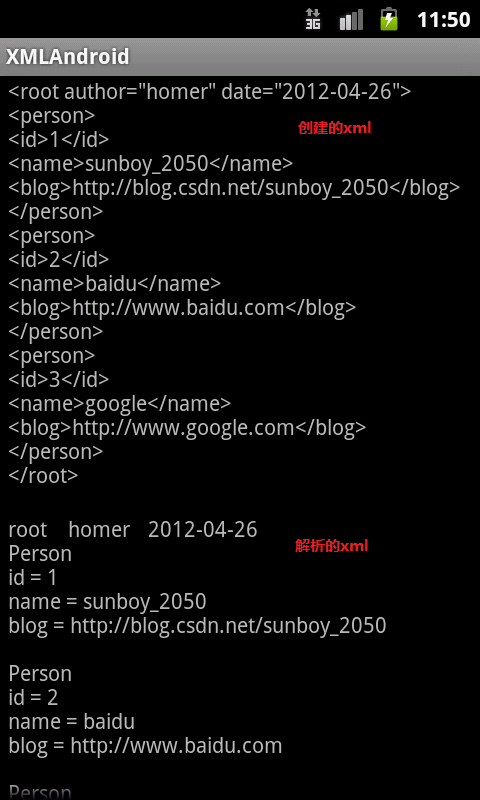 Android 建立與解析 XML(二)——Dom 方式詳解
1. Dom 概述以 Dom 方式建立 XML,用的是標準的 xml 建構器 javax.xml.parsers.DocumentBuilder,需要導入以下內容: ja
 ActionBar 實戰:高仿微信主界面的完整實現
經過前兩篇的學習,相信大家都對 ActionBar 有了較為深刻的理解。唯一的遺憾是之前偏重理論,真正投入項目實戰時能否發揮出來還不好說。本文就把理論與實踐結合,帶大家動
 Android AttributeSet 介面詳解:XML 屬性集合的讀取方式
AttributeSet 是 android.util.AttributeSet 介面,已知間接的子類別為 XmlResourceParser。凡是自定義過 View 的