

編輯:關於 Android 程式設計
檢查版本並提示更新,幾乎是每一款上架 App 的標配功能。功能邏輯本身並不複雜,但真正寫得「滴水不漏」卻不容易——網路異常、非 Wi-Fi 環境、下載中斷、使用者取消安裝等情境,全都需要被妥善處理。本文從一次真實的 code review 出發,把這個模組該注意的地方一次講清楚。
最常見的做法是:App 把本地版本號(versionCode)送給伺服器,伺服器比對後回傳一組資訊,告知客戶端是否需要更新、更新屬於強制還是非強制。客戶端收到結果後再決定後續的 UI 與下載行為。
強制更新:App 一啟動就彈出提示,且對話框不可取消(setCancelable(false)),使用者只能選擇更新或關閉 App。也可以保留取消鍵,但按下取消時直接結束應用程式。
非強制更新:通常放在「設定」頁面由使用者主動觸發,或在啟動時輕量提示(例如紅點),按下後才彈出更新對話框,此時允許選擇「稍後再說」。
曾經把這個模組交給一位四年經驗的同事,兩小時就交付了,速度確實快,但測試下來問題不少:
這裡並非要貶低誰,而是想強調:交付前自己應該先跑過一輪測試,別把驗證責任全丟給測試人員——畢竟現在還有許多團隊根本沒有專職測試。
把檢查動作寫在 MainActivity 裡,其他頁面自然不會觸發。解法:建立一個 BaseActivity,讓所有頁面繼承它,把檢查更新放進 onResume(),這樣每次頁面顯示都會執行一次檢查。
App 被意外終止時,下載執行緒也會一起被結束。解法:把下載任務搬到 Service,並以 startForeground() 提升存活機率,同時使用者也能在通知欄看到進度。
解法:在 onResume() 中再次檢查更新,若判定為強制更新,就重新彈出不可取消的對話框。
這兩個其實不是技術難題,而是有沒有想到。加一段 NetUtil.isWifi() 判斷、一個 ProgressDialog 與通知欄進度更新,成本非常低。
VersionUpdateService:負責版本檢查與 APK 下載,並以前景服務形式運行。VersionUpdateHelper:對前台 Activity 提供高封裝的呼叫介面,處理對話框、進度與狀態回調。
public class VersionUpdateService extends Service {
    private LocalBinder binder = new LocalBinder();
    private DownLoadListener downLoadListener;// 下載任務監聽回調接口
    private boolean downLoading;
    private int progress;
    private NotificationManager mNotificationManager;
    private NotificationUpdaterThread notificationUpdaterThread;
    private Notification.Builder notificationBuilder;
    private final int NOTIFICATION_ID = 100;
    private VersionUpdateModel versionUpdateModel;
    private CheckVersionCallBack checkVersionCallBack;// 檢查結果監聽回調接口

    public interface DownLoadListener {
        void begain();
        void inProgress(float progress, long total);
        void downLoadLatestSuccess(File file);
        void downLoadLatestFailed();
    }

    public interface CheckVersionCallBack {
        void onSuccess();
        void onError();
    }

    private class NotificationUpdaterThread extends Thread {
        @Override
        public void run() {
            while (true) {
                notificationBuilder.setContentTitle("正在下載更新" + progress + "%");
                notificationBuilder.setProgress(100, progress, false);
                // ...
            }
        }
    }

    private void starDownLoadForground() {
        // 建立通知欄
        notificationBuilder = new Notification.Builder(this);
        // ...
        Notification notification = notificationBuilder.getNotification();
        startForeground(NOTIFICATION_ID, notification);
    }

    private void stopDownLoadForground() {
        stopForeground(true);
    }

    // 執行版本檢查任務
    public void doCheckUpdateTask() {
        // 取得本地版本號
        final int currentBuild = AppUtil.getVersionCode(this);
        // 呼叫版本檢查接口
        ApiManager.getInstance().versionApi.upgradeRecords(currentBuild, new RequestCallBack() {
            @Override
            public void onSuccess(Headers headers, String response) {
                versionUpdateModel = JSON.parseObject(response, VersionUpdateModel.class);
                if (checkVersionCallBack != null) checkVersionCallBack.onSuccess();
            }

            @Override
            public void onError(int code, String response) {
                // 失敗處理
            }
        });
    }

    public void doDownLoadTask() {
        starDownLoadForground();
        notificationUpdaterThread = new NotificationUpdaterThread();
        notificationUpdaterThread.start();
        final File fileDir = FolderUtil.getDownloadCacheFolder();
        downLoading = true;
        if (downLoadListener != null) downLoadListener.begain();
        NetManager.getInstance().download(url, fileDir.getAbsolutePath(), new DownloadCallBack() {
            @Override
            public void inProgress(float progress_, long total) {
                if (downLoadListener != null) downLoadListener.inProgress(progress_, total);
            }

            @Override
            public void onSuccess(Headers headers, String response) {
                installApk(destFile, VersionUpdateService.this);
            }

            @Override
            public void onError(int code, String response) {
                // 失敗回調
            }
        });
    }

    // 安裝 apk
    public void installApk(File file, Context context) {
        // ...
    }
}
public class VersionUpdateHelper implements ServiceConnection {
    private Context context;
    private VersionUpdateService service;
    private AlertDialog waitForUpdateDialog;
    private ProgressDialog progressDialog;
    private static boolean isCanceled;
    private boolean showDialogOnStart;

    public static final int NEED_UPDATE = 2;
    public static final int DONOT_NEED_UPDATE = 1;
    public static final int CHECK_FAILD = -1;
    public static final int USER_CANCELED = 0;

    private CheckCallBack checkCallBack;

    public interface CheckCallBack {
        void callBack(int code);
    }

    public VersionUpdateHelper(Context context) {
        this.context = context;
    }

    public void startUpdateVersion() {
        if (isCanceled) return;
        if (isWaitForUpdate() || isWaitForDownload()) return;
        if (service == null && context != null) {
            context.bindService(new Intent(context, VersionUpdateService.class), this, Context.BIND_AUTO_CREATE);
        }
    }

    public void stopUpdateVersion() {
        unBindService();
    }

    private void cancel() {
        isCanceled = true;
        unBindService();
    }

    private void unBindService() {
        if (isWaitForUpdate() || isWaitForDownload()) return;
        if (service != null && !service.isDownLoading()) {
            context.unbindService(this);
            service = null;
        }
    }

    private void showNotWifiDownloadDialog() {
        final AlertDialog.Builder builer = new AlertDialog.Builder(context);
        builer.setTitle("下載新版本");
        builer.setMessage("檢查到您的網路處於非 wifi 狀態,下載新版本將消耗一定的流量,是否繼續下載?");
        builer.setNegativeButton("以後再說", new DialogInterface.OnClickListener() {
            @Override
            public void onClick(DialogInterface dialog, int which) {
                // 如果是強制更新則退出 app
                if (mustUpdate) {
                    MainApplication.getInstance().exitApp();
                }
            }
        });
        builer.setPositiveButton("繼續下載", new DialogInterface.OnClickListener() {
            @Override
            public void onClick(DialogInterface dialog, int which) {
                dialog.cancel();
                service.doDownLoadTask();
            }
        });
        // ...
    }

    @Override
    public void onServiceConnected(ComponentName name, IBinder binder) {
        service = ((VersionUpdateService.LocalBinder) binder).getService();
        service.setCheckVersionCallBack(new VersionUpdateService.CheckVersionCallBack() {
            @Override
            public void onSuccess() {
                VersionUpdateModel versionUpdateModel = service.getVersionUpdateModel();
                // EventBus 控制更新紅點提示
                EventBus.getDefault().postSticky(versionUpdateEvent);
                if (!versionUpdateModel.isNeedUpgrade()) {
                    if (checkCallBack != null) checkCallBack.callBack(DONOT_NEED_UPDATE);
                    cancel();
                    return;
                }
                if (!versionUpdateModel.isMustUpgrade() && !showDialogOnStart) {
                    cancel();
                    return;
                }
                if (checkCallBack != null) checkCallBack.callBack(NEED_UPDATE);
                final AlertDialog.Builder builer = new AlertDialog.Builder(context);
                builer.setPositiveButton("立即更新", new DialogInterface.OnClickListener() {
                    @Override
                    public void onClick(DialogInterface dialog, int which) {
                        dialog.cancel();
                        if (NetUtil.isWifi(context)) {
                            service.doDownLoadTask();
                        } else {
                            showNotWifiDownloadDialog();
                        }
                    }
                });
                // 當點取消按鈕時
                if (!versionUpdateModel.isMustUpgrade()) {
                    builer.setNegativeButton("稍後更新", new DialogInterface.OnClickListener() {
                        public void onClick(DialogInterface dialog, int which) {
                            dialog.cancel();
                            cancel();
                            if (checkCallBack != null) checkCallBack.callBack(USER_CANCELED);
                        }
                    });
                }
                builer.setCancelable(false);
                waitForUpdateDialog = builer.create();
                waitForUpdateDialog.show();
            }

            @Override
            public void onError() {
                unBindService();
            }
        });
        service.setDownLoadListener(new VersionUpdateService.DownLoadListener() {
            @Override
            public void begain() {
                VersionUpdateModel versionUpdateModel = service.getVersionUpdateModel();
                if (versionUpdateModel.isMustUpgrade()) {
                    progressDialog = new ProgressDialog(context);// 建立進度條對話框
                }
            }

            @Override
            public void inProgress(float progress, long total) {
                // 更新進度條
            }

            @Override
            public void downLoadLatestSuccess(File file) {
                unBindService();
            }

            @Override
            public void downLoadLatestFailed() {
                unBindService();
            }
        });
        service.doCheckUpdateTask();
    }
}
private VersionUpdateHelper versionUpdateHelper;

@Override
protected void onResume() {
    super.onResume();
    if (versionUpdateHelper == null) versionUpdateHelper = new VersionUpdateHelper(this);
    versionUpdateHelper.startUpdateVersion();
}

@Override
protected void onPause() {
    super.onPause();
    if (versionUpdateHelper != null) versionUpdateHelper.stopUpdateVersion();
}
如此一來,每次進入與離開頁面都會 bind/unbind Service。有人會擔心這樣是否浪費資源,其實不然:
強制更新的情況下,網路正常時進入首頁就會攔下使用者,根本沒機會跑到別的頁面;若因網路問題檢查失敗,等使用者網路恢復後進入任何頁面,都會重新得到正確的檢查結果。非強制更新的情況則由 Helper 內部透過 showDialogOnStart 與取消旗標控制,不會造成重複彈窗。
// SettingActivity.java
private VersionUpdateHelper versionUpdateHelper;

@OnClick(R.id.rl_version_update)
public void onClickVersionUpdate(View view) {
    if (updateTips.getVisibility() == View.VISIBLE) return;
    VersionUpdateHelper.resetCancelFlag();// 重置 cancel 標記
    if (versionUpdateHelper == null) {
        versionUpdateHelper = new VersionUpdateHelper(this);
        versionUpdateHelper.setShowDialogOnStart(true);
        versionUpdateHelper.setCheckCallBack(new VersionUpdateHelper.CheckCallBack() {
            @Override
            public void callBack(int code) {
                // EventBus 發送消息通知紅點消失
                VersionUpdateEvent versionUpdateEvent = new VersionUpdateEvent();
                versionUpdateEvent.setShowTips(false);
                EventBus.getDefault().postSticky(versionUpdateEvent);
            }
        });
    }
    versionUpdateHelper.startUpdateVersion();
}
由於程式碼量龐大且多與 UI 相關,本文省略了大部分 getter/setter 與畫面細節。範例中使用了 EventBus 與 OkHttp,讀者可自行搭配熟悉的框架替換下載實作。重點不是複製這份程式碼,而是記住那六個情境:全頁面檢查、網路型態判斷、進度回饋、Service 保活、取消安裝後再次攔阻,以及強制更新不可取消。
 Android 自定義 ViewGroup:打造可配置子 View 位置的容器
自定義 View 能畫出單一元件,自定義 ViewGroup 則能決定多個子元件如何排列。若要實作特殊版面,例如四散定位、拖曳卡片或側滑選單,就必須理解 ViewGrou
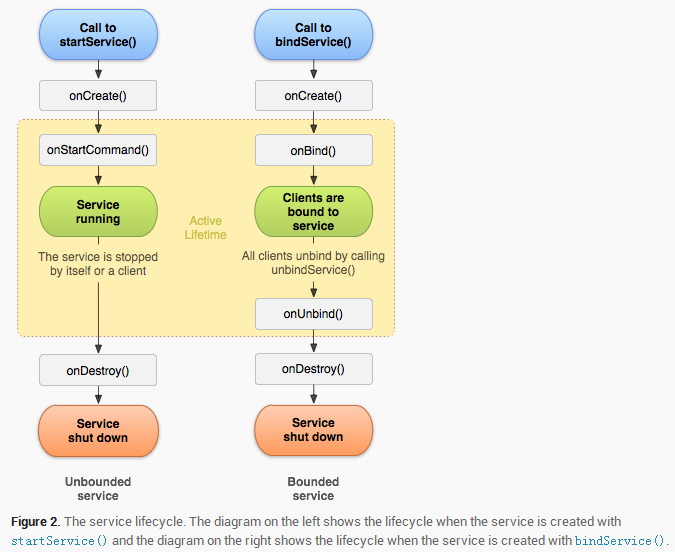 Android 後台 Service 入門:IntentService、廣播通信與通知欄進度
本文整理 Android Service 的相關知識,會穿插一些延伸要點,適合初學者閱讀。老鳥可以直接跳過。 涵蓋內容: 為什麼需要 Service Service 與
 自定義ViewGroup實戰:實現層疊式瀑布佈局
Android 內建的 LinearLayout、RelativeLayout、FrameLayout 能滿足大部分需求,但遇到界面要求較複雜、需要層疊錯位排列的場景,這
 Android 學習筆記二十:Toast 吐司、Notification 通知與 PopupWindow 彈出視窗
Toast 吐司 Toast 是我們日常開發中經常使用的元件。它是 Android 系統用來顯示訊息的一種機制,與 Dialog 不同,Toast 不會取得焦點,通常在顯