

編輯:關於 Android 程式設計
Android 6.0 之後,Apache HTTP Client 的所有套件與類別都被標記為 deprecated,官方建議一切 HTTP 請求改用 HttpURLConnection。但長期以來,許多開發者仍習慣用 Apache HTTP Client 做客戶端與後端介面的資料交換,遷移時不免踩坑。本文整理我用 HttpURLConnection 重寫一個 App 後,最常用到的三件事:GET 取 JSON、POST 送 JSON、以及下載圖片。
其中一個特別容易中招的細節是:POST 時只要資料含中文,就必須先轉碼成 UTF-8,否則會持續收到 HTTP 400。
public UserDto execute(String... params) { InputStream inputStream = null; HttpURLConnection urlConnection = null; try { // read responseURLEncoder.encode(para, "GBK"); String urlWithParams = DOMAIN_ADDRESS + MEMBER_REQUEST_TOKEN_URL + "?userName=" + java.net.URLEncoder.encode(params[0],"utf-8") + "&password=" + params[1]; URL url = new URL(urlWithParams); urlConnection = (HttpURLConnection) url.openConnection(); /* optional request header */ urlConnection.setRequestProperty("Content-Type", "application/json; charset=UTF-8"); /* optional request header */ urlConnection.setRequestProperty("Accept", "application/json"); /* for Get request */ urlConnection.setRequestMethod("GET"); int statusCode = urlConnection.getResponseCode(); /* 200 represents HTTP OK */ if (statusCode == 200) { inputStream = new BufferedInputStream(urlConnection.getInputStream()); String response = HttpUtil.convertInputStreamToString(inputStream); Gson gson = new Gson(); UserDto dto = gson.fromJson(response, UserDto.class); if (dto != null && dto.getToken() != null) { Log.i("token", "find the token = " + dto.getToken()); } return dto; } } catch (Exception e) { e.printStackTrace(); } finally { if (inputStream != null) { try { inputStream.close(); } catch (IOException e) { e.printStackTrace(); } } if (urlConnection != null) { urlConnection.disconnect(); } } return null; }
public Map<String, String> execute(NotificationDto dto) { InputStream inputStream = null; HttpURLConnection urlConnection = null; try { URL url = new URL(getUrl); urlConnection = (HttpURLConnection) url.openConnection(); /* optional request header */ urlConnection.setRequestProperty("Content-Type", "application/json; charset=UTF-8"); /* optional request header */ urlConnection.setRequestProperty("Accept", "application/json"); dto.setCreator(java.net.URLEncoder.encode(dto.getCreator(), "utf-8")); // read response /* for Get request */ urlConnection.setRequestMethod("POST"); urlConnection.setDoOutput(true); DataOutputStream wr = new DataOutputStream(urlConnection.getOutputStream()); Gson gson = new Gson(); String jsonString = gson.toJson(dto); wr.writeBytes(jsonString); wr.flush(); wr.close(); // try to get response int statusCode = urlConnection.getResponseCode(); if (statusCode == 200) { inputStream = new BufferedInputStream(urlConnection.getInputStream()); String response = HttpUtil.convertInputStreamToString(inputStream); Map<String, String> resultMap = gson.fromJson(response, Map.class); if (resultMap != null && resultMap.size() > 0) { Log.i("applyDesigner", "please check the map with key"); } return resultMap; } } catch(Exception e) { e.printStackTrace(); } finally { if (inputStream != null) { try { inputStream.close(); } catch (IOException e) { e.printStackTrace(); } } if (urlConnection != null) { urlConnection.disconnect(); } } return null; }
POST 的關鍵三步:setRequestMethod("POST")、setDoOutput(true),然後用 DataOutputStream 把序列化後的 JSON 寫進輸出串流並 flush。
做法是邊讀串流邊累加已讀位元組數,再除以 ContentLength 換算成百分比,用 Handler 回報給介面層更新進度條。
package com.example.demo; import java.io.ByteArrayInputStream; import java.io.ByteArrayOutputStream; import java.io.IOException; import java.io.InputStream; import java.net.HttpURLConnection; import java.net.URL; import android.graphics.Bitmap; import android.graphics.BitmapFactory; import android.os.AsyncTask; import android.os.Handler; import android.os.Message; import android.util.Log; public class ImageLoadTask extends AsyncTask<String, Void, Bitmap> { private Handler handler; public ImageLoadTask(Handler handler) { this.handler = handler; } protected void onPostExecute(Bitmap result) { Message msg = new Message(); msg.obj = result; handler.sendMessage(msg); } protected Bitmap doInBackground(String... getUrls) { InputStream inputStream = null; HttpURLConnection urlConnection = null; try { // open connection URL url = new URL(getUrls[0]); urlConnection = (HttpURLConnection) url.openConnection(); /* for Get request */ urlConnection.setRequestMethod("GET"); int fileLength = urlConnection.getContentLength(); int statusCode = urlConnection.getResponseCode(); if (statusCode == 200) { inputStream = urlConnection.getInputStream(); byte data[] = new byte[4096]; long total = 0; int count; ByteArrayOutputStream output = new ByteArrayOutputStream(); while ((count = inputStream.read(data)) != -1) { total += count; // publishing the progress.... if (fileLength > 0 && handler != null) { handler.sendEmptyMessage(((int) (total * 100 / fileLength)) - 1); } output.write(data, 0, count); } ByteArrayInputStream bufferInput = new ByteArrayInputStream(output.toByteArray()); Bitmap bitmap = BitmapFactory.decodeStream(bufferInput); inputStream.close(); bufferInput.close(); output.close(); Log.i("image", "already get the image by uuid : " + getUrls[0]); handler.sendEmptyMessage(100); return bitmap; } } catch (Exception e) { e.printStackTrace(); } finally { if (inputStream != null) { try { inputStream.close(); } catch (IOException e) { e.printStackTrace(); } } if (urlConnection != null) { urlConnection.disconnect(); } } return null; } }
編碼:POST JSON 時整體以 UTF-8 處理,中文字元要先 encode,後端 API 再以 UTF-8 解碼,否則就是 HTTP 400。
連線管理:finally 中務必關閉串流並呼叫 disconnect(),否則連線池會被吃乾。
時效提醒:範例中的 Apache HttpClient 在 API 23 已被移除,Gson 則需自行加入依賴。若要開發新專案,更建議改用官方首推的 Retrofit/OkHttp,它們在攔截器、連線池、非同步與錯誤處理上都成熟得多;HttpURLConnection 則適合用於不想引入額外相依性的輕量情境。
 Android Selector 與 Shape 用法實例詳解:屬性、順序與自訂 Button
自訂圓角 Button,並讓它在按下與取得焦點時換色,這件事完全不需要 Java 程式碼,只要 Selector 與 Shape 兩個標籤。但它們細節不少:漸層角度有條件
 Android Studio 引用 Library 專案與匯入 jar 包的兩種做法
在 Android 開發中,Android Studio 是一款相當順手的工具,具體有多順手,用過就知道了。本文記錄兩件日常必備的操作:引用開源 Library 專案,以
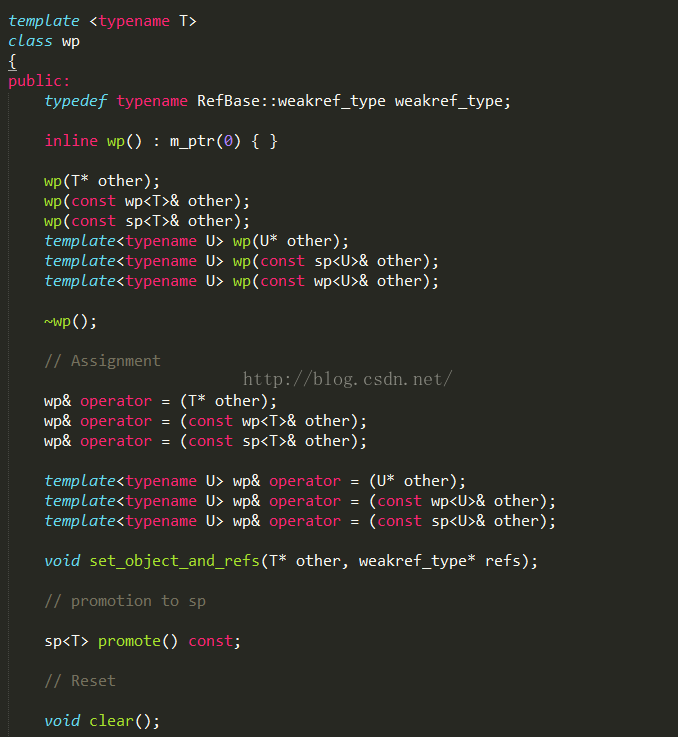 Android 系統篇:深入解析 Android 中的智能指針
前言 Android 系統層大量使用 C++,因此需要一套自動管理物件生命週期的機制。智能指針就是其中之一,常見於 sp 與 wp。 為何需要智能指針 Java 有垃圾回
 Android 開發藝術:第二章 IPC 機制與 Binder 通信全解析
2.1 IPC 是什麼 IPC 是進程間通信的縮寫。Android 基於 Linux,因此可使用共享文件、Socket、ContentProvider、Messenger