

編輯:關於 Android 程式設計
JSON 是行動端與伺服器溝通最主流的資料格式,勝在輕量、易讀,而且 Android 標準函式庫已內建 org.json,不需額外引入任何套件。本文示範兩件事:如何從網路取得並解析 JSON 陣列,以及如何以程式碼組出 JSON 物件。
package de.vogella.android.twitter.json;

import java.io.BufferedReader;
import java.io.InputStream;
import java.io.InputStreamReader;
import org.apache.http.HttpEntity;
import org.apache.http.HttpResponse;
import org.apache.http.StatusLine;
import org.apache.http.client.HttpClient;
import org.apache.http.client.methods.HttpGet;
import org.apache.http.impl.client.DefaultHttpClient;
import org.json.JSONArray;
import org.json.JSONObject;
import android.app.Activity;
import android.os.Bundle;
import android.util.Log;

public class ParseJSON extends Activity {
    @Override
    public void onCreate(Bundle savedInstanceState) {
        super.onCreate(savedInstanceState);
        setContentView(R.layout.main);

        String readTwitterFeed = readTwitterFeed();
        try {
            JSONArray jsonArray = new JSONArray(readTwitterFeed);
            Log.i(ParseJSON.class.getName(), "Number of entries " + jsonArray.length());
            for (int i = 0; i < jsonArray.length(); i++) {
                JSONObject jsonObject = jsonArray.getJSONObject(i);
                Log.i(ParseJSON.class.getName(), jsonObject.getString("text"));
            }
        } catch (Exception e) {
            e.printStackTrace();
        }
    }

    public String readTwitterFeed() {
        StringBuilder builder = new StringBuilder();
        HttpClient client = new DefaultHttpClient();
        HttpGet httpGet = new HttpGet("https://twitter.com/statuses/user_timeline/vogella.json");
        try {
            HttpResponse response = client.execute(httpGet);
            StatusLine statusLine = response.getStatusLine();
            int statusCode = statusLine.getStatusCode();
            if (statusCode == 200) {
                HttpEntity entity = response.getEntity();
                InputStream content = entity.getContent();
                BufferedReader reader = new BufferedReader(new InputStreamReader(content));
                String line;
                while ((line = reader.readLine()) != null) {
                    builder.append(line);
                }
            } else {
                Log.e(ParseJSON.class.toString(), "Failed to download file");
            }
        } catch (Exception e) {
            e.printStackTrace();
        }
        return builder.toString();
    }
}
解析的關鍵三步:用 new JSONArray(String) 把字串轉為陣列、用 getJSONObject(i) 取出每一筆物件、再用 getString("text") 依鍵名取值。若最外層是物件而非陣列,則改用 JSONObject 並以 getJSONArray("key") 取得內層清單。
public void writeJSON() {
    JSONObject object = new JSONObject();
    try {
        object.put("name", "Jack Hack");
        object.put("score", new Integer(200));
        object.put("current", new Double(152.32));
        object.put("nickname", "Hacker");
    } catch (JSONException e) {
        e.printStackTrace();
    }
    System.out.println(object);
}
JSONObject.toString() 會直接輸出標準 JSON 字串,可直接作為 POST 的請求本文。注意 put() 會拋出 JSONException(當鍵值為重複或值型別不合法時),必須包在 try-catch 中。
HttpURLConnection、OkHttp 或 Retrofit,並搭配背景執行緒。jsonObject.optString("text") 這類帶預設值的方法比 getString() 更容錯。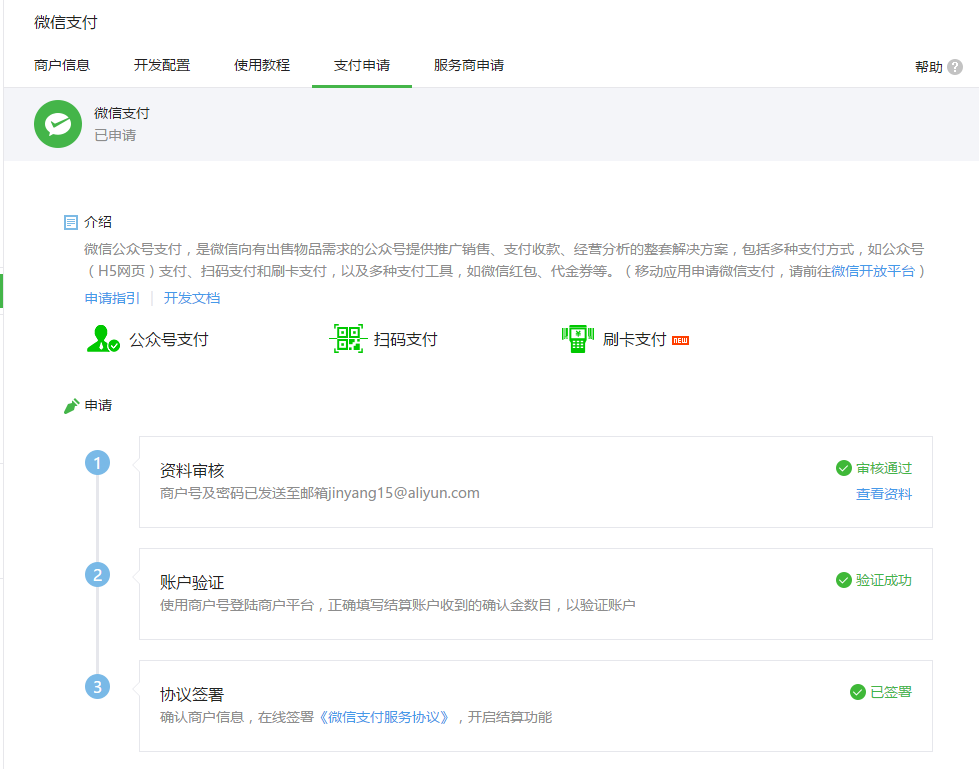 微信支付 JSAPI 公眾號支付完整接入實戰教程
開始之前:你需要準備些什麼 這份教程面向已經具備一定基礎的開發者。在動手之前,請確認你已經滿足以下幾個前提條件:拥有一個通過微信認證的服務號,並且該服務號已成功開通微信支
 WoWoViewPager:讓 ViewPager 切換充滿動畫的開源庫
目錄 English READMEGradle備註Demo版本TodoLicense 動畫用法 基本動畫 位移動畫 縮放動畫 漸現、漸逝動畫 旋轉動畫 文字大小動畫
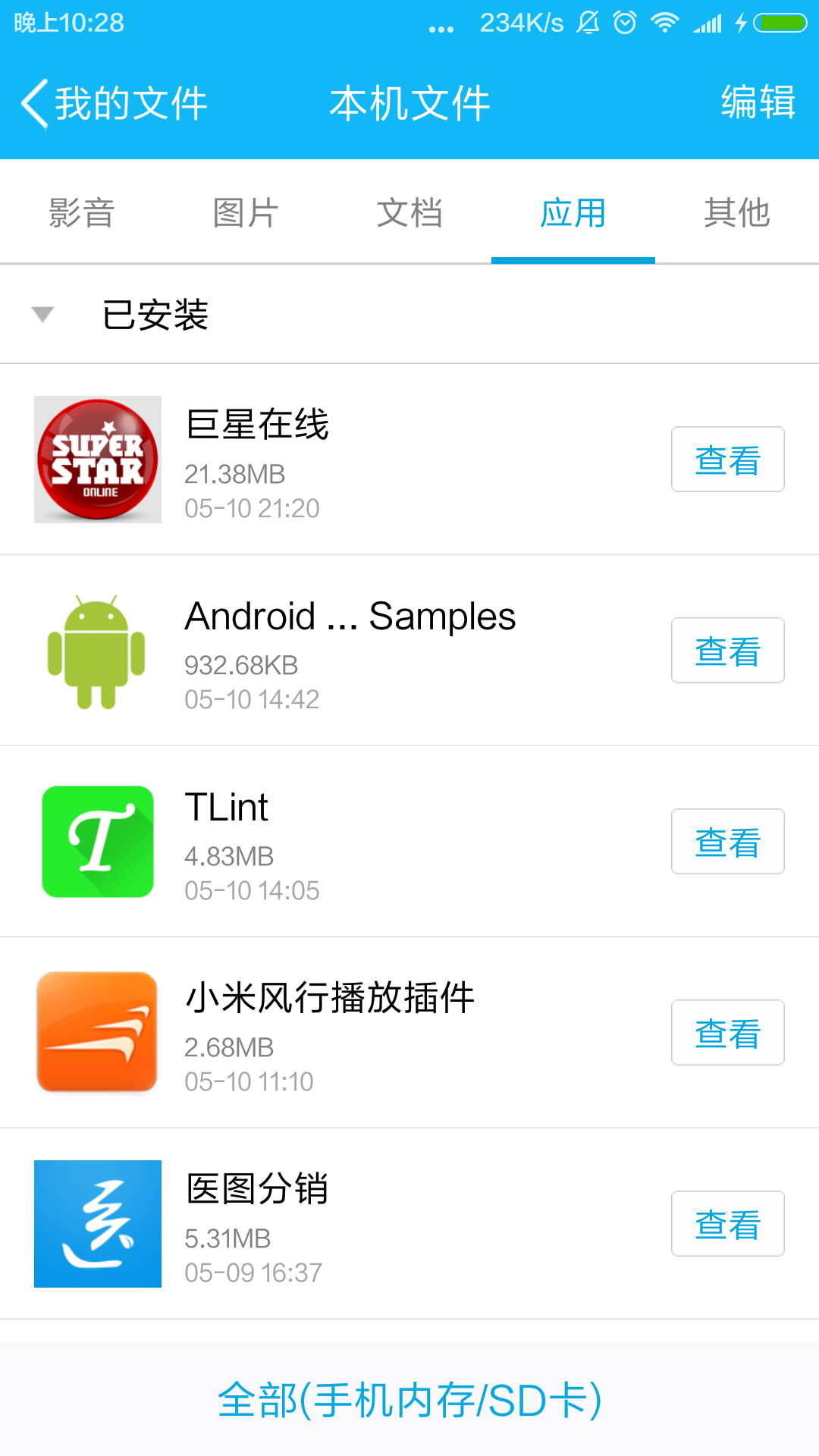 用 RecyclerView + SwipeRevealLayout 做一個可側滑刪除的 App 管理清單
前言:前幾天電腦怎麼樣都打不開 CSDN,折騰好久,今天下班回來突然又能開了,順手把週末做出來的效果貼上來。 這個 Demo 的功能包括:取得手機中所有安裝的應用程式,顯
 Android 中涉及的經典設計模式
組合模式 Android 對組合模式的應用可謂隨處可見,最典型的就是 View 和 ViewGroup 類的使用。在 Android UI 設計中,幾乎所有的 widge