

編輯:關於 Android 程式設計
English README
Gradle
備註
Demo
版本
Todo
License
TextView Size Animation
路徑動畫
直接在你的 module 的 build.gradle 的 dependencies 中加入「compile 'com.nightonke:wowoviewpager:1.0.2'」這行即可。
dependencies { ... compile 'com.nightonke:wowoviewpager:1.0.2' ... }
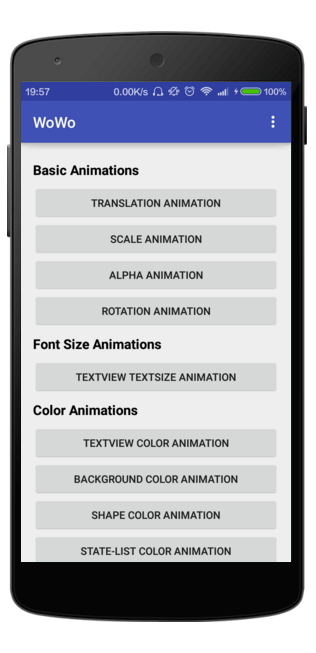
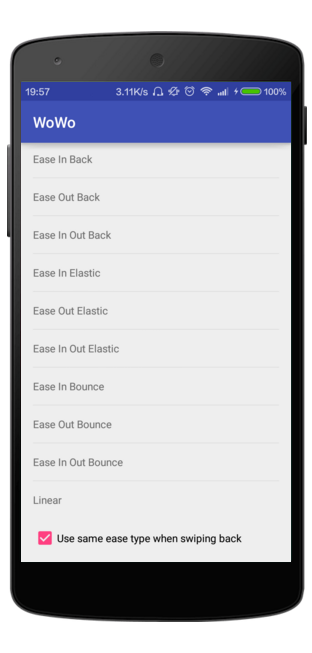
你可以透過這個 demo 查看所有 WoWo 支援的動畫,並以不同的緩動效果與變色效果來預覽動畫。你也可以在 demo 中找到 App 引導頁範例與 App 簡歷範例。

或者下載連結:
WoWo V1.0.2 in Github
WoWo V1.0.2 in Fir
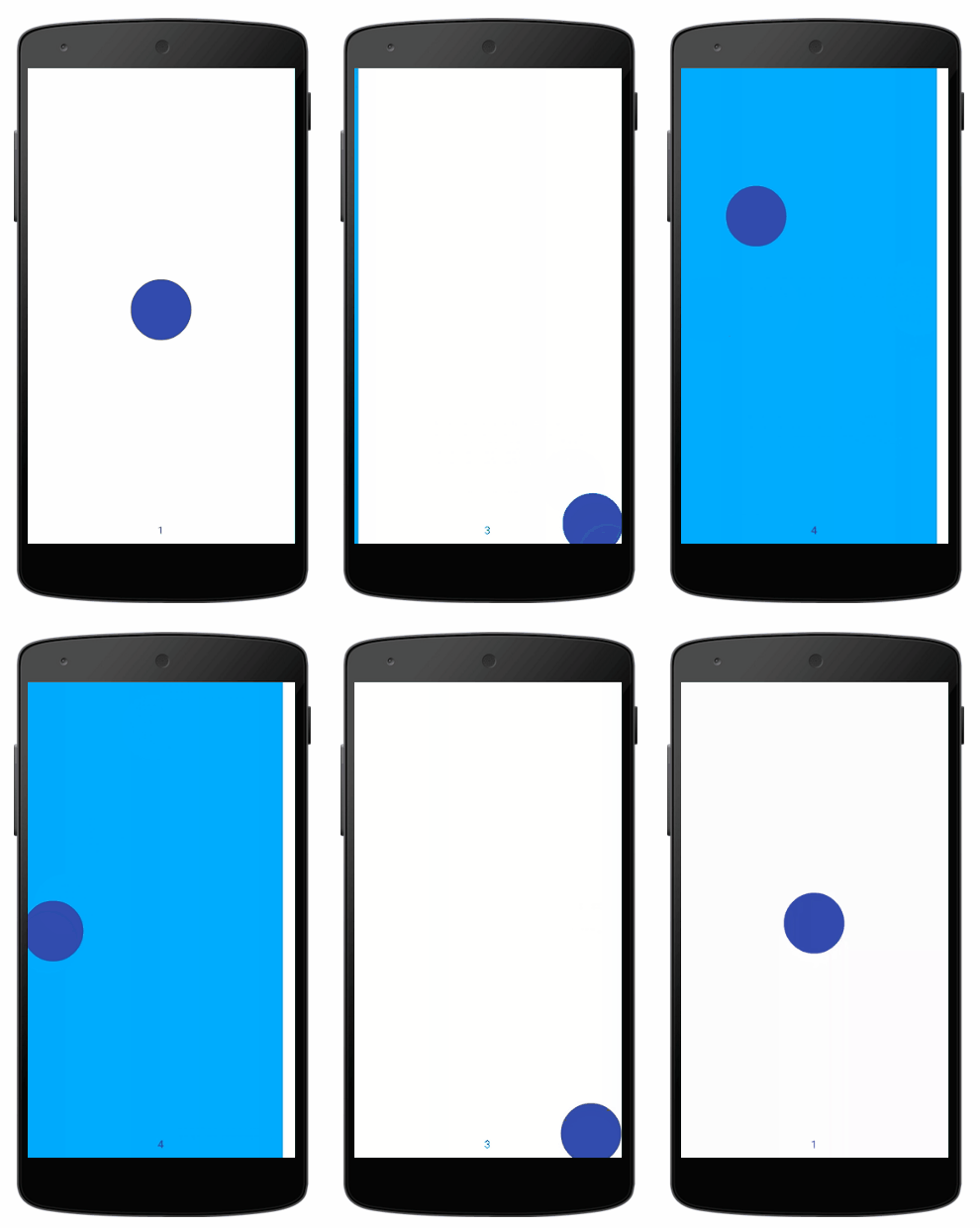
位移動畫可以讓 View 動起來。
/** * * @param page The translation animation will start from page(0, 1, ..., adapter.getCount() - 1) * @param startOffset The translation animation will start from this offset([0, 1]) when swiping from page to page + 1 * @param endOffset The translation animation will end with this offset([0, 1]) when swiping from page to page + 1 * @param fromX The starting horizontal position of this view relative to its left position, in pixels * @param fromY The starting vertical position of this view relative to its top position, in pixels * @param targetX The ending horizontal position of this view relative to its left position, in pixels * @param targetY The ending vertical position of this view relative to its top position, in pixels * @param easeType Ease type, please check the ease type section * @param useSameEaseTypeBack Whether use the same ease type to back */ ViewAnimation animation = new ViewAnimation(findViewById(R.id.test)); animation.addPageAnimaition(new WoWoTranslationAnimation( 0, 0f, 1f, findViewById(R.id.test).getTranslationX(), findViewById(R.id.test).getTranslationY(), -screenW / 2 + WoWoUtil.dp2px(40, this), -screenH / 2 + WoWoUtil.dp2px(40, this), easeType, useSameEaseTypeBack)); animation.addPageAnimaition(new WoWoTranslationAnimation( 1, 0f, 1f, -screenW / 2 + WoWoUtil.dp2px(40, this), -screenH / 2 + WoWoUtil.dp2px(40, this), screenW - WoWoUtil.dp2px(80, this), screenH - WoWoUtil.dp2px(80, this), easeType, useSameEaseTypeBack)); wowoViewPager.addAnimation(animation);
如你所見,上述程式碼實作了 gif 中的部分效果,也就是從 viewpager 第一頁滑動到第三頁的效果,共涉及兩個位移動畫。更多範例請參閱程式碼。
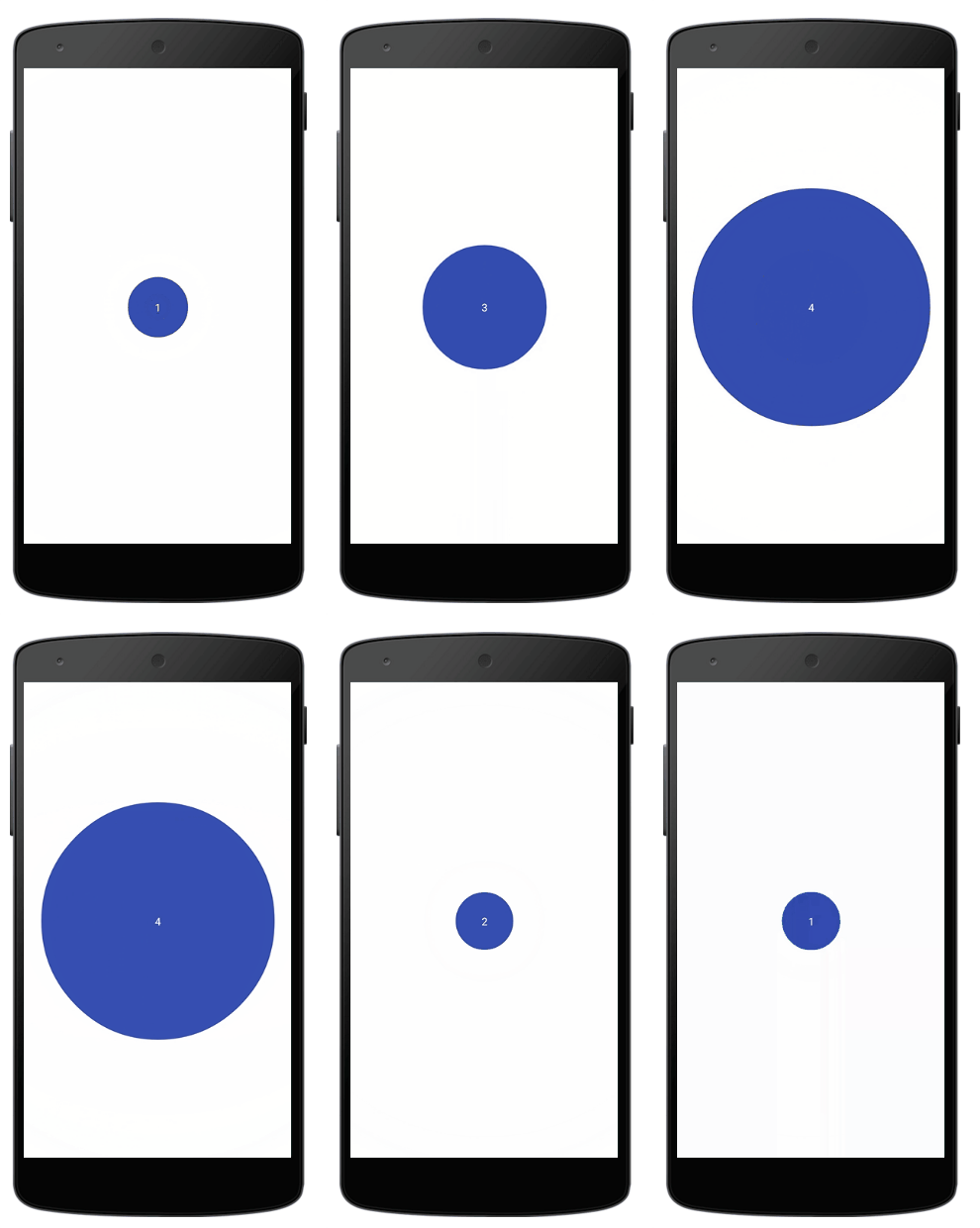
縮放動畫能讓 View 縮小或放大。
/** * * @param page The scale animation will start from page(0, 1, ..., adapter.getCount() - 1) * @param startOffset The scale animation will start from this offset([0, 1]) when swiping from page to page + 1 * @param endOffset The scale animation will end with this offset([0, 1]) when swiping from page to page + 1 * @param targetScaleX Target scale x = target x / original y * @param targetScaleY Target scale y = target y / original y * @param easeType Ease type, please check the ease type section * @param useSameEaseTypeBack Whether use the same ease type to back */ ViewAnimation animation = new ViewAnimation(findViewById(R.id.test)); animation.addPageAnimaition(new WoWoScaleAnimation( 3, 0f, 0.5f, 2f, 1f, easeType, useSameEaseTypeBack)); animation.addPageAnimaition(new WoWoScaleAnimation( 3, 0.5f, 1f, 1f, 2f, easeType, useSameEaseTypeBack)); wowoViewPager.addAnimation(animation);
你可以把多種動畫結合起來,實作複雜的動畫。比如用兩個位移動畫創造一段折線動畫。正如上述程式碼,從 viewpager 第 3 頁(注意這裡從 0 數起)的 0 偏移量到 0.5 偏移量(也就是滑動的前半段路程),View 的寬度翻倍;接著在 0.5 到 1 偏移量(滑動的後半段路程),View 的高度翻倍。更多範例請參閱程式碼。
漸現、漸逝動畫用來改變 View 的可見度,產生淡入淡出效果。
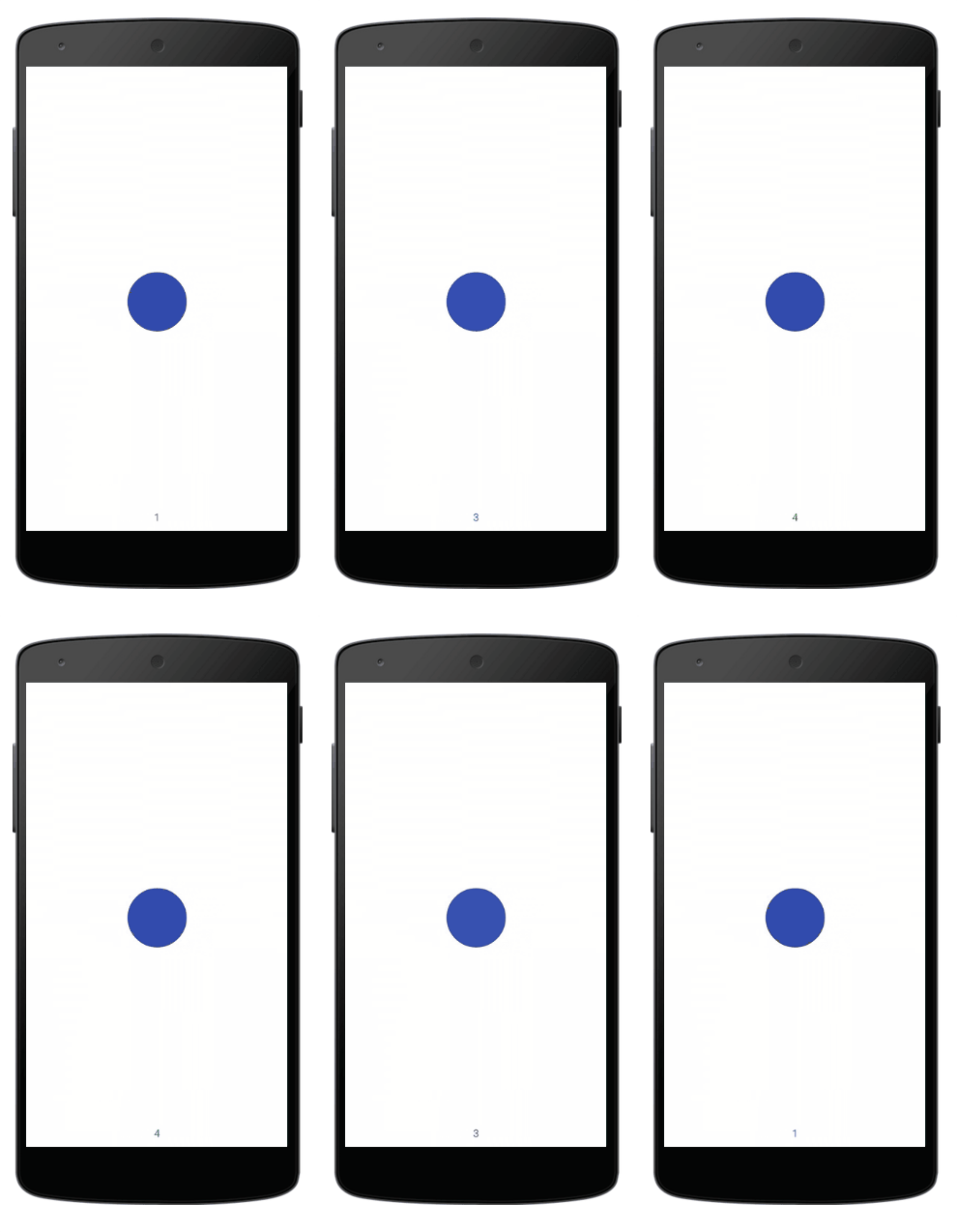
/** * * @param page The alpha animation will start from page(0, 1, ..., adapter.getCount() - 1) * @param startOffset The alpha animation will start from this offset([0, 1]) when swiping from page to page + 1 * @param endOffset The alpha animation will end with this offset([0, 1]) when swiping from page to page + 1 * @param fromAlpha Original alpha * @param targetAlpha Target alpha * @param easeType Ease type, please check the ease type section * @param useSameEaseTypeBack Whether use the same ease type to back */ ViewAnimation animation = new ViewAnimation(findViewById(R.id.test)); animation.addPageAnimaition(new WoWoAlphaAnimation( 3, 0f, 0.5f, 1, 0.3f, easeType, useSameEaseTypeBack)); animation.addPageAnimaition(new WoWoAlphaAnimation( 3, 0.5f, 1f, 0.3f, 1f, easeType, useSameEaseTypeBack)); wowoViewPager.addAnimation(animation);
相信不用多做解釋。更多範例請參閱程式碼。
旋轉動畫,顧名思義。
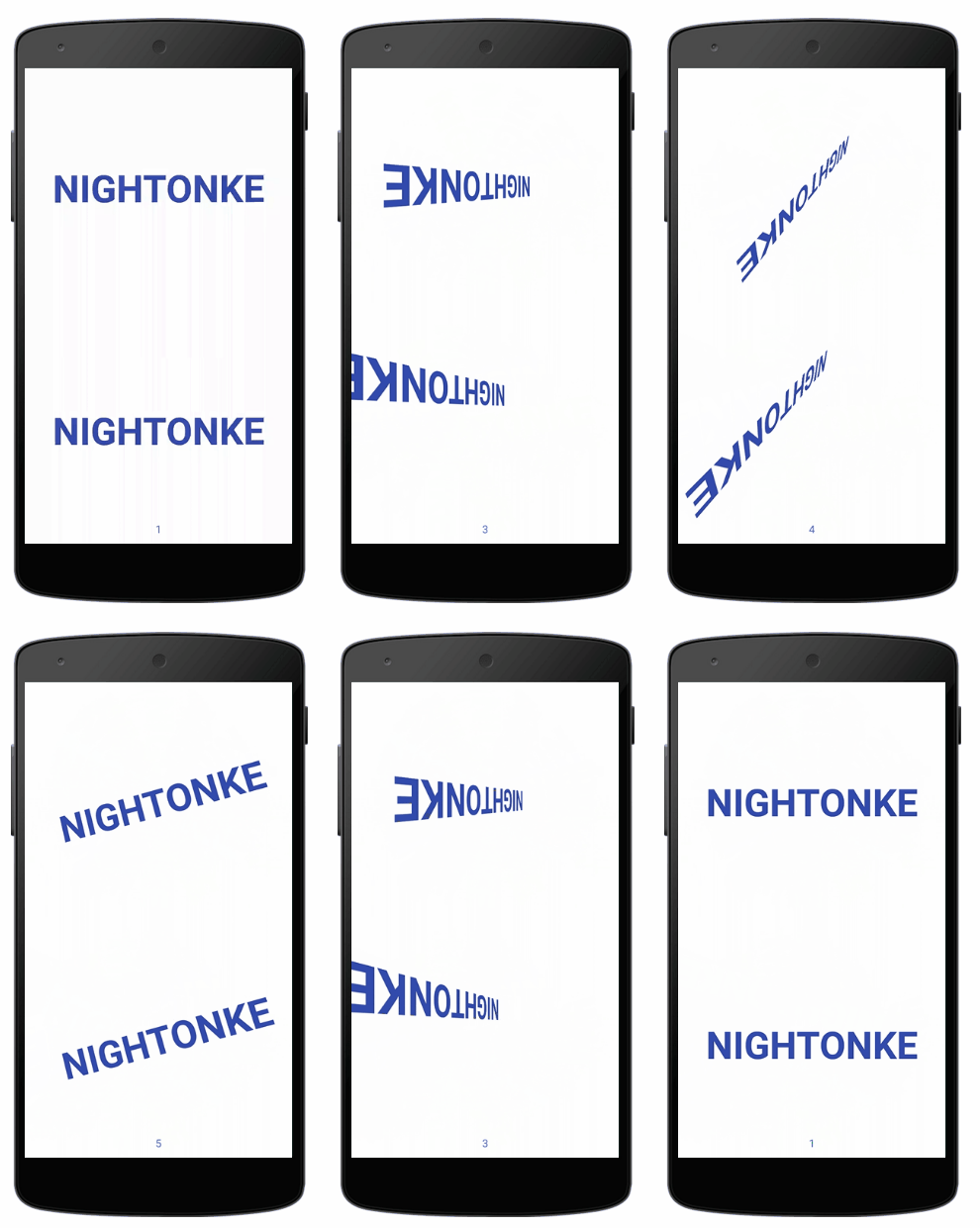
/** * * @param page The alpha animation will start from page(0, 1, ..., adapter.getCount() - 1) * @param startOffset The alpha animation will start from this offset([0, 1]) when swiping from page to page + 1 * @param endOffset The alpha animation will end with this offset([0, 1]) when swiping from page to page + 1 * _ _ _ _ _ _ _ * /| x * / | * / |y * / | * /z | * / | * * @param pivotX The x value of the pivot of this rotation animation * @param pivotY The y value of the pivot of this rotation animation * @param targetX The target degree on x axis * @param targetY The target degree on y axis * @param targetZ The target degree on z axis * @param easeType Ease type, please check the ease type section * @param useSameEaseTypeBack Whether use the same ease type to back */ ViewAnimation animation = new ViewAnimation(findViewById(R.id.test)); animation.addPageAnimaition(new WoWoRotationAnimation( 0, 0f, 1f, pivotX, pivotY, 0, 0, 180, easeType, useSameEaseTypeBack)); wowoViewPager.addAnimation(animation);
上述程式碼會導致 View 上下顛倒,注意在 gif 中,兩個 textview 的軸心是不一樣的。更多範例請參閱程式碼。
TextView 文字大小動畫用來改變 TextView 內文字的大小。
/** * * @param page The textview size animation will start from page(0, 1, ..., adapter.getCount() - 1) * @param startOffset The textview size animation will start from this offset([0, 1]) when swiping from page to page + 1 * @param endOffset The textview size animation will end with this offset([0, 1]) when swiping from page to page + 1 * @param fromSize Original text size in sp * @param targetSize Target text size in sp * @param easeType Ease type, please check the ease type section * @param useSameEaseTypeBack Whether use the same ease type to back */ ViewAnimation animation = new ViewAnimation(findViewById(R.id.test)); animation.addPageAnimaition(new WoWoTextViewSizeAnimation( 0, 0f, 1f, 50, 20, easeType, useSameEaseTypeBack)); animation.addPageAnimaition(new WoWoTextViewSizeAnimation( 1, 0f, 1f, 20, 60, easeType, useSameEaseTypeBack)); wowoViewPager.addAnimation(animation);
更多範例請參閱程式碼。
背景變色動畫用來改變 View 的背景色。

/** * * @param page The background color animation will start from page(0, 1, ..., adapter.getCount() - 1) * @param startOffset The background color animation will start from this offset([0, 1]) when swiping from page to page + 1 * @param endOffset The background color animation will end with this offset([0, 1]) when swiping from page to page + 1 * @param fromColor Original color * @param targetColor Target color * @param colorChangeType How to change the color. For more information, please check the ColorChangeType.class * @param easeType Ease type, please check the ease type section * @param useSameEaseTypeBack Whether use the same ease type to back */ ViewAnimation animation = new ViewAnimation(findViewById(R.id.test)); animation.addPageAnimaition(new WoWoBackgroundColorAnimation( 0, 0f, 1f, Color.parseColor("#ff0000"), Color.parseColor("#00ff00"), colorChangeType, easeType, useSameEaseTypeBack)); wowoViewPager.addAnimation(animation);
注意背景變色動畫只能改變具有 setBackgroundColor() 函式的 View。更多範例請參閱程式碼。什麼是 colorChangeType?
TextView 變色動畫用來改變字體顏色。
/** * * @param page The textview color animation will start from page(0, 1, ..., adapter.getCount() - 1) * @param startOffset The textview color animation will start from this offset([0, 1]) when swiping from page to page + 1 * @param endOffset The textview color animation will end with this offset([0, 1]) when swiping from page to page + 1 * @param fromColor Original color * @param targetColor Target color * @param colorChangeType How to change the color. For more information, please check the ColorChangeType.class * @param easeType Ease type, please check the ease type section * @param useSameEaseTypeBack Whether use the same ease type to back */ ViewAnimation animation = new ViewAnimation(findViewById(R.id.test)); animation.addPageAnimaition(new WoWoTextViewColorAnimation( 0, 0f, 1f, Color.parseColor("#ff0000"), Color.parseColor("#00ff00"), colorChangeType, easeType, useSameEaseTypeBack)); wowoViewPager.addAnimation(animation);
注意該動畫只能用於 textview。更多範例請參閱程式碼。什麼是 colorChangeType?
Shape 變色動畫用來改變以 shape-drawable 為背景的 View 的顏色。
/** * * @param page The shape-drawable color animation will start from page(0, 1, ..., adapter.getCount() - 1) * @param startOffset The shape-drawable color animation will start from this offset([0, 1]) when swiping from page to page + 1 * @param endOffset The shape-drawable color animation will end with this offset([0, 1]) when swiping from page to page + 1 * @param fromColor Original color * @param targetColor Target color * @param colorChangeType How to change the color. For more information, please check the ColorChangeType.class * @param easeType Ease type, please check the ease type section * @param useSameEaseTypeBack Whether use the same ease type to back */ ViewAnimation animation = new ViewAnimation(findViewById(R.id.test)); animation.addPageAnimaition(new WoWoShapeColorAnimation( 0, 0f, 1f, Color.parseColor("#ff0000"), Color.parseColor("#00ff00"), colorChangeType, easeType, useSameEaseTypeBack)); wowoViewPager.addAnimation(animation);
注意這個動畫只能改變背景是 shape-drawable 的 View 的顏色,也就是像這樣:
更多範例請參閱程式碼。什麼是 colorChangeType?
State-List 變色動畫用來改變以 state-list-drawable 為背景的 View 的顏色。
/** * * @param page The state-list-drawable color animation will start from page(0, 1, ..., adapter.getCount() - 1) * @param startOffset The state-list-drawable color animation will start from this offset([0, 1]) when swiping from page to page + 1 * @param endOffset The state-list-drawable color animation will end with this offset([0, 1]) when swiping from page to page + 1 * @param fromColor Original colors, corresponding to the items in xml * @param targetColor Target colors, corresponding to the items in xml * @param colorChangeType How to change the color. For more information, please check the ColorChangeType.class * @param easeType Ease type, please check the ease type section * @param useSameEaseTypeBack Whether use the same ease type to back */ ViewAnimation animation = new ViewAnimation(findViewById(R.id.test)); animation.addPageAnimaition(new WoWoStateListColorAnimation( 0, 0f, 1f, new int[]{Color.parseColor("#ff0000"), Color.parseColor("#ff0000"), Color.parseColor("#ff0000")}, new int[]{Color.parseColor("#00ff00"), Color.parseColor("#00ff00"), Color.parseColor("#00ff00")}, colorChangeType, easeType, useSameEaseTypeBack)); wowoViewPager.addAnimation(animation);
對應的 drawable 是:
注意這個動畫只能改變以 state-list-drawable 為背景的 View 的顏色。更多範例請參閱程式碼。什麼是 colorChangeType?
Layer-List 變色動畫用來改變以 layer-list-drawable 為背景的 View 的顏色。
/** * * @param page The layer-list-drawable color animation will start from page(0, 1, ..., adapter.getCount() - 1) * @param startOffset The layer-list-drawable color animation will start from this offset([0, 1]) when swiping from page to page + 1 * @param endOffset The layer-list-drawable color animation will end with this offset([0, 1]) when swiping from page to page + 1 * @param fromColor Original colors, corresponding to the items in xml * @param targetColor Target colors, corresponding to the items in xml * @param colorChangeType How to change the color. For more information, please check the ColorChangeType.class * @param easeType Ease type, please check the ease type section * @param useSameEaseTypeBack Whether use the same ease type to back */ ViewAnimation animation = new ViewAnimation(findViewById(R.id.test)); animation.addPageAnimaition(new WoWoLayerListColorAnimation( 0, 0f, 1f, new int[]{ Color.parseColor("#000000"), Color.parseColor("#ff0000"), Color.parseColor("#00ff00"), Color.parseColor("#00ff00"), Color.parseColor("#ff0000")}, new int[]{ Color.parseColor("#0000ff"), Color.parseColor("#00ff00"), Color.parseColor("#ff0000"), Color.parseColor("#ff0000"), Color.parseColor("#00ff00")}, colorChangeType, easeType, useSameEaseTypeBack)); wowoViewPager.addAnimation(animation);
對應的 drawable 是:
注意該動畫只能改變以 layer-list-drawable 為背景的 View 的顏色。更多範例請參閱程式碼。什麼是 colorChangeType?
路徑動畫可以幫你畫出一條路,而且你還能為這條路加一個「頭」:
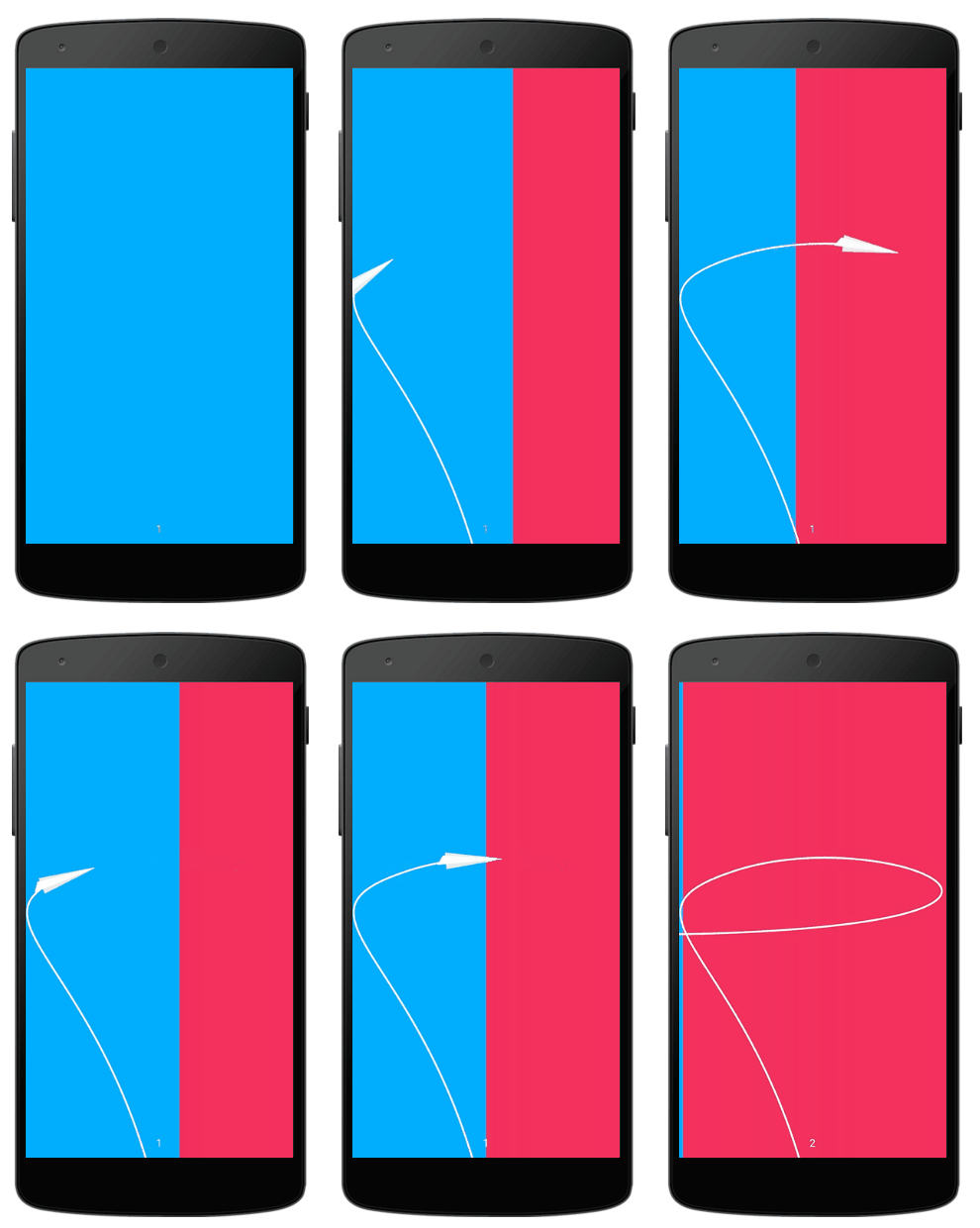
你需要做的是:
可調整的屬性:
app:pathColor:路徑顏色(color 資源)
app:pathWidth:路徑寬度(float)
app:headImageId:路徑頭圖像(image 資源)
app:headImageWidth:路徑頭寬度(float)
app:headImageHeight:路徑頭高度(float)
你必須先簡單了解 Path。我建議你用 cubicTo 函式來畫曲線、用 lineTo 函式來畫直線。你可以透過 Canvature、BezierTool 等網站取得 cubicTo 函式的 6 個參數。正如上面的 gif,這條路徑其實由 3 條曲線組成:
WoWoPathView pathView = (WoWoPathView)findViewById(R.id.pathview); ViewGroup.LayoutParams layoutParams = pathView.getLayoutParams(); layoutParams.height = screenH; // set the pathView a little wider, // then the airplane can hide layoutParams.width = screenW + 200; pathView.setLayoutParams(layoutParams); // use this to adjust the path int xoff = -300; int yoff = screenH - 616 - 300; float xScale = 1.5f; float yScale = 1; Path path = new Path(); path.moveTo(xScale * (565 + xoff), screenH + yoff); path.cubicTo( xScale * (509 + xoff), yScale * (385 + yoff), xScale * (144 + xoff), yScale * (272 + yoff), xScale * (394 + xoff), yScale * (144 + yoff)); path.cubicTo( xScale * (477 + xoff), yScale * (99 + yoff), xScale * (596 + xoff), yScale * (91 + yoff), xScale * (697 + xoff), yScale * (128 + yoff)); path.cubicTo( xScale * (850 + xoff), yScale * (189 + yoff), xScale * (803 + xoff), yScale * (324 + yoff), xScale * (66 + xoff), yScale * (307 + yoff)); // set the path to pathView pathView.setPath(path); ViewAnimation animation = new ViewAnimation(pathView); animation.addPageAnimaition(new WoWoPathAnimation( 0, 0f, 1f, easeType, useSameEaseTypeBack)); wowo.addAnimation(animation);
緩動函式能讓以上動畫效果看起來更真實,你可以在建構動畫時指定緩動函式類型。
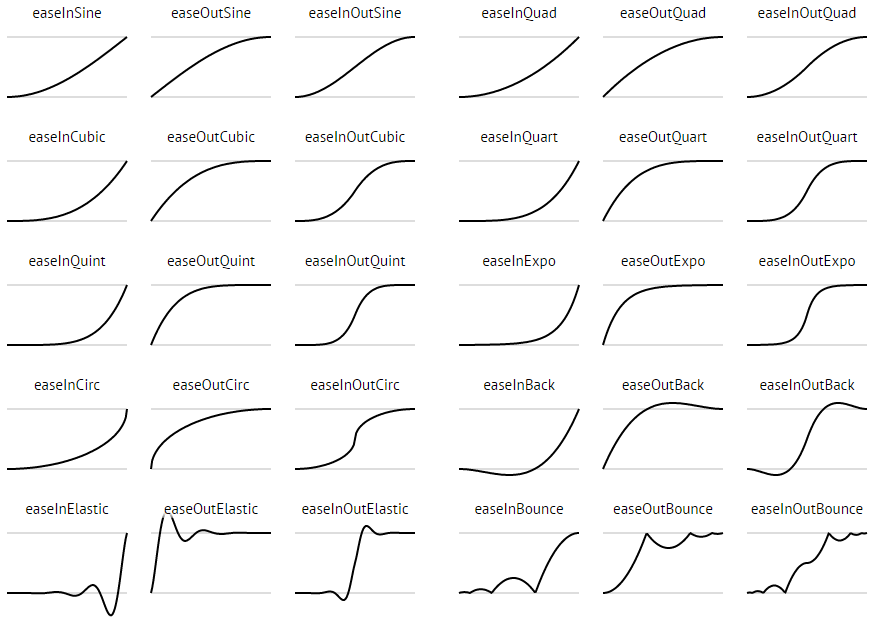
當然你也可以不使用緩動函式,你可以在這裡找到所有的緩動函式類型。
所有的變色動畫都有兩種變色效果:RGB 與 HSV。HSV 是透過改變亮度等方式來變色,在自然界中看起來更為自然。比如從紅色變為綠色,在 HSV 中是紅→黃→綠;而在 RGB 中則是紅→一種介於紅與綠之間的顏色→綠。不過通常情況下用 RGB 會更好,因為 HSV 看起來有點奇怪。你可以在背景變色動畫的 gif 中看到這兩種變色的差異。
第一個版本,包含 11 種動畫。
更好的 HSV 動畫變換。
Copyright 2016 Nightonke Licensed under the Apache License, Version 2.0 (the "License"); you may not use this file except in compliance with the License. You may obtain a copy of the License at https://www.apache.org/licenses/LICENSE-2.0 Unless required by applicable law or agreed to in writing, software distributed under the License is distributed on an "AS IS" BASIS, WITHOUT WARRANTIES OR CONDITIONS OF ANY KIND, either express or implied. See the License for the specific language governing permissions and limitations under the License.
 Picasso 快速上手:一行程式碼搞定遠端圖片加載與緩存
Picasso 是 Square 公司開源的 Android 圖片緩存庫(官網 https://square.github.io/picasso/),能輕鬆完成圖片的下載
 Android 設定軟鍵盤搜尋鍵,並解決監聽觸發兩次事件的問題
如上圖所示,為了版面簡潔,很多時候搜尋功能不另外做按鈕,而是直接借用軟鍵盤上的按鍵。 一、讓鍵盤顯示「搜尋」 實作起來只需要在輸入框的 XML 中加上一行: andro
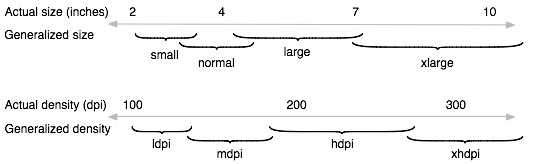 Android 解析度適配完全指南:dp、dpi 與資源目錄怎麼用
解析度適配是 Android 長年被詬病的問題之一。本文依官方文件 Supporting Multiple Screens 的脈絡,把核心概念與實務技巧整理成一份可操作的
 Android 常用布局小結:FrameLayout、LinearLayout、RelativeLayout 與漸變背景
1. FrameLayout(幀布局) 效果是多個圖層依次疊加,像畫一幅畫:先放一張背景 ImageView,再往上疊其他元素。 如果想讓三個按鈕分別在水平方向左對齊、居