

編輯:關於 Android 程式設計
想要讓某段文字閃爍以吸引注意?最直白的做法就是用計時器週期性切換文字顏色。這個範例以 Timer 搭配 TimerTask,每 300 毫秒切換一次顏色。
 public class ActivityMain extends Activity {

public void onCreate(Bundle savedInstanceState) {
super.onCreate(savedInstanceState);
setContentView(R.layout.main);
spark();
}

private int clo = 0;

public void spark() {
final TextView touchScreen = (TextView) findViewById(R.id.TextView01);// 獲取頁面 textview 對象

Timer timer = new Timer();
TimerTask taskcc = new TimerTask(){
public void run() {
runOnUiThread(new Runnable() {
public void run() {
if (clo == 0) {
clo = 1;
touchScreen.setTextColor(Color.TRANSPARENT); // 透明
} else {
if (clo == 1) {
clo = 2;
touchScreen.setTextColor(Color.RED);
} else {
clo = 0;
touchScreen.setTextColor(Color.GREEN);
}
}
}
});
}
};

timer.schedule(taskcc, 1, 300); // 參數分別是 delay(多長時間後執行),duration(執行間隔)
}
}
Timer 的任務運行在自己的背景執行緒,而 Android 規定只有主執行緒能操作 UI 元件,直接改 TextView 顏色會觸發 CalledFromWrongThreadException。runOnUiThread() 就是把更新動作丟回主執行緒的標準做法。
Timer 在長時間運行下容易累積大量背景執行緒,實務上建議改用 Handler.postDelayed() 自我排程,或直接以 ValueAnimator/ObjectAnimator 製作 alpha 淡入淡出的閃爍效果,效能與電池表現都更好,記得在 onDestroy() 中停止動畫避免記憶體洩漏。
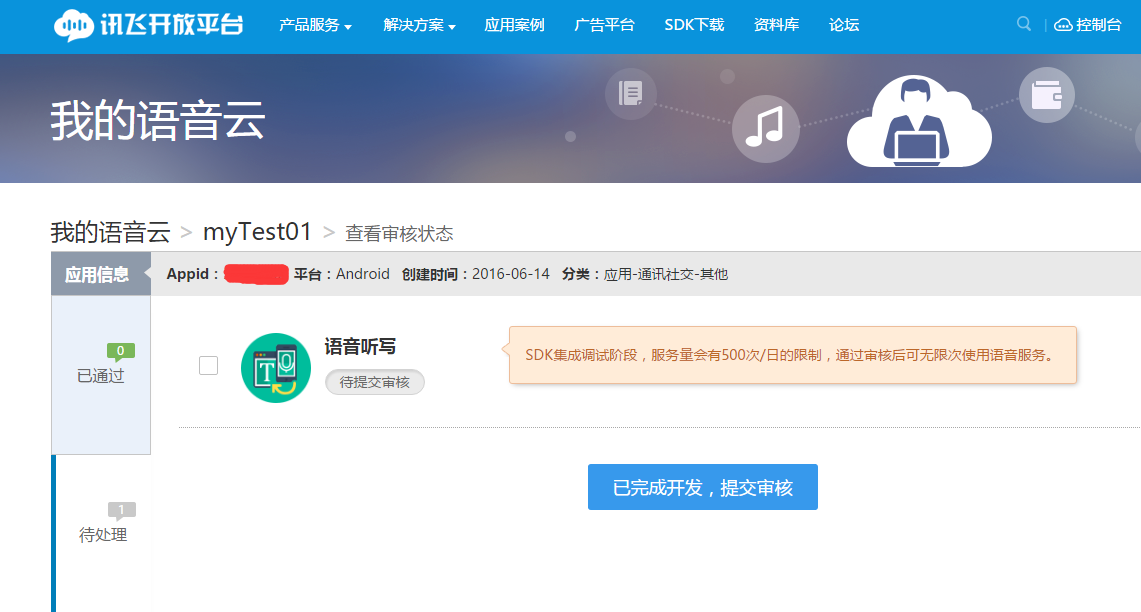 Android 整合訊飛語音 SDK 實現語音識別的完整流程
一、准備工作 1、你需要具備 Android 手機應用開發基礎 2、科大訊飛語音識別 SDK(Android 版) 3、科大訊飛語音識別開發 API 文檔 4、一支 An
 Android ImageView scaleType 與 adjustViewBounds 效果整理
scaleType 與 adjustViewBounds 的基本關係 ImageView 顯示圖片時,scaleType 決定縮放與對齊方式;adjustViewBoun
 Android 用 SurfaceView 打造流暢的九宮格抽獎效果
項目裡要做九宮格抽獎活動,我以前沒做過類似功能。雖然平時看博客時偶爾掃到過抽獎相關的文章,但因為用不上,一直沒點進去看。這回項目真要做了,只能硬著頭皮去翻。 網上翻了半天
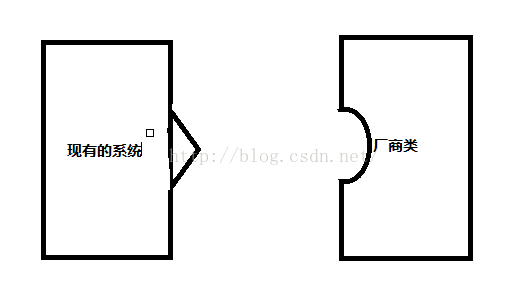 設計模式筆記:適配器模式(Adapter)入門與實作
適配器模式是我們日常開發裡出現頻率最高、也最容易埋雷的模式。從早期的 ListView、GridView 到現在的 RecyclerView,都少不了一個 Adapter