

編輯:關於 Android 程式設計
為應用在桌面創建快捷方式,可以通過發送廣播的方式來實現。下面分步說明。
<uses-permission android:name="com.android.launcher.permission.INSTALL_SHORTCUT" />
public static void setupShortcut(Activity activity) {
    // 指向啟動首頁(launcher Activity)
    Intent shortcutIntent = new Intent(activity, MainActivity.class);

    Intent intent = new Intent("com.android.launcher.action.INSTALL_SHORTCUT");
    intent.putExtra(Intent.EXTRA_SHORTCUT_INTENT, shortcutIntent);
    // 快捷方式名稱可任意,不過最好為 app 名稱
    intent.putExtra(Intent.EXTRA_SHORTCUT_NAME, "hello");
    Parcelable iconResource =
            Intent.ShortcutIconResource.fromContext(activity, R.drawable.ic_launcher);
    intent.putExtra(Intent.EXTRA_SHORTCUT_ICON_RESOURCE, iconResource);
    // 不允許重復創建
    intent.putExtra("duplicate", false);

    // 發送廣播創建快捷方式
    activity.sendBroadcast(intent);
}
快捷方式也可以指向其他 Activity,只需在 AndroidManifest 中對應的 Activity 裡添加如下配置:
<intent-filter>
    <action android:name="android.intent.action.CREATE_SHORTCUT" />
</intent-filter>
例如把上面的 MainActivity 換成任意其他 Activity,同時在清單中為它添加上述 intent-filter 即可。
 純代碼實現 Android 常用布局(線性、相對、表格)
關於 Android 常用布局,用 XML 文件實現的實例已經很多,那如何用代碼實現呢?雖然純代碼實現的必要性不大、也不太提倡,但通過代碼實現這些布局,能幫助我們更好地理
 用 Android Animation 做一個 loading 動畫
Animation 的用法門檻不高,這裡用一個 loading 效果把四種動畫都串一遍。 先看效果: Android 的 Animation 體系提供四種基本動畫: A
 Android 電商實戰(二):仿淘寶商品屬性標籤頁的自動換行實現
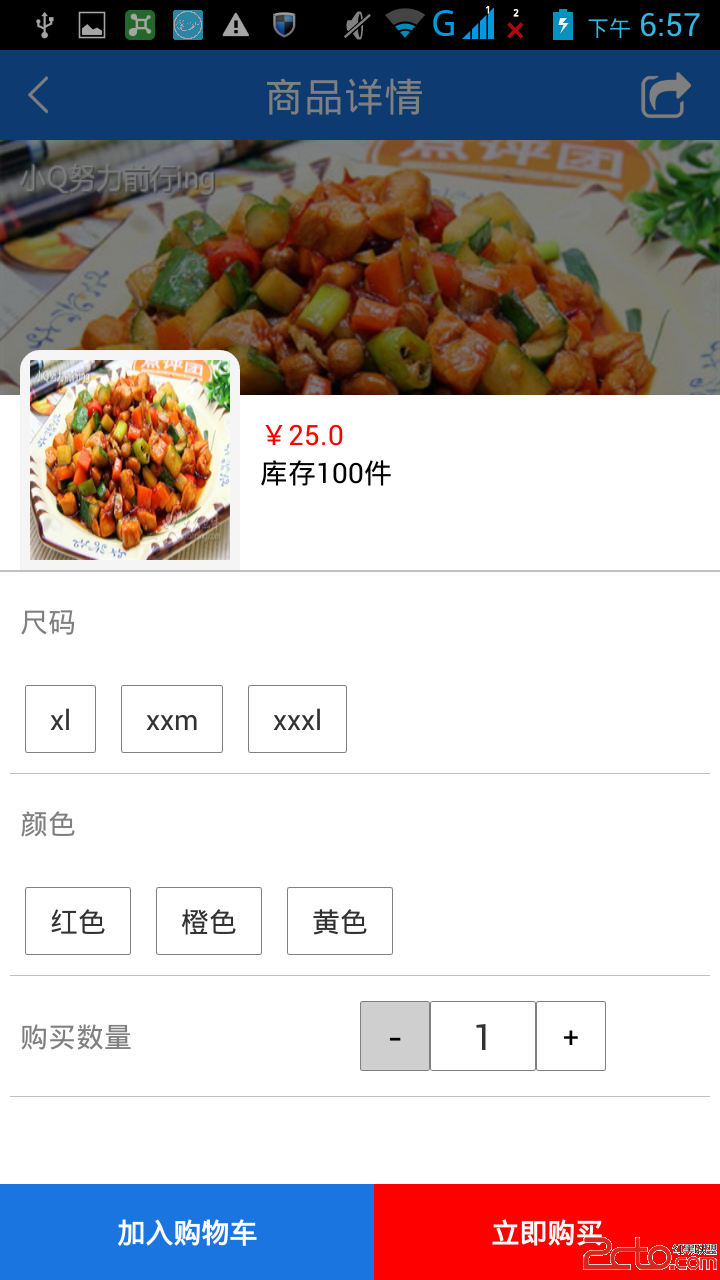
先看效果 需求:屬性與標籤都不能寫死 電商商品詳情頁裡的「規格選擇」看起來簡單,實際上有兩個層次的不確定性: 屬性本身是不確定的。有的商品是「顏色 + 尺碼」,有的是「
 自定義 View 入門:跟著 TextView 源碼走一遍四步流程
關於 Android 自定義 View,網上的文章和視頻很多,鴻洋的系列教程就很值得一讀。本文的打算是結合影音系統源碼,把「如何自定義一個 View」這件事講透。 分析對