

編輯:關於 Android 程式設計
在 Android 中處理圖像是再常見不過的任務,這裡彙整一些實際用過、相當實用的圖片資料轉換方法,方便日後查閱。
由 RGB 字串轉 Bitmap
private Bitmap createColorBitmap(String rgb, int width, int height) {
Bitmap bmp = Bitmap.createBitmap(width, height, Bitmap.Config.ARGB_8888);
int color = Color.parseColor(rgb);
bmp.eraseColor(color);
return bmp;
}
//Usage
Bitmap bmp = createColorBitmap("#cce8cf", 200, 50);
由 Color 值轉 Bitmap
private Bitmap createColorBitmap(int color, int width, int height) {
Bitmap bmp = Bitmap.createBitmap(width, height, Bitmap.Config.ARGB_8888);
bmp.eraseColor(color);
return bmp;
}
//Usage
Bitmap bmp = createColorBitmap(Color.BLUE, 200, 50);
由位元組陣列轉 Bitmap
private Bitmap getBitmapFromByteArray(byte[] array) {
return BitmapFactory.decodeByteArray(array, 0, array.length);
}
由檔案轉 Bitmap
private Bitmap getBitmapFromFile(String pathName) {
return BitmapFactory.decodeFile(pathName);
}
由資源轉 Bitmap
private Bitmap getBitmapFromResource(Resources res, int resId) {
return BitmapFactory.decodeResource(res, resId);
}
由串流轉 Bitmap
private Bitmap getBitmapFromStream(InputStream inputStream) {
return BitmapFactory.decodeStream(inputStream);
}
由 Drawable 轉 Bitmap
Bitmap icon = BitmapFactory.decodeResource(context.getResources(),R.drawable.icon_resource);
由資源轉 Drawable
Drawable drawable = getResources().getDrawable(R.drawable.ic_launcher);
由 Bitmap 轉 Drawable
Drawable d = new BitmapDrawable(getResources(),bitmap);
只要對 Bitmap 稍作處理即可,其中 pixels 代表邊角圓角半徑:
public static Bitmap getRoundedCornerBitmap(Bitmap bitmap, int pixels) {
Bitmap output = Bitmap.createBitmap(bitmap.getWidth(), bitmap.getHeight(), Config.ARGB_8888);
Canvas canvas = new Canvas(output);
final int color = 0xff424242;
final Paint paint = new Paint();
final Rect rect = new Rect(0, 0, bitmap.getWidth(), bitmap.getHeight());
final RectF rectF = new RectF(rect);
final float roundPx = pixels;
paint.setAntiAlias(true);
canvas.drawARGB(0, 0, 0, 0);
paint.setColor(color);
canvas.drawRoundRect(rectF, roundPx, roundPx, paint);
paint.setXfermode(new PorterDuffXfermode(Mode.SRC_IN));
canvas.drawBitmap(bitmap, rect, rect, paint);
return output;
}
這些方法涵蓋了日常開發中常見的圖片型別轉換與圓角處理,收錄起來以備不時之需。
 Android WebP 圖片壓縮與傳輸優化實踐
一、為什麼要關注圖片 即使在 4G 時代,行動網路流量仍然是寶貴資源。而在行動網路傳輸中,最佔流量的一種載體就是圖片,這也是行動開發者不得不正視的問題。 我們真正在意的,
 Android 語音識別入門:RecognizerIntent 用法與注意事項
想給應用加一個「說話輸入」的入口,最省事的方式是直接調起系統自帶的語音識別。Android 中主要通過 RecognizerIntent 完成這件事,代碼量很少,但有几個
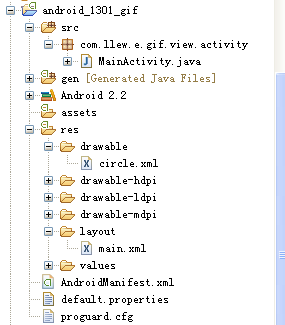 用 ImageView 搭配 AnimationDrawable 打造 ProgressBar 旋轉效果
ProgressBar 大家都不陌生,XML 裡一引用、加幾個屬性就能跑。但每個 App 都有自己的視覺調性,直接用系統預設那張轉圈圖,總覺得和整體風格不搭。 自定義 P
 Android 應用內社區 SDK 的技術架構淺析
圖 1、圖 2 雪球財經應用內社區 應用內微社區是什麼? 簡單來說,微社區是一款幫助開發者在應用中快速搭建社區(類似新浪微博、朋友圈)的產品。在眾多應用裡,開發商往往