

編輯:關於 Android 程式設計
Android 中解析 XML 常見的做法有 DOM、SAX 與 Pull 三種。本文以最直覺的 DOM 為例,示範如何讀取放在 raw 目錄下的 XML 檔並取出節點與屬性。
在專案的 res 目錄下建立 raw 資料夾,並在其中新增 data.xml:
<?xml version="1.0" encoding="utf-8"?>
<data>
    <class>
        <c studentNum="1">Android</c>
        <c studentNum="2">IPhone</c>
    </class>
</data>
import java.io.IOException;
import java.io.InputStream;
import javax.xml.parsers.DocumentBuilder;
import javax.xml.parsers.DocumentBuilderFactory;
import javax.xml.parsers.ParserConfigurationException;
import org.w3c.dom.Document;
import org.w3c.dom.NamedNodeMap;
import org.w3c.dom.Node;
import org.w3c.dom.NodeList;
import org.xml.sax.SAXException;
import android.os.Bundle;
import android.app.Activity;

public class MainActivity extends Activity {
    @Override
    protected void onCreate(Bundle savedInstanceState) {
        super.onCreate(savedInstanceState);
        setContentView(R.layout.activity_main);

        InputStream is = getResources().openRawResource(R.raw.data);
        try {
            byte[] bytes = new byte[is.available()];
            is.read(bytes);
            String XMLStr = new String(bytes, "utf-8");
            System.out.println(XMLStr);

            DocumentBuilder builder = DocumentBuilderFactory.newInstance().newDocumentBuilder();
            Document doc = builder.parse(is);

            Node node = doc.getFirstChild();
            System.out.println("第一個子節點" + node.getNodeName());

            NodeList list = doc.getElementsByTagName("c");
            NamedNodeMap map;
            for (int i = 0; i < list.getLength(); i++) {
                node = list.item(i);
                map = node.getAttributes();
                System.out.println(node.getTextContent() + "  studentNum  "
                        + map.getNamedItem("studentNum").getNodeValue());
            }
        } catch (IOException e) {
            e.printStackTrace();
        } catch (ParserConfigurationException e) {
            e.printStackTrace();
        } catch (SAXException e) {
            e.printStackTrace();
        }
    }
}
openRawResource(R.raw.data) 取得 XML 的輸入串流,R.raw 底下不會被資源編碼壓縮,適合放這類需要原樣讀取的檔案。
DocumentBuilderFactory 建立 DocumentBuilder,parse() 之後整份文件會被載入成 DOM 樹。getElementsByTagName("c") 取出所有 c 節點,再用 getAttributes() 取得屬性的 NamedNodeMap,透過 getNamedItem("studentNum").getNodeValue() 讀出屬性值,getTextContent() 則讀取節點的文字內容。
DOM:把整份文件載入記憶體成為樹狀結構,可隨意走訪與修改節點,但記憶體佔用量與文件大小成正比,適合小檔案。
SAX:事件驅動的串流解析,記憶體效率好,但只能單向讀取,程式碼較繁瑣。
Pull:Android 內建並官方推薦的方式,介面與 SAX 類似但控制權在呼叫端(可隨時暫停),使用 XmlPullParser 實作,是解析中等大小 XML 的首選。
此外,原始碼中若把 InputStream 用 try-with-resources 或 finally 明確關閉,可以避免檔案描述符洩漏;正式環境也建議改用 XmlPullParser 而非 DOM,尤其在解析網路下載的清單資料時。
 Android 入門教程:初談自定義 View 與自定義屬性
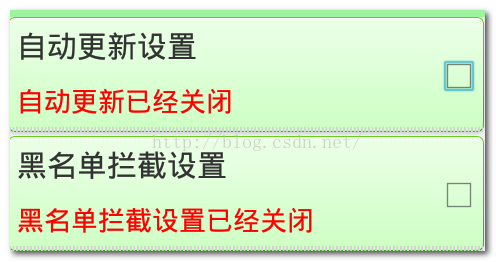
有些時候,我們需要在布局文件中反覆書寫大量相似代碼來定義一個又一個區塊。掌握這種最基礎的寫法固然重要,但當場景變多、需要為每一項配置不同屬性時,這種方式就顯得力不從心。系
 Android 常用對話框實作大全
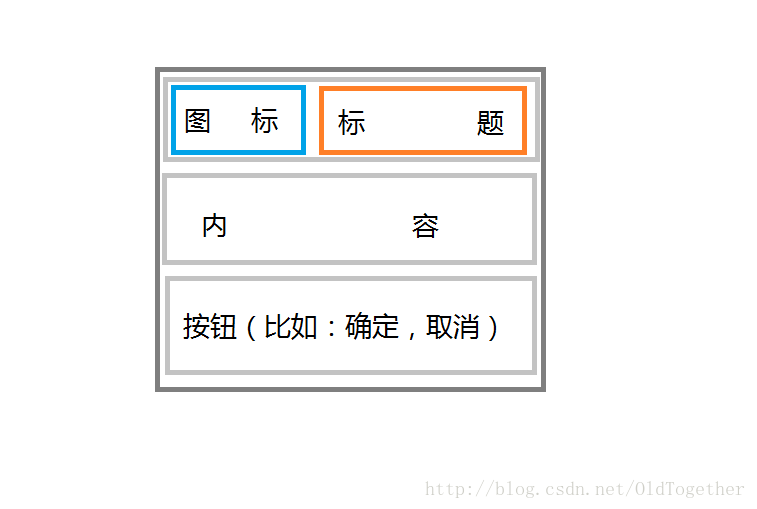
對話框是 Android 中常見的互動元件,通常用於提示訊息、確認操作、選擇項目或自定義輸入。它會讓目前 Activity 失去焦點,並中斷原本的 UI 互動。 基本組
 Android 開發入門:打造你的第一個 App
完成開發環境的建置之後,接下來就是實際動手打造自己的第一個應用程式了。本文帶您快速熟悉整個專案的目錄結構,為後續的開發打好基礎。 建立新專案 在 Eclipse 中選擇建
 Android ListView 分頁加載數據實戰:滑到底自動載入更多
熟悉 Android 的朋友都知道,不管是微博客戶端還是新聞客戶端,都離不開列表元件。可以說 ListView 是 Android 在資料展現方面最重要的元件之一。今天我