

編輯:關於 Android 程式設計
本文範例介紹了 Android 實現字幕滾動效果的做法,主要透過一個現成的 Java 類別完成。這個自訂的 Android 字幕滾動類別功能相當豐富:可設定滾動到結尾時的停頓時間(單位為毫秒),也能調整滾動速度(數值越小,速度越快)。
主要實現代碼如下:
package com.tony.autoscroll; import android.content.Context; import android.os.Handler; import android.util.AttributeSet; import android.util.Log; import android.view.MotionEvent; import android.widget.ScrollView; /** * @author Tony */ public class AutoScrollView extends ScrollView { private final Handler handler = new Handler(); private long duration = 50; private boolean isScrolled = false; private int currentIndex = 0; private long period = 1000; private int currentY = -1; private double x; private double y; private int type = -1; /** * @param context */ public AutoScrollView(Context context) { this(context, null); } /** * @param context * @param attrs */ public AutoScrollView(Context context, AttributeSet attrs) { this(context, attrs, 0); } /** * @param context * @param attrs * @param defStyle */ public AutoScrollView(Context context, AttributeSet attrs, int defStyle) { super(context, attrs, defStyle); } public boolean onTouchEvent(MotionEvent event) { int Action = event.getAction(); switch (Action) { case MotionEvent.ACTION_DOWN: x=event.getX(); y=event.getY(); if (type == 0) { setScrolled(false); } break; case MotionEvent.ACTION_MOVE: double moveY = event.getY() - y; double moveX = event.getX() - x; Log.d("test", "moveY = " + moveY + " moveX = " + moveX ); if ((moveY>20||moveY<-20) && (moveX < 50 || moveX > -50) && getParent() != null) { getParent().requestDisallowInterceptTouchEvent(true); } break; case MotionEvent.ACTION_UP: if (type == 0) { currentIndex = getScrollY(); setScrolled(true); } break; default: break; } return super.onTouchEvent(event); } @Override public boolean onInterceptTouchEvent(MotionEvent p_event) { Log.d("test", "onInterceptTouchEvent"); return true; } /** * 判斷當前是否為滾動狀態 * @return the isScrolled */ public boolean isScrolled() { return isScrolled; } /** * 開啟或者關閉自動滾動功能 * @param isScrolled * true為開啟,false為關閉 */ public void setScrolled(boolean isScrolled) { this.isScrolled = isScrolled; autoScroll(); } /** * 獲取當前滾動到結尾時的停頓時間,單位:毫秒 * @return the period */ public long getPeriod() { return period; } /** * 設置當前滾動到結尾時的停頓時間,單位:毫秒 * @param period *the period to set */ public void setPeriod(long period) { this.period = period; } /** * 獲取當前的滾動速度,單位:毫秒,值越小,速度越快。 * @return the speed */ public long getSpeed() { return duration; } /** * 設置當前的滾動速度,單位:毫秒,值越小,速度越快。 * @param speed *the duration to set */ public void setSpeed(long speed) { this.duration = speed; } public void setType(int type){ this.type = type; } private void autoScroll() { handler.postDelayed(new Runnable() { @Override public void run() { boolean flag = isScrolled; if (flag) { //Log.d("test", "currentY = " + currentY + " getScrollY() = "+ getScrollY() ); if (currentY == getScrollY()) { try { Thread.sleep(period); } catch (InterruptedException e) { e.printStackTrace(); } currentIndex = 0; scrollTo(0, 0); handler.postDelayed(this, period); } else { currentY = getScrollY(); handler.postDelayed(this, duration); currentIndex++; scrollTo(0, currentIndex * 1); } } else { //currentIndex = 0; //scrollTo(0, 0); } } }, duration); } }
 Android 如何導入外部預建數據庫
當 App 需要處理大量數據時,通常會把數據放進數據庫,再透過查詢與修改操作來管理。多數情況下我們在代碼裡即時建庫建表,但也有另一種場景:數據庫本身已經在外部做好並錄入完
 《Android 開發藝術探索》讀書筆記:第三章 View 的事件體系
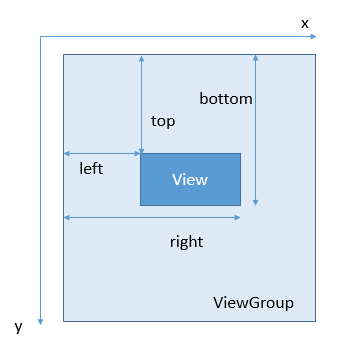
一、View 的基礎知識 什麼是 View View 是 Android 所有控件的基類,是界面層控件的一種抽象,代表一個具體控件。所有控件要麼是 View 的子公司,要
 動手打造 Android 字母索引欄 View
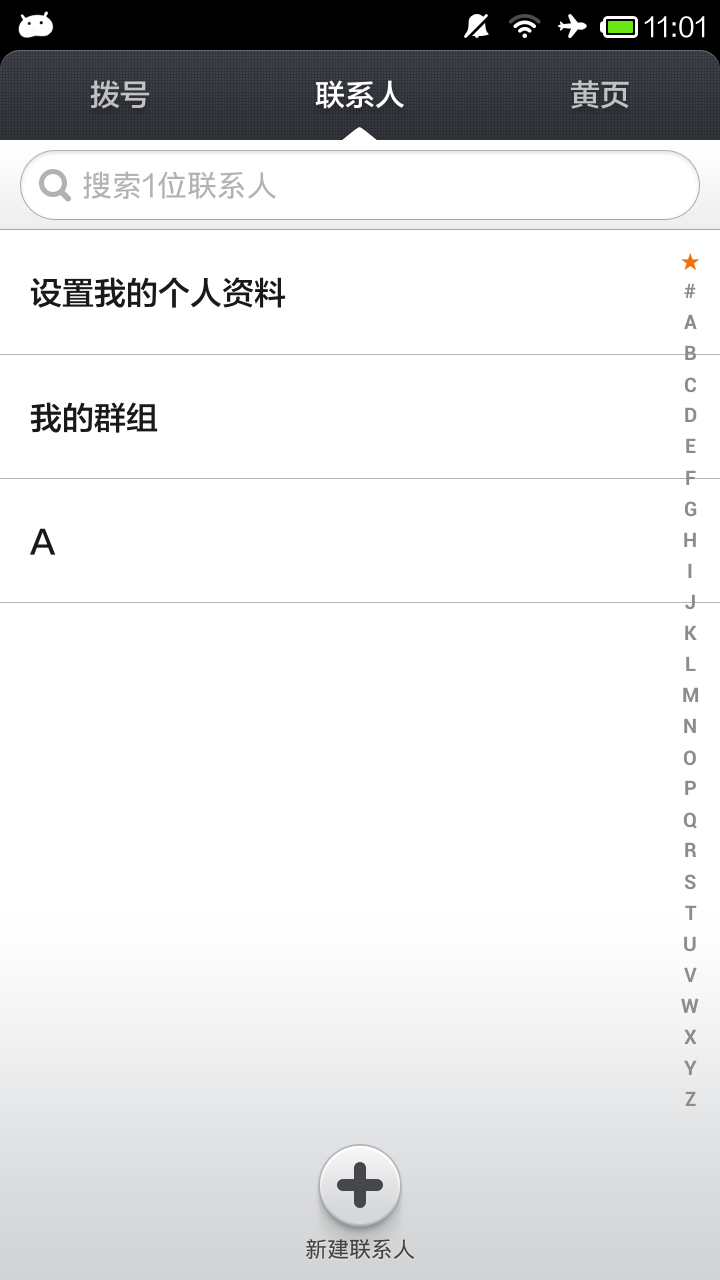
在通訊錄、好友清單這類資料量龐大的列表中,使用者通常沒有耐心逐筆翻找。只要在畫面右側放上一條 A–Z 的字母索引,手指一滑便能跳到對應位置,操作體驗立刻截然不同。本文示範
 如何在 Android 中使用系統自帶的 emoji 表情
什麼是 emoji 表情 emoji 是一類表情符號,代碼中它其實是一組遵循 Unicode 的編碼,即每個表情都對應一個 Unicode 編碼。更準確地說,emoji