

編輯:關於 Android 程式設計
開屏頁要在最短時間內完成兩件事:把廣告圖拉回來,同時讓使用者知道還要等幾秒。這個實例用 AsyncTask 把「載圖」與「倒數」拆成兩個背景任務,再用 RelativeLayout 把倒數文字疊在廣告右上角,版面比例則靠 LayoutParams 的權重來分配。
最外層是直向的 LinearLayout,中間放廣告區(權重 1),下方放提示文字(權重 5),也就是額外空間切成 6 份、廣告佔 1 份。這個比例可依需求自行調整。倒數文字用 RoundRectShape 畫出半透明白底圓角,並依螢幕解析度動態決定圓角半徑與邊距。
package cn.waps.extend;

import android.app.Activity;
import android.content.Context;
import android.content.res.Configuration;
import android.graphics.Color;
import android.graphics.drawable.ShapeDrawable;
import android.graphics.drawable.shapes.RoundRectShape;
import android.os.AsyncTask;
import android.os.Handler;
import android.os.Looper;
import android.view.Gravity;
import android.view.View;
import android.view.ViewGroup.LayoutParams;
import android.widget.LinearLayout;
import android.widget.RelativeLayout;
import android.widget.TextView;

import com.qcn.wzlz.AppConnect;
import com.qcn.wzlz.SDKUtils;

public class LoadingPopAd {

    private final static Handler mHandler = new Handler();
    private static LoadingPopAd loadingAppPopAd;

    public static LoadingPopAd getInstance() {
        if (loadingAppPopAd == null) {
            loadingAppPopAd = new LoadingPopAd();
        }
        if (Looper.myLooper() == null) {
            Looper.prepare();
        }
        return loadingAppPopAd;
    }

    /** 取得開屏版面 */
    public View getContentView(Context context, int time) {
        return getLoadingLayout(context, time);
    }

    private LinearLayout getLoadingLayout(final Context context, final int time) {

        // 最外層:直向、置中、可套用自訂背景圖
        LinearLayout layout = new LinearLayout(context);
        layout.setOrientation(LinearLayout.VERTICAL);
        layout.setGravity(Gravity.CENTER);
        int bg_id = context.getResources().getIdentifier(
                "loading_bg", "drawable", context.getPackageName());
        if (bg_id != 0) {
            layout.setBackgroundResource(bg_id);
        }

        // 廣告與倒數的容器
        LinearLayout l_layout = new LinearLayout(context);
        l_layout.setGravity(Gravity.CENTER);
        // 額外空間的比例:廣告佔六分之一(可依需求自訂)
        l_layout.setLayoutParams(new LinearLayout.LayoutParams(
                LayoutParams.FILL_PARENT, LayoutParams.FILL_PARENT, 1f));

        RelativeLayout pop_layout = new RelativeLayout(context);

        // 倒數文字
        TextView timeView = new TextView(context);
        timeView.setText("剩余" + time + "秒");
        timeView.setTextSize(10);
        timeView.setTextColor(Color.BLACK);
        timeView.setPadding(8, 3, 6, 2);

        // 依螢幕解析度調整圓角與邊距
        int num = 12;
        int displaySize = SDKUtils.getDisplaySize(context);
        if (displaySize == 320) {
            num = 8;
        } else if (displaySize == 240) {
            num = 6;
        } else if (displaySize == 720) {
            num = 16;
        } else if (displaySize == 1080) {
            num = 20;
        }
        float[] outerRadii = new float[] { 0, 0, num, num, 0, 0, num, num };
        ShapeDrawable timeView_shapeDrawable = new ShapeDrawable();
        timeView_shapeDrawable.setShape(new RoundRectShape(outerRadii, null, null));
        timeView_shapeDrawable.getPaint().setColor(Color.argb(255, 255, 255, 255));
        timeView.setBackgroundDrawable(timeView_shapeDrawable);

        // 異步倒數 + 異步載圖
        new ShowPopAdTask(context, pop_layout, timeView).execute();
        new TimeCountDownTask(timeView, time).execute();

        TextView textView = new TextView(context);
        textView.setLayoutParams(new LinearLayout.LayoutParams(
                LayoutParams.FILL_PARENT, LayoutParams.FILL_PARENT, 5f));
        textView.setText("正在啟動,請稍後...");
        textView.setGravity(Gravity.CENTER);
        textView.setTextColor(Color.WHITE);

        l_layout.addView(pop_layout);
        layout.addView(l_layout);
        layout.addView(textView);
        return layout;
    }

    /** 倒數計時任務 */
    private class TimeCountDownTask extends AsyncTask<Void, Void, Boolean> {
        TextView timeView;
        int limit_time = 0;

        TimeCountDownTask(TextView timeView, int time) {
            this.timeView = timeView;
            this.limit_time = time;
        }

        @Override
        protected Boolean doInBackground(Void... params) {
            while (limit_time > 0) {
                mHandler.post(new Runnable() {
                    @Override
                    public void run() {
                        timeView.setText("剩余" + limit_time + "秒");
                    }
                });
                try {
                    Thread.sleep(1000);
                } catch (Exception e) {
                    e.printStackTrace();
                }
                limit_time--;
            }
            return null;
        }
    }

    /** 廣告載入任務 */
    private class ShowPopAdTask extends AsyncTask<Void, Void, Boolean> {
        Context context;
        RelativeLayout pop_layout;
        LinearLayout popAdView;
        TextView timeView;
        int height_full = 0;
        int height = 0;

        ShowPopAdTask(Context context, RelativeLayout pop_layout, TextView timeView) {
            this.context = context;
            this.pop_layout = pop_layout;
            this.timeView = timeView;
        }

        @Override
        protected Boolean doInBackground(Void... params) {
            try {
                height_full = ((Activity) context).getWindowManager()
                        .getDefaultDisplay().getHeight();
                int height_tmp = height_full - 75;   // 扣掉狀態列與標題列
                height = height_tmp * 5 / 6;

                while (true) {
                    if (((Activity) context).getResources().getConfiguration().orientation
                            == Configuration.ORIENTATION_LANDSCAPE && height_full <= 480) {
                        popAdView = AppConnect.getInstance(context)
                                .getPopAdView(context, height, height);
                    } else {
                        popAdView = AppConnect.getInstance(context).getPopAdView(context);
                    }
                    if (popAdView != null) {
                        mHandler.post(new Runnable() {
                            @Override
                            public void run() {
                                pop_layout.addView(popAdView);
                                popAdView.setId(1);

                                // 讓倒數文字對齊廣告的右上角
                                RelativeLayout.LayoutParams params = new RelativeLayout.LayoutParams(
                                        LayoutParams.WRAP_CONTENT, LayoutParams.WRAP_CONTENT);
                                params.addRule(RelativeLayout.ALIGN_TOP, popAdView.getId());
                                params.addRule(RelativeLayout.ALIGN_RIGHT, popAdView.getId());

                                int displaySize = SDKUtils.getDisplaySize(context);
                                if (displaySize == 320 || displaySize == 240) {
                                    params.topMargin = 1;
                                    params.rightMargin = 1;
                                } else if (displaySize == 720) {
                                    params.topMargin = 3;
                                    params.rightMargin = 3;
                                } else if (displaySize == 1080) {
                                    params.topMargin = 4;
                                    params.rightMargin = 4;
                                } else {
                                    params.topMargin = 2;
                                    params.rightMargin = 2;
                                }
                                pop_layout.addView(timeView, params);
                            }
                        });
                        break;
                    }
                    try {
                        Thread.sleep(500);      // 圖還沒準備好,稍候再試
                    } catch (InterruptedException e) {
                        e.printStackTrace();
                    }
                }
            } catch (Exception e) {
                e.printStackTrace();
            }
            return null;
        }
    }
}
這份程式示範了「版面用程式碼動態組裝」與「任務拆分」兩個技巧,但仍有值得優化的空間:倒數任務中的 Thread.sleep 建議改用 CountDownTimer 或 publishProgress,可免去自行 post 到 Handler;AsyncTask 在 Android 3.0 之後已不建議用於長時間背景工作,新專案請改用 ViewModel 搭配 Coroutine 或 LiveData;而硬體寫死的 height_full - 75 在瀏海屏與手勢列機型上會失準,建議改用 WindowInsets 取得實際可用區域。
 Android 照片牆實作:用 LruCache 避免圖片太多導致崩潰
照片牆的常見問題照片牆是許多應用常見的展示形式,通常用 GridView 或其他可捲動容器呈現大量圖片。問題在於,當使用者不斷捲動時,若沒有適當的記憶體管理機制,圖片會持
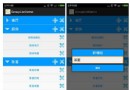 Android 仿 QQ 好友分組列表:ExpandableListView 增刪改與持久化
案例目標本案例以 ExpandableListView 為基礎,打造類似 QQ 好友分組的互動效果。除了展示分組與子項資料,還加入新增、刪除、修改與本地持久化能力,讓列表
 Android Activity 啟動模式之 singleTask 實例詳解
本文通過實例分析 Android Activity 的 singleTask 啟動模式,供感興趣的讀者參考。 前幾篇已介紹過 standard 與 singleTop 兩
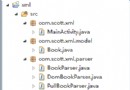 Android XML 解析實務:SAX、DOM 與 Pull 三種方式完整比較
XML 常用於資料交換與設定檔。Android 常見的解析方式有 SAX、DOM 與 Pull,三者都能讀取與產生 XML,但特性與適用情境不同。 SAX SAX 是事