

編輯:關於 Android 程式設計
這個實例取自一個天氣預報 App 的更新模組,把「檢查版本 → 提示使用者 → 下載 APK → 觸發安裝」整條鏈路串了起來,同時處理了幾個容易被忽略的細節:SD 卡是否掛載、檔案大小格式化、下載中斷與取消、網路異常提示,以及「已是最新版本」的告知。
DownloadManager 以單例形式存在,內部用 Handler 在多個狀態之間切換,對應的訊息常數如下:
private static final int DOWN_NOSDCARD = 0;   // 未掛載 SD 卡
private static final int DOWN_UPDATE   = 1;   // 下載進度更新
private static final int DOWN_OVER     = 2;   // 下載完成
private static final int DOWN_ERROR    = 3;   // 下載失敗

private static final int DIALOG_TYPE_LATEST        = 0;  // 已是最新
private static final int DIALOG_TYPE_FAIL          = 1;  // 抓不到版本資訊
private static final int DIALOG_TYPE_INTERNETERROR = 2;  // 網路故障
private static DownloadManager downloadManager;

public static DownloadManager getDownloadManager() {
    if (downloadManager == null) {
        downloadManager = new DownloadManager();
    }
    downloadManager.interceptFlag = false;   // 重設取消旗標
    return downloadManager;
}

public void DownLoader(Context context, AppDetail download) {
    this.mContext = context;
    this.mDownload = download;
    showDownloadDialog();
}
做法是先讀取本機版本資訊,再開一條子線程去抓遠端 update.xml,解析成 AppDetail 物件後回傳主線程比對 versionCode。
public void checkAppUpdate(Context context, final boolean isShowMsg, final boolean notmain) {
    this.mContext = context;
    getCurrentVersion(mContext);

    if (isShowMsg) {
        if (mProDialog == null) {
            mProDialog = ProgressDialog.show(mContext, null, "正在檢測,請稍後...", true, true);
        } else if (mProDialog.isShowing()
                || (latestOrFailDialog != null && latestOrFailDialog.isShowing())) {
            return;   // 已有提示在顯示,避免重複彈出
        }
    }

    final Handler handler = new Handler() {
        public void handleMessage(Message msg) {
            if (mProDialog != null && !mProDialog.isShowing()) {
                return;   // 進度框已關閉,連結果也不必顯示
            }
            if (isShowMsg && mProDialog != null) {
                mProDialog.dismiss();
                mProDialog = null;
            }

            if (msg.what == 1) {
                mDownload = (AppDetail) msg.obj;
                if (mDownload != null && curVersionCode < mDownload.getVersionCode()) {
                    apkUrl = mDownload.getUri() + mDownload.getFileName();
                    updateMsg = mDownload.getAppHistory();
                    showNoticeDialog();
                } else if (isShowMsg && notmain) {
                    showLatestOrFailDialog(DIALOG_TYPE_LATEST);
                }
            } else if (msg.what == -1 && isShowMsg) {
                showLatestOrFailDialog(DIALOG_TYPE_INTERNETERROR);
            } else if (isShowMsg) {
                showLatestOrFailDialog(DIALOG_TYPE_FAIL);
            }
        }
    };

    new Thread() {
        public void run() {
            Message msg = new Message();
            try {
                DefaultHttpClient client = new DefaultHttpClient();
                client.getParams().setParameter(
                        CoreConnectionPNames.CONNECTION_TIMEOUT, 3000);
                HttpGet get = new HttpGet(checkUrl);
                HttpResponse response = client.execute(get);
                if (response.getStatusLine().getStatusCode() == 200) {
                    HttpEntity entity = response.getEntity();
                    InputStream stream = new ByteArrayInputStream(
                            EntityUtils.toString(entity, "gb2312").getBytes());
                    msg.what = 1;
                    msg.obj = AppDetail.parseXML(stream);
                } else {
                    msg.what = -1;
                }
            } catch (Exception e) {
                e.printStackTrace();
                msg.what = -1;
            }
            handler.sendMessage(msg);
        }
    }.start();
}
public String getCurrentVersion(Context context) {
    try {
        PackageInfo info = context.getPackageManager()
                .getPackageInfo(context.getPackageName(), 0);
        curVersionName = info.versionName;
        curVersionCode = info.versionCode;
    } catch (NameNotFoundException e) {
        e.printStackTrace(System.err);
    }
    return curVersionName;
}
「已是最新版本」、「無法獲取版本資訊」、「網路故障」三種情境共用一個方法,只是文案不同;這裡用 Toast 呈現,避免連續彈窗打斷使用者。
private void showLatestOrFailDialog(int dialogType) {
    String ToastMsg = "";
    if (latestOrFailDialog != null) {
        latestOrFailDialog.dismiss();
        latestOrFailDialog = null;
    }
    if (dialogType == DIALOG_TYPE_LATEST) {
        ToastMsg = "您當前已經是最新版本";
    } else if (dialogType == DIALOG_TYPE_FAIL) {
        ToastMsg = "無法獲取版本更新信息";
    } else if (dialogType == DIALOG_TYPE_INTERNETERROR) {
        ToastMsg = "網絡故障,無法連接服務器";
    }
    Toast.makeText(mContext, ToastMsg, Toast.LENGTH_SHORT).show();
}

/** 版本更新通知對話框 */
private void showNoticeDialog() {
    AlertDialog.Builder builder = new Builder(mContext);
    builder.setTitle("軟件版本更新");
    builder.setMessage(updateMsg);
    builder.setPositiveButton("立即更新", new OnClickListener() {
        @Override
        public void onClick(DialogInterface dialog, int which) {
            dialog.dismiss();
            showDownloadDialog();
        }
    });
    builder.setNegativeButton("以後再說", new OnClickListener() {
        @Override
        public void onClick(DialogInterface dialog, int which) {
            dialog.dismiss();
        }
    });
    noticeDialog = builder.create();
    noticeDialog.show();
}

/** 下載對話框:內含自訂的進度條與文字佈局 */
private void showDownloadDialog() {
    AlertDialog.Builder builder = new Builder(mContext);
    builder.setTitle("正在下載安裝包");
    View v = LayoutInflater.from(mContext).inflate(R.layout.download_progress, null);
    mProgress = (ProgressBar) v.findViewById(R.id.update_progress);
    mProgressText = (TextView) v.findViewById(R.id.update_progress_text);
    builder.setView(v);
    builder.setNegativeButton("取消", new OnClickListener() {
        @Override
        public void onClick(DialogInterface dialog, int which) {
            dialog.dismiss();
            interceptFlag = true;      // 通知下載迴圈收工
        }
    });
    builder.setOnCancelListener(new OnCancelListener() {
        @Override
        public void onCancel(DialogInterface dialog) {
            dialog.dismiss();
            interceptFlag = true;
        }
    });
    downloadDialog = builder.create();
    downloadDialog.setCanceledOnTouchOutside(false);   // 點外部不關閉,避免誤觸中斷
    downloadDialog.show();
    downloadApk();
}
下載策略是先寫成 .tmp 暫存檔,全部完成後再用 renameTo 轉為 .apk,如此一來即使中途斷網,也不會留下一個看似完整卻其實半截的安裝檔。
private Runnable mdownApkRunnable = new Runnable() {
    Message error_msg = new Message();

    @Override
    public void run() {
        try {
            String apkName = mDownload.getFileName().replace(".apk", "") + ".apk";
            String tmpApk  = mDownload.getFileName().replace(".apk", "") + ".tmp";

            // 確認 SD 卡是否掛載
            String storageState = Environment.getExternalStorageState();
            if (storageState.equals(Environment.MEDIA_MOUNTED)) {
                savePath = Environment.getExternalStorageDirectory().getAbsolutePath()
                        + "/QN/QNStore/";
                File dir = new File(savePath);
                if (!dir.exists()) {
                    dir.mkdirs();
                }
                apkFilePath = savePath + apkName;
                tmpFilePath = savePath + tmpApk;
            }
            if (apkFilePath == null || apkFilePath == "") {
                mHandler.sendEmptyMessage(DOWN_NOSDCARD);
                return;
            }

            File ApkFile = new File(apkFilePath);
            File tmpFile = new File(tmpFilePath);
            FileOutputStream fos = new FileOutputStream(tmpFile);

            URL url = new URL(mDownload.getUri() + mDownload.getFileName());
            HttpURLConnection conn = (HttpURLConnection) url.openConnection();
            try {
                conn.connect();
            } catch (ConnectTimeoutException e) {
                error_msg.what = DOWN_ERROR;
                error_msg.arg1 = 0;
                mHandler.sendMessage(error_msg);
            }

            int length = conn.getContentLength();
            InputStream is = conn.getInputStream();

            // 檔案大小以兩位小數的 MB 呈現
            DecimalFormat df = new DecimalFormat("0.00");
            apkFileSize = df.format((float) length / 1024 / 1024) + "MB";

            int count = 0;
            byte buf[] = new byte[1024];
            do {
                int numread = is.read(buf);
                count += numread;
                tmpFileSize = df.format((float) count / 1024 / 1024) + "MB";
                progress = (int) (((float) count / length) * 100);
                mHandler.sendEmptyMessage(DOWN_UPDATE);

                if (numread <= 0) {
                    // 讀完了,把暫存檔轉成正式 APK 再通知安裝
                    if (tmpFile.renameTo(ApkFile)) {
                        mHandler.sendEmptyMessage(DOWN_OVER);
                    }
                    break;
                }
                fos.write(buf, 0, numread);
            } while (!interceptFlag);      // 使用者按取消就跳出

            fos.close();
            is.close();
        } catch (MalformedURLException e) {
            error_msg.what = DOWN_ERROR;
            error_msg.arg1 = 1;
            mHandler.sendMessage(error_msg);
        } catch (IOException e) {
            error_msg.what = DOWN_ERROR;
            error_msg.arg1 = 2;
            mHandler.sendMessage(error_msg);
        }
    }
};

private void downloadApk() {
    downLoadThread = new Thread(mdownApkRunnable);
    downLoadThread.start();
}

/** 以系統安裝器開啟 APK */
private void installApk() {
    File apkfile = new File(apkFilePath);
    if (!apkfile.exists()) {
        return;
    }
    Intent i = new Intent(Intent.ACTION_VIEW);
    i.setDataAndType(Uri.parse("file://" + apkfile.toString()),
            "application/vnd.android.package-archive");
    mContext.startActivity(i);
}
主線程的 Handler 負責把四種狀態翻譯成使用者看得到的回饋:更新進度條、關閉下載框並安裝、提示檢查 SD 卡,或依錯誤碼區分「網路不給力」與「找不到資源」。整份程式流暢的關鍵就在這裡——所有耗時動作都在子線程,UI 只負責呈現。
要留意的是,這份寫法屬於較早期的.Net 風格 HTTP 連線(DefaultHttpClient 已在 Android 6.0 移除),Environment.getExternalStorageDirectory() 也需要 WRITE_EXTERNAL_STORAGE 與後續版本的分區儲存/Scoped Storage 配套處理,而 FileProvider 更是 Android 7.0 以後 file:// URI 分享的必要條件。若要在新專案沿用這套邏輯,建議把網路層換成 HttpURLConnection 或 OkHttp,並改用 FileProvider 授權安裝。
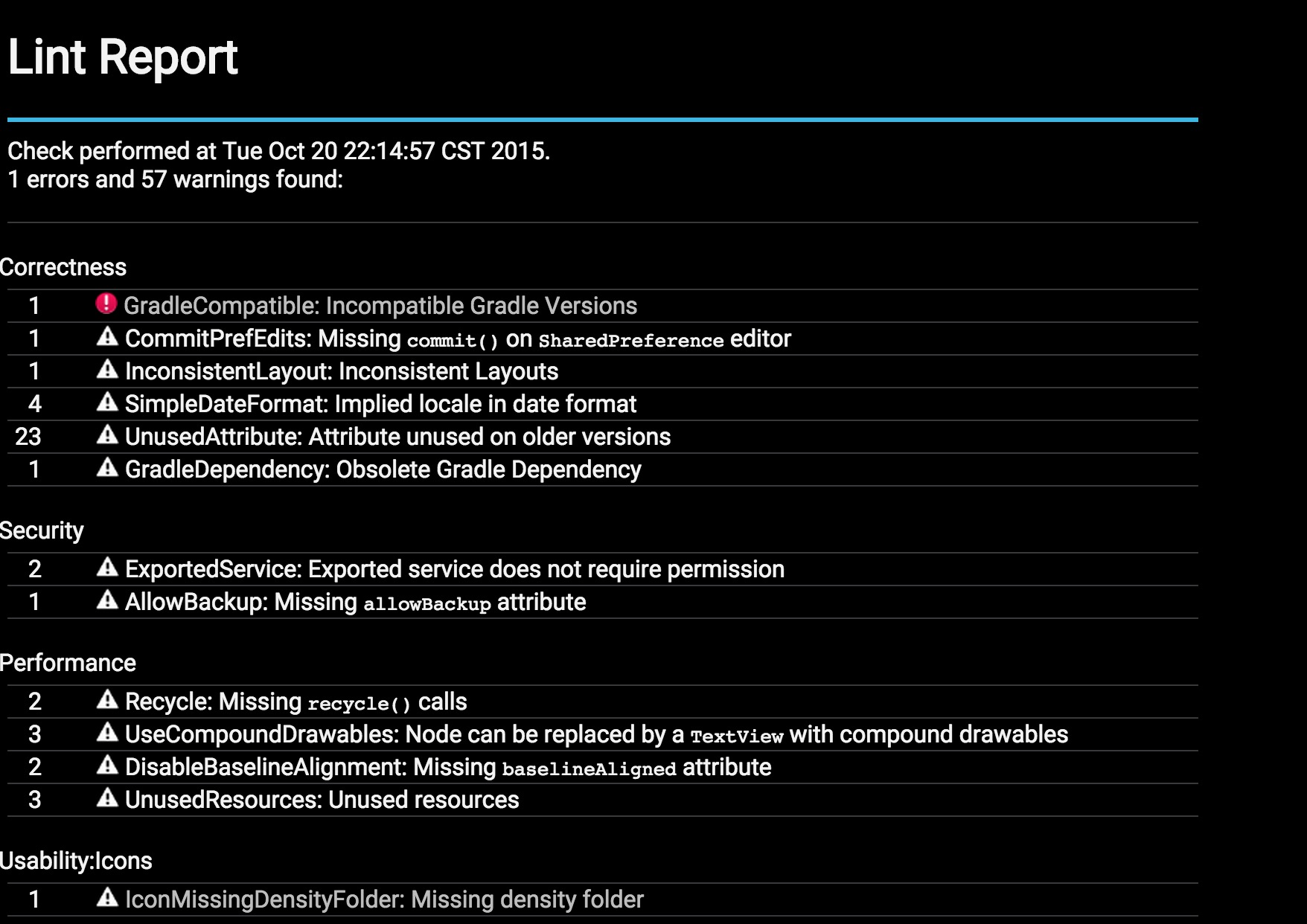 Android 靜態代碼檢查利器 Lint 的三種用法
基於 Gradle 的 Lint 檢查 在 gradle 中自帶了一個 lint 任務,可以直接執行靜態代碼檢查,但前提是你要在 build.gradle 中配置好 li
 Android 實踐:apk 反編譯一步到位
Android 的 apk 在編譯打包時,會將資源檔案進行二進位制編譯,.class 檔案也被編譯成 .dex 檔案。經過這幾道工序後,我們便無法直接查看資源檔案與 ja
 Android 音頻控制實作:用 MediaPlayer 播放搭配 AudioManager 調音量
播放音樂只是半件事,另一半是「讓使用者能控制這段音樂」——調大、調小、靜音。Android 把這兩件事分別交給兩個類別負責:MediaPlayer 管播放,AudioMa
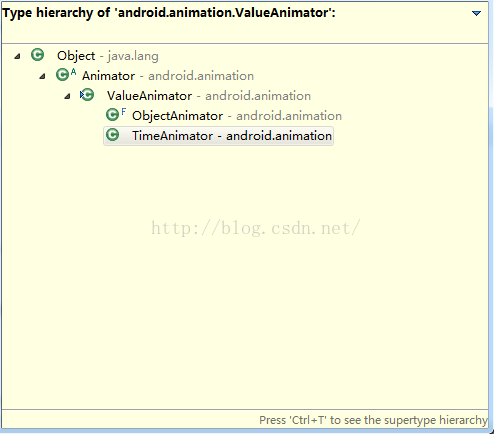 Android 屬性動畫完全指南:從 ObjectAnimator 到自定義 TypeEvaluator
當我們看到別人的 App 裡那些炫酷的動畫效果時,是否會心癢癢地想知道源代碼到底怎麼寫的,為什麼自己只能做出平移、縮放、旋轉、透明度變化這幾種簡單動畫呢?如果有這種困惑,