

編輯:關於 Android 程式設計
想知道手上的 Android 裝置是單核還是多核?系統並沒有提供現成的 API,但方法是有的:去數 /sys/devices/system/cpu/ 目錄底下有幾個 cpuN 資料夾。有幾個,就是幾核。
/**
 * Gets the number of cores available in this device, across all processors.
 * Requires: Ability to peruse the filesystem at "/sys/devices/system/cpu"
 * @return The number of cores, or 1 if failed to get result
 */
private int getNumCores() {
    // Private Class to display only CPU devices in the directory listing
    class CpuFilter implements FileFilter {
        @Override
        public boolean accept(File pathname) {
            // Check if filename is "cpu", followed by a single digit number
            if (Pattern.matches("cpu[0-9]", pathname.getName())) {
                return true;
            }
            return false;
        }
    }

    try {
        // Get directory containing CPU info
        File dir = new File("/sys/devices/system/cpu/");
        // Filter to only list the devices we care about
        File[] files = dir.listFiles(new CpuFilter());
        // Return the number of cores (virtual CPU devices)
        return files.length;
    } catch (Exception e) {
        // Default to return 1 core
        return 1;
    }
}
整個做法分三個環節:
CpuFilter 實作 FileFilter,只放行檔名符合 cpu0、cpu1、cpu2… 這種格式的項目。這麼做是為了排除同目錄下的 cpufreq、cpuidle 等雜項檔案或目錄。dir.listFiles(filter) 取得篩選後的陣列。files.length,也就是核心數。任何例外都回退為 1。要判斷單核還是多核,只要拿回傳值比較即可:
int cores = getNumCores();
if (cores > 1) {
    // 多核
} else {
    // 單核
}
正規表達式的位數問題。cpu[0-9] 只能匹配個位數。理論上手機不會有 10 顆以上的核心,但若要寫得更嚴謹,可改成 cpu[0-9]+。
權限與相容性。這個方法依賴能讀取 /sys 這個 sysfs 路徑。多數情況下不需要特殊權限即可讀取,但部分客製化 ROM 或較新的 Android 版本可能限制存取,這也正是程式碼裡必須用 try-catch 保底的原因。
「實體核心」不等於「同時可用核心」。行動裝置普遍採用 big.LITTLE 架構,平時為了省電會把部分核心關閉(hotplug)。getNumCores() 回傳的是硬體上的核心總數,而非當下實際有幾顆在跑。若你的用途是效能調校、決定執行緒數量,建議改用 Runtime.getRuntime().availableProcessors(),它反映的是目前可用的處理器數量,判斷起來更貼近真實情況。
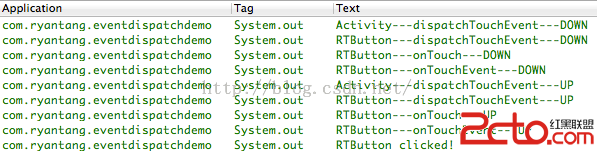 Android 事件分發機制完全解析:三個方法、單層與嵌套布局
一、Android 事件的構成 Android 中的事件包含點按、長按、拖拽、滑動等,點按又分單擊與雙擊,此外還有單指與多指操作。但無論多複雜,所有事件都以三個基本動作為
 Android 本地與網絡 MP3 播放器(九)音樂收藏與列表切換
本篇要實現的功能: 使用快速開發框架 xUtils 中的 DbUtils 模塊,為音樂收藏功能做準備; 實現 PlayActivity(獨立播放界面)的收藏/取消收藏按鈕
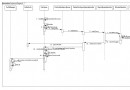 Android 6.0 來電號碼與通訊錄名稱匹配流程解析
當 Android 系統接到來電時,若要在通訊錄中找出對應聯絡人,會經過 Telecom、Call、CallerInfoAsyncQuery 與 ContactsProv
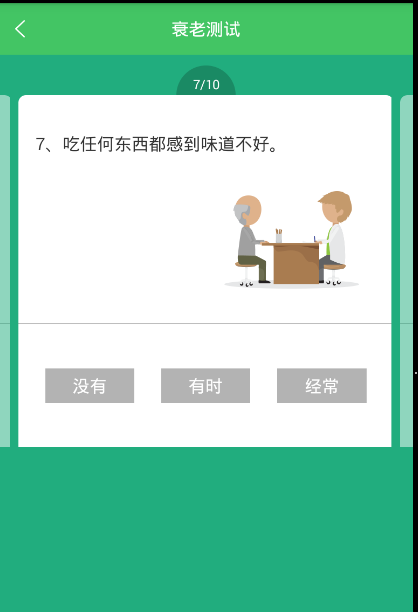 使用 ViewPager 實現問卷答題翻頁效果完整教學
總覺得應該在每一個專案中積累一點經驗,哪怕只有一點點。先來看實現的效果圖:使用 ViewPager 進行左右翻頁,並將頁邊距設為負數,讓上一頁與下一頁部分顯示(透過透明度