

編輯:關於 Android 程式設計
LayoutInflater 是 Android 中常用的版面載入工具,可將 res/layout 下的 XML 版面轉成 View 或 ViewGroup。它與 findViewById 不同:findViewById 是在既有版面中尋找元件,LayoutInflater 則是動態建立版面。
常見寫法有三種:透過 getSystemService(Context.LAYOUT_INFLATER_SERVICE)、呼叫 Activity 的 getLayoutInflater(),或使用 LayoutInflater.from(context)。三者本質相同,最終都會取得系統的 LayoutInflater 服務。
inflate 有多重重載,最常用的是指定版面資源與父容器。例如 inflate(resource, root) 與 inflate(resource, root, attachToRoot)。其中 root 代表可能用來產生 LayoutParams 的父容器,attachToRoot 則決定是否直接把載入的 View 加入 root。
以下以載入 button.xml 為例,分別使用 inflate(R.layout.button, null)、inflate(R.layout.button, group, false)、inflate(R.layout.button, group, true)。
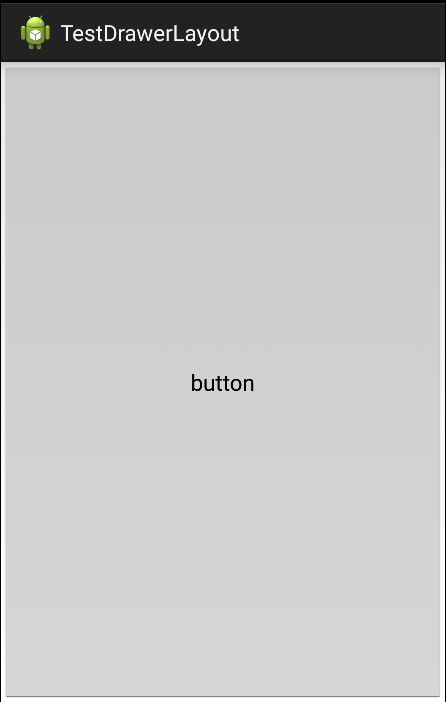
當 root 傳入 null 時,系統無法取得父容器的 LayoutParams,因此 XML 中設定的寬高可能不會如預期生效。
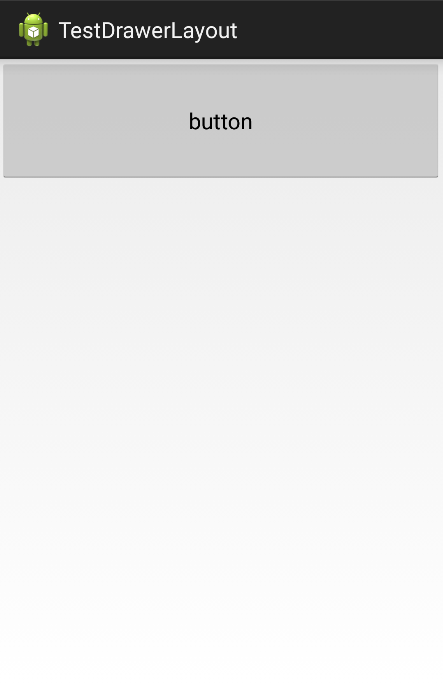
當 root 不為 null 且 attachToRoot 為 false 時,系統會根據 root 產生 LayoutParams,但不會自動把 View 加入 root。因此 XML 的寬高設定可以生效,之後再由開發者自行呼叫 addView。
當 attachToRoot 為 true 時,inflate 內部已經執行加入父容器的動作。如果外部再次呼叫 group.addView(view),就可能拋出「指定子項已有父容器」的例外。
LayoutInflater 的核心流程會先建立 XML 根節點對應的 View,接著判斷 root 是否為空。若 root 不為空且 attachToRoot 為 false,會先將產生的 LayoutParams 設定到 temp;若 root 不為空且 attachToRoot 為 true,則直接呼叫 root.addView(temp, params)。最後,當 root 為 null 或 attachToRoot 為 false 時,方法會回傳 temp 作為結果。
若希望 XML 的寬高生效,建議傳入有效的 root,並將 attachToRoot 設為 false,再自行 addView;若希望 inflate 直接完成加入父容器,則將 attachToRoot 設為 true,且不要再重複 addView。理解這項差異,可避免版面參數失效或重複加入造成的崩潰。
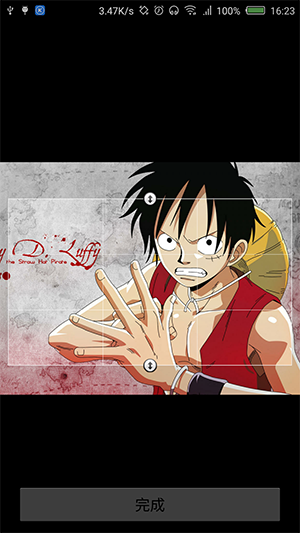 Android 可變裁剪區及縮放裁剪圖片實作解析
前言常見的圖片裁切功能,有的是固定裁切區並縮放圖片,有的是固定圖片並調整裁切區。本文介紹一種可變裁切區,同時也能縮放圖片的實作方式。整體架構整個裁切畫面由三層 View
 Android GestureDetector 手勢處理:滑動、刪除與拖曳
GestureDetector 能協助開發者處理點擊、長按、滑動與快速滑動等手勢。使用時通常分為三步:建立 GestureDetector、設定手勢監聽器,並在 onTo
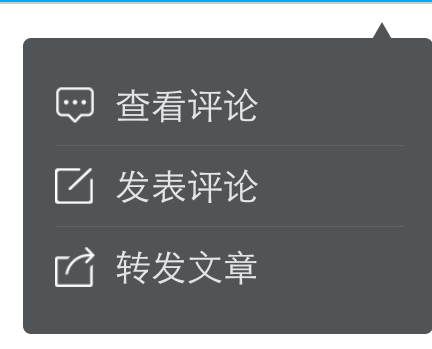 自定義 PopupWindow 彈出選單並加上展開動畫
PopupWindow 適合做那種「浮在當前畫面上、點外面就消失」的輕量選單。本文示範一個三選項的下拉式選單,並掛上縮放淡入動畫,讓它看起來更有質感。 自定義 Popup
 Android 中獲取控件寬高與屏幕寬高的多種方法
一、獲取屏幕寬高 1. Android 界面結構簡介 要獲取屏幕寬高,不妨先了解 Android 界面的構成。它由三部分組成:狀態欄、標題欄、內容區域。 (1)狀態欄